How to mirror a frame part and keep the cut list?

How to mirror a frame part with features and keep the cut list with lengths?
When I mirror a frame part and make a cut list I get the error "Failed to find frame start and end faces.". The frame shows up on the cut list but not with the correct lengths. Is it possible to mirror a frame part and keep the correct cut list?
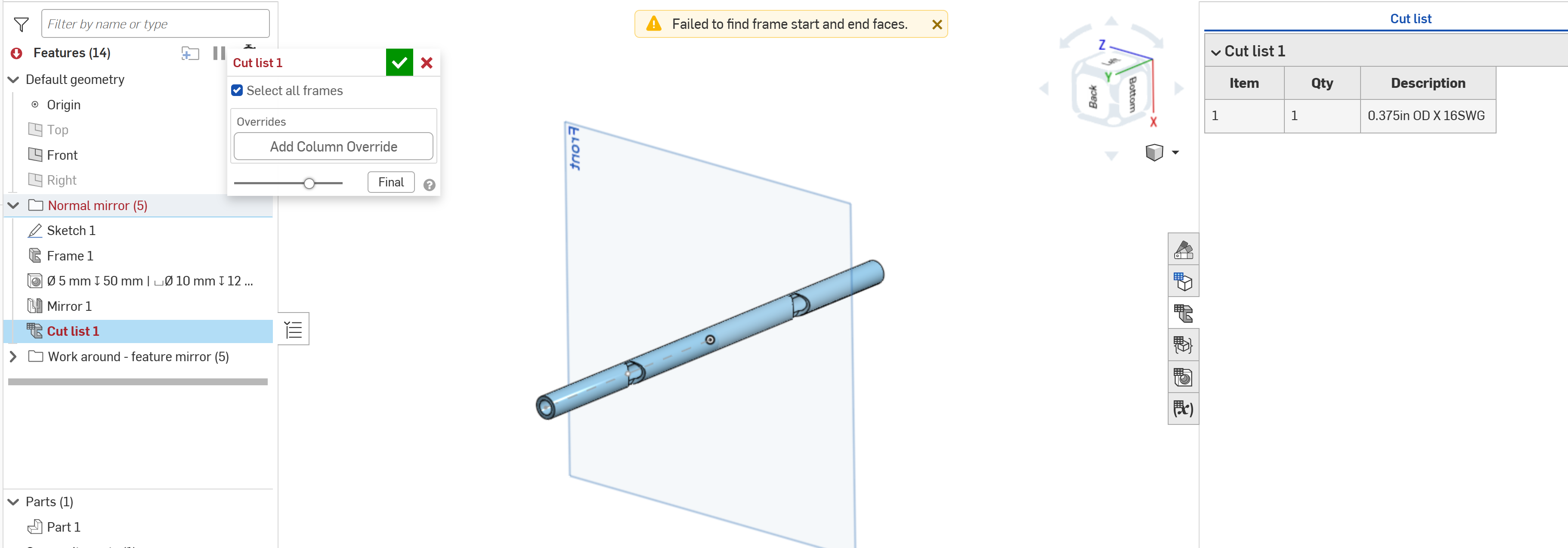
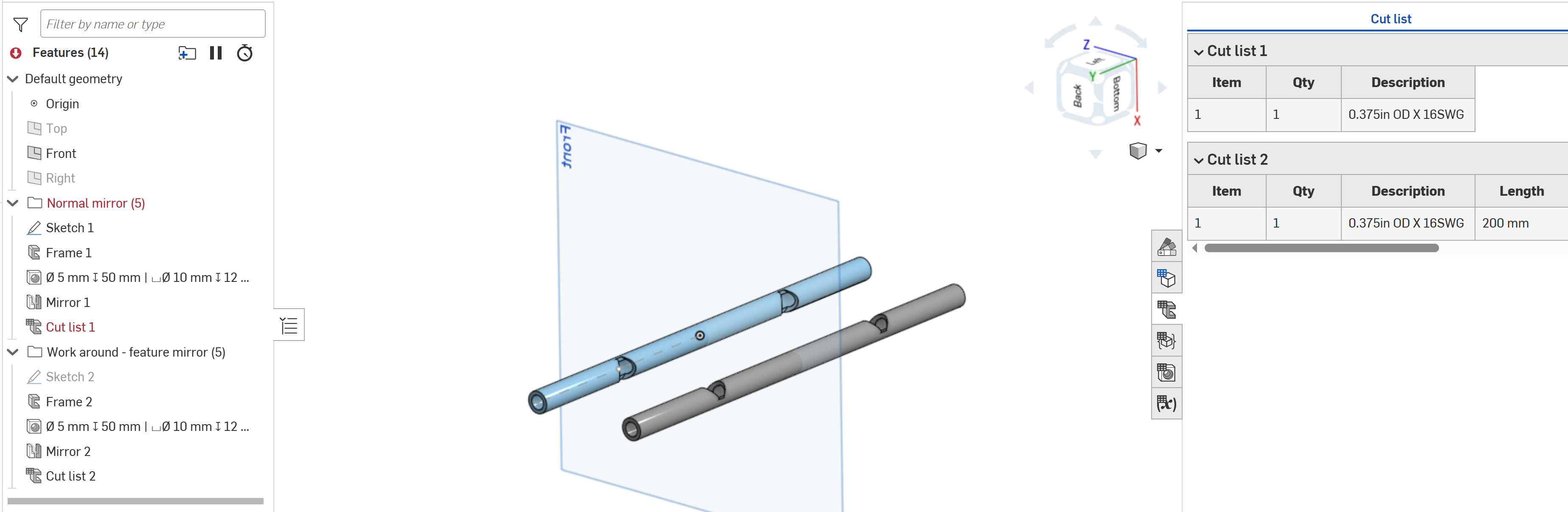
It works when the frame is drawn to the full length and then the feature is applied (with a feature mirror), this works but is quite a bit more work for complexer features and geometries.
The work around with the desired cut list:
Answers
-
No, I don't think that's possible. What's happening is that the frame segments, when created in the frame feature or trimmed in the frameTrim feature, have their start and end faces attributed so that the cutlist length and angle calculator is able to identify the start and end faces and use them to compute the length. When you mirror a half-segment (what it looks like you are doing, please confirm) then the mirrored body and the original body are booleaned together and the "end faces" disappears. The segment looks normal but now has two start faces but no end face.
I think this case (length calculation for straight segment missing correct end face attribution) could still be handled correctly in the cutlist length calculator without too much effort. You should file a bug.0 -
@jnewth I've run into similar limitations with attribute destruction with other operations on frames. More reason I've been wishing there were a Simultaneous Frames environment that had some of the same bookkeeping as the sheet metal tools to re-register new faces after they get destroyed.
I do have a custom feature partially developed that modifies the faces of existing frame bodies to be more laser-able that has some of this bookkeeping applied but I've paused on it for other projects.0
