</p>
Doing a reverse fillet on a curved edge

I just started learning CAD and I am currently working on a part that needs a reverse fillet.
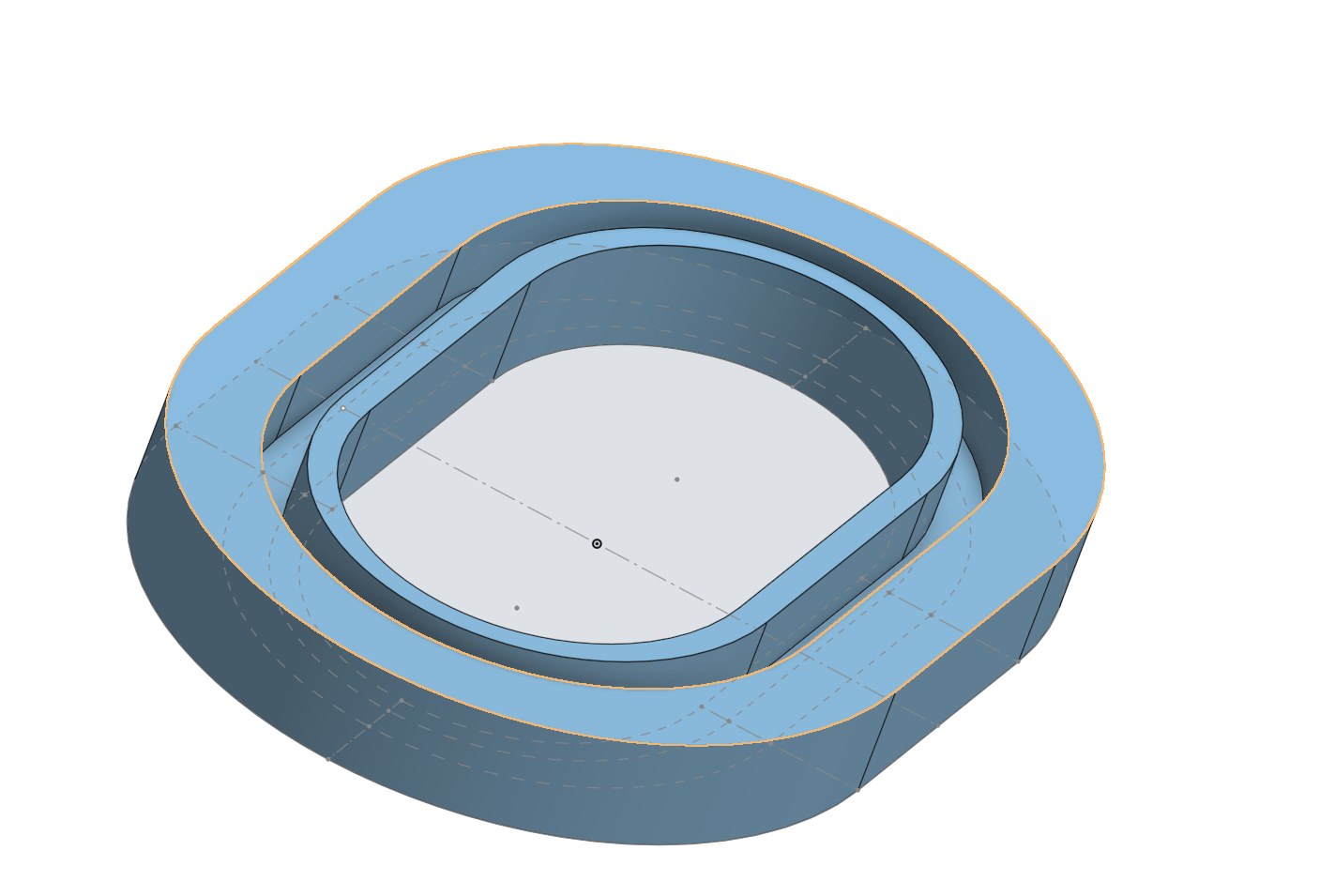
I already looked for answers on the forum and reddit, but all the ones I found worked by just removing a certain shape (e.g. a circle) from the edge, wich only works with straight parts. In my case I need that reverse fillet around a sort of elliptical shape.
The inner edge that is highlighted in the screenshot is the edge that I want to fillet.
I also already tried too add a fillet on the edge below that and that gave me a curvature in the right direction but it keeps the outer ring the same width, which I don't want.
Best Answer
-
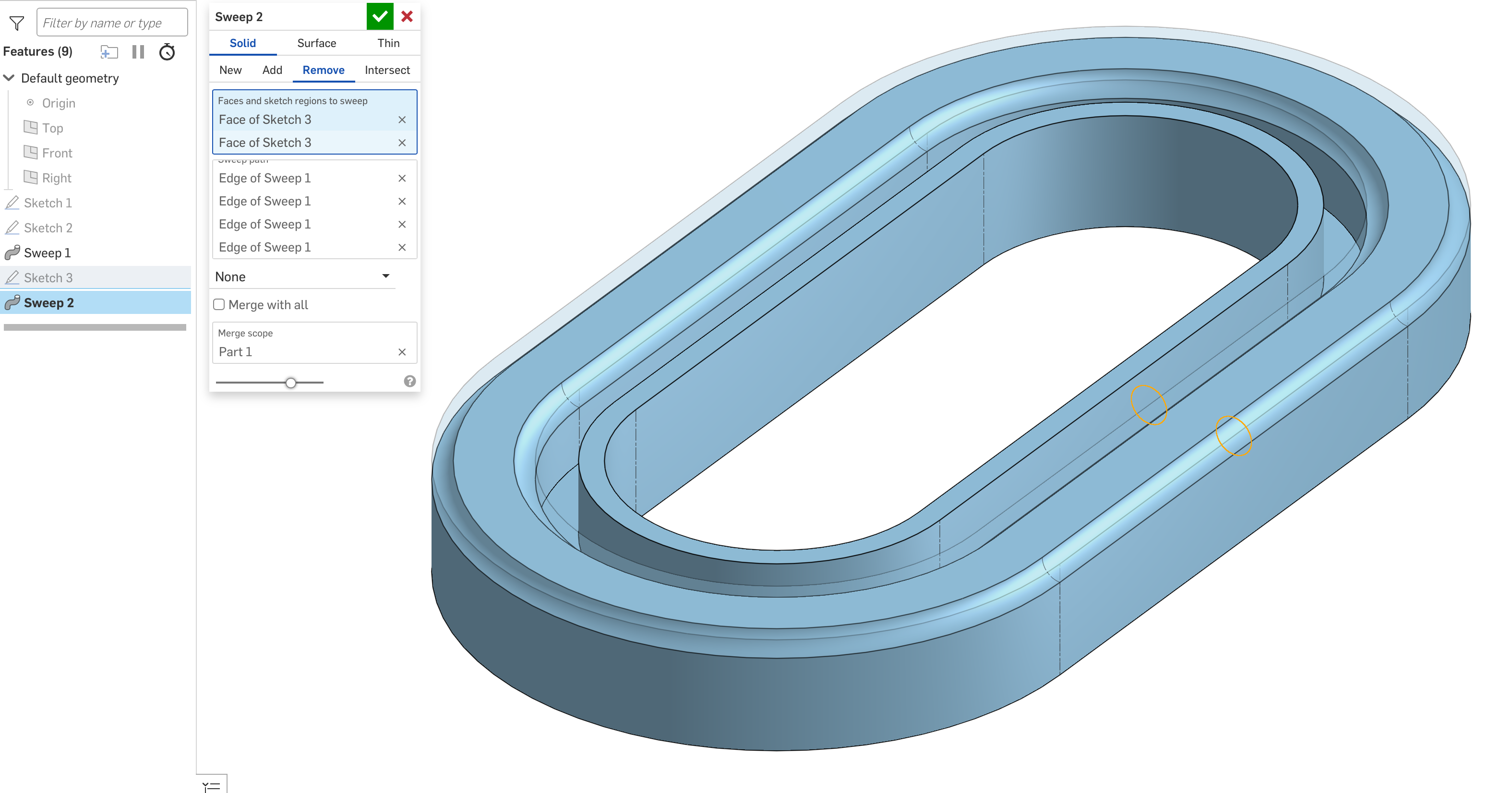
You can sweep a circle (or circles) and remove that from the edge. In this case, you could also sweep the whole part with the reverse fillets as part of the swept section.
Simon Gatrall | Product Development, Engineering, Design, Onshape | Ex- IDEO, PCH, Unagi, Carbon | LinkedIn
0

Answers
-
You can sweep a circle (or circles) and remove that from the edge. In this case, you could also sweep the whole part with the reverse fillets as part of the swept section.
Simon Gatrall | Product Development, Engineering, Design, Onshape | Ex- IDEO, PCH, Unagi, Carbon | LinkedIn
0 -
Thank you very much!! That works perfectly!
0