</p>
Two Manufacturing FeatureScripts: Automatic Laser Overcuts & Extended Slots _ Custom Features

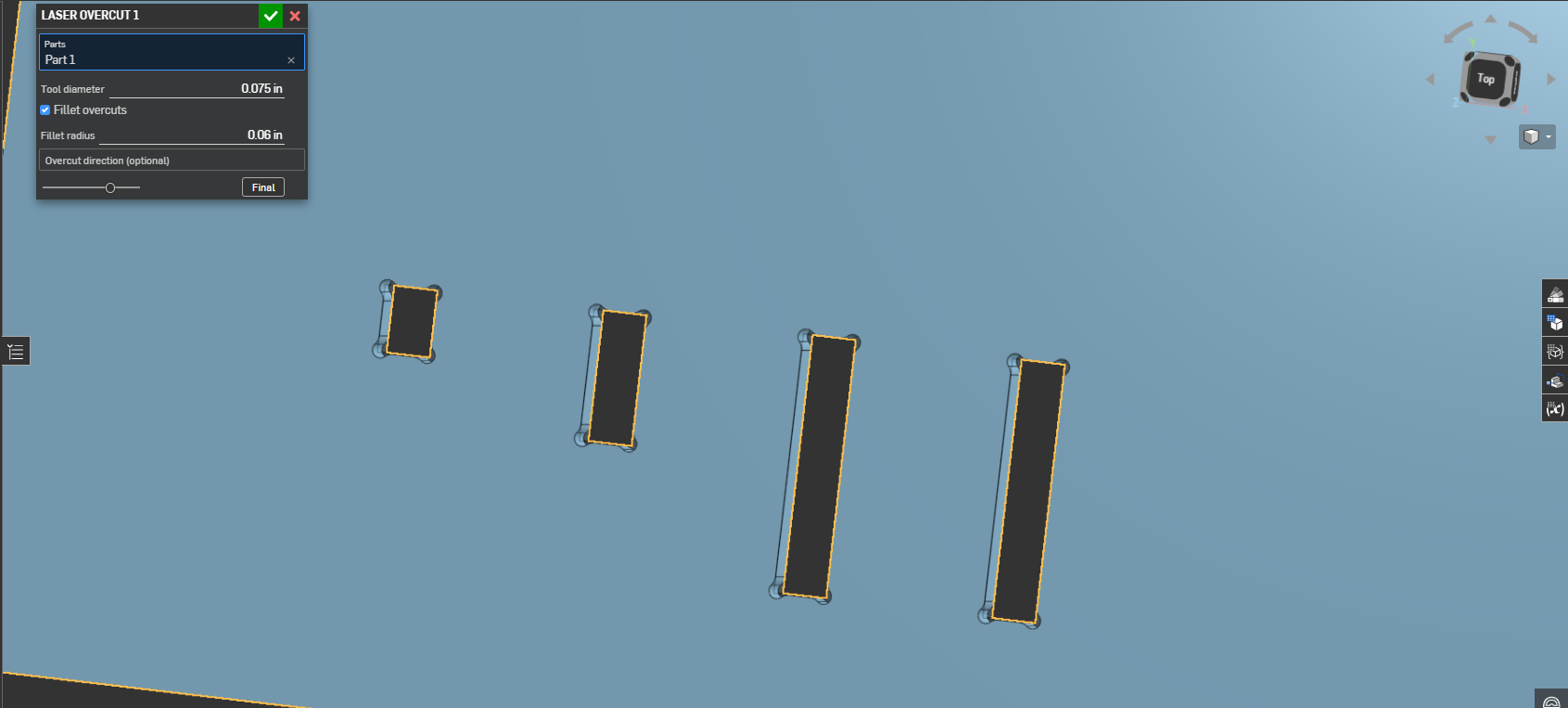
Full disclosure - I'm a fixture / tooling designer, not a software developer. I iterated a custom FS last year using AI. I started with the CNC overcut feature that Hendrik_Kueck posted here in 2023 but for my work flow, what I really wanted was an overcut feature specifically for a Laser. To that end - I wanted the overcut to be "inset" from the corner a little, so that the transition wasn't so severe. It's default now, is to inset the cut tool by 1/2 the radius, and I use this thing constantly. Best feature is that it will find all the internal corners of a given part automatically.
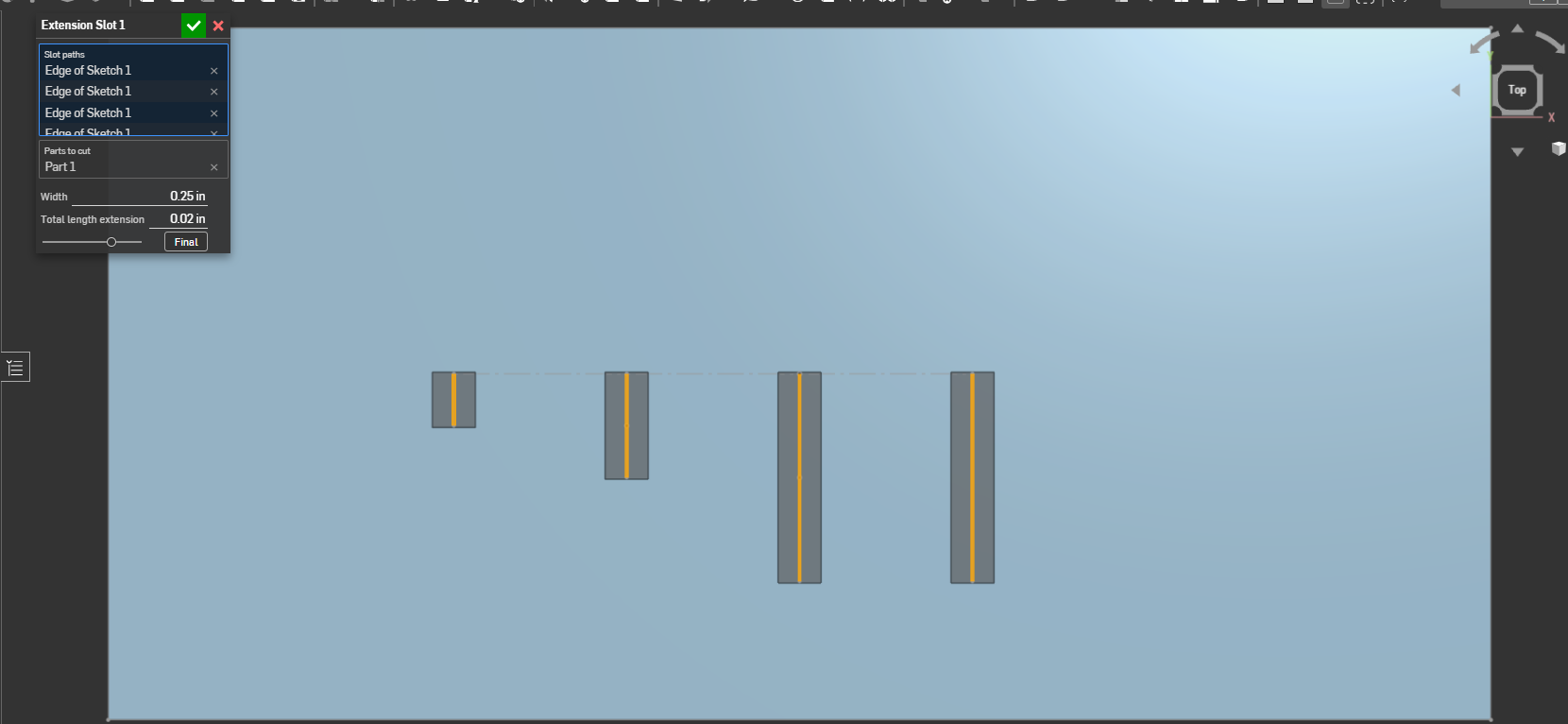
To compliment this work flow I took the slot feature from the FS tutorial and added the ability to symmetrically "extend" the slot by a user defined amount and also the ability to select multiple sketch lines in one feature. Just sharing here in case anyone else would find these useful.
Please don't judge me too harshly on the code - this isn't what I do :) The script may be sub-pro but it works. Of course if anyone has any suggestions to optimize any of it I'm always open to hear improvements.
https://cad.onshape.com/documents/1d07848486167095aff82e0b/w/10487d95547741ab656fe71d/e/db1dfe08792df895cff546d0?renderMode=0&uiState=6a678b4f779ca95a1cd68686