How do I make my Bezier curves curvature continuous?

nick_matich
Member Posts: 2 ✭
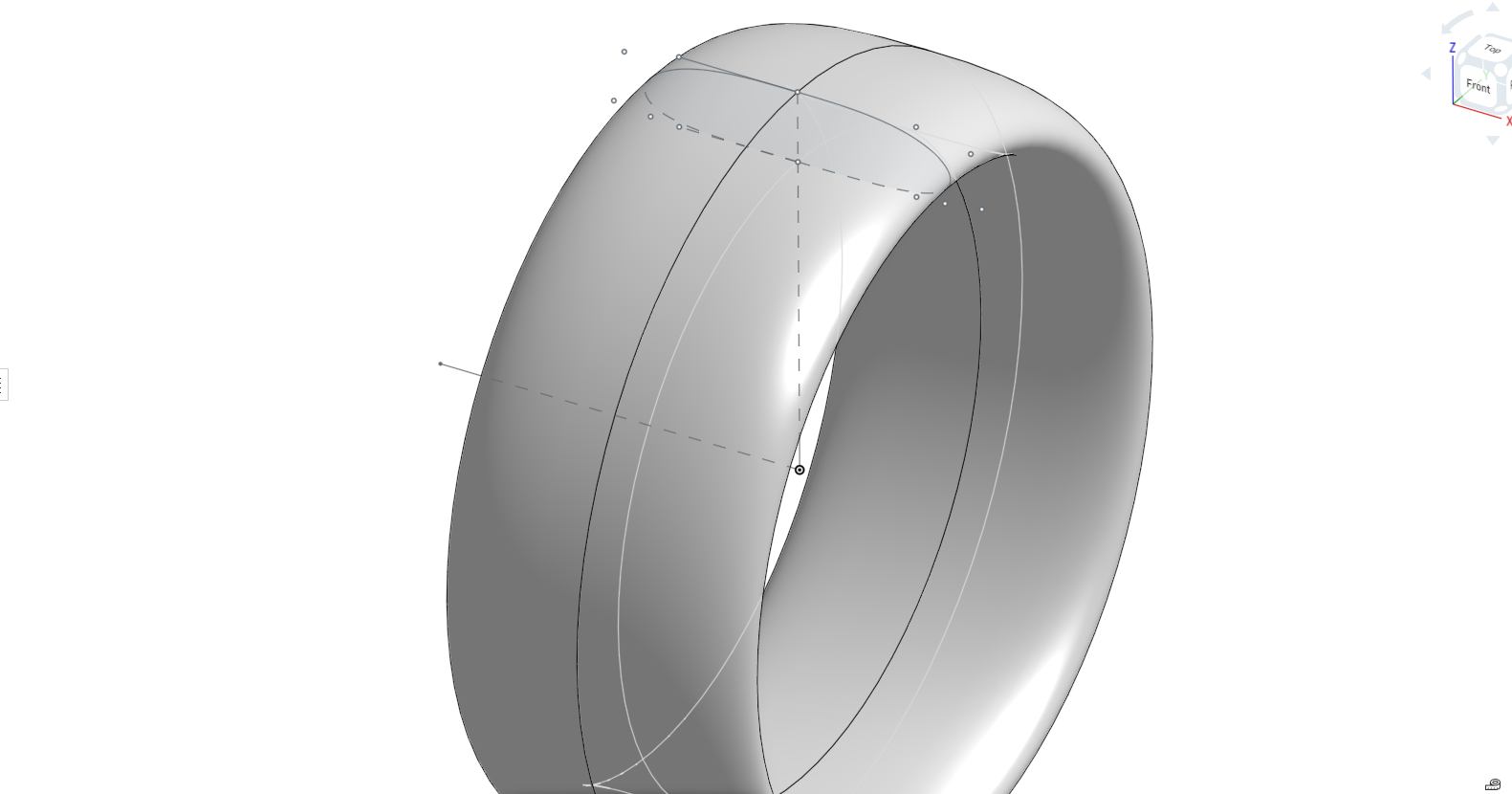
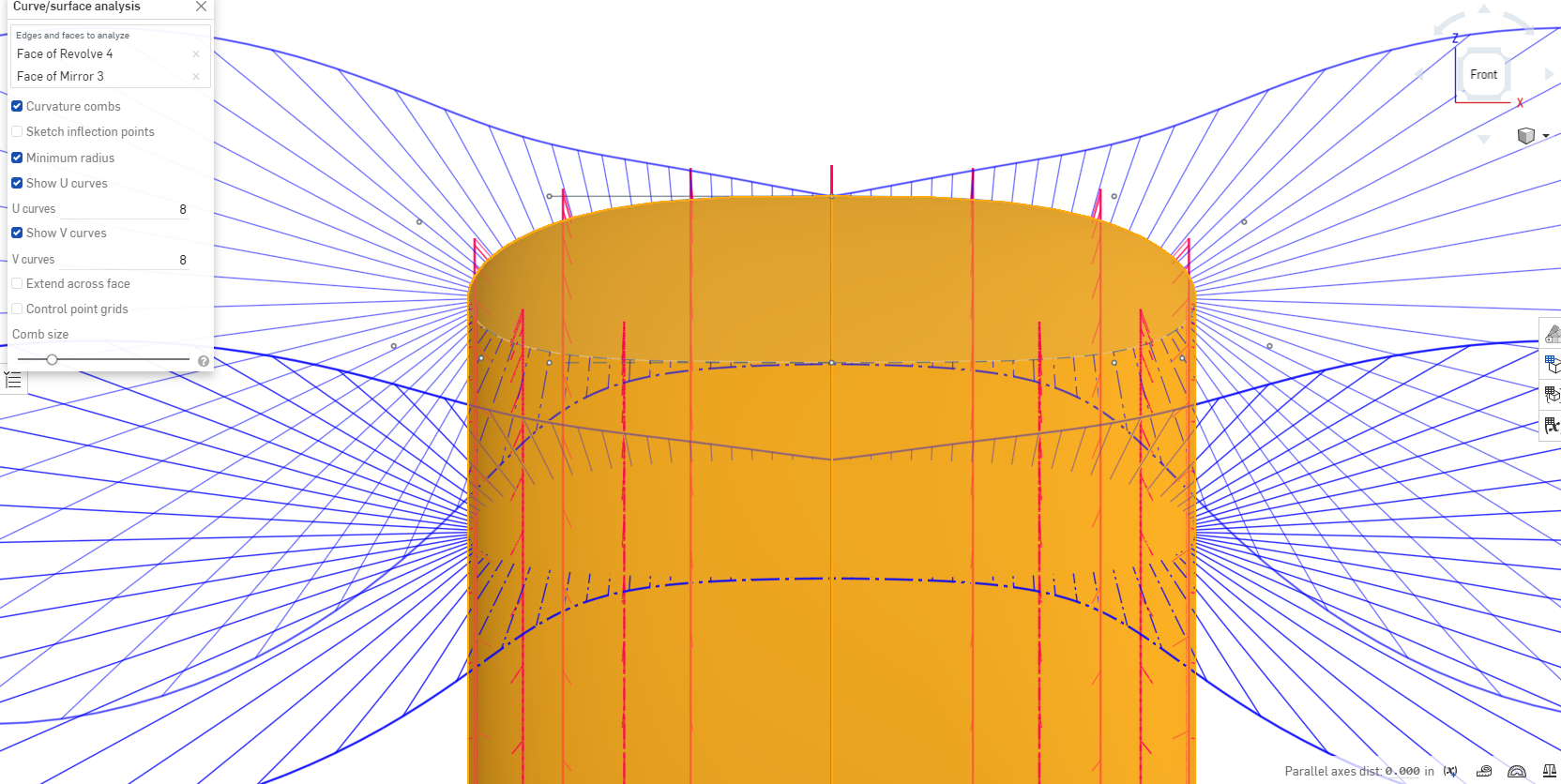
Hello folks. I am using Bezier curves to model my wedding band, and I can't figure out how to make it all one smooth model. Is it even possible? Hopefully the pictures I have supplied will help.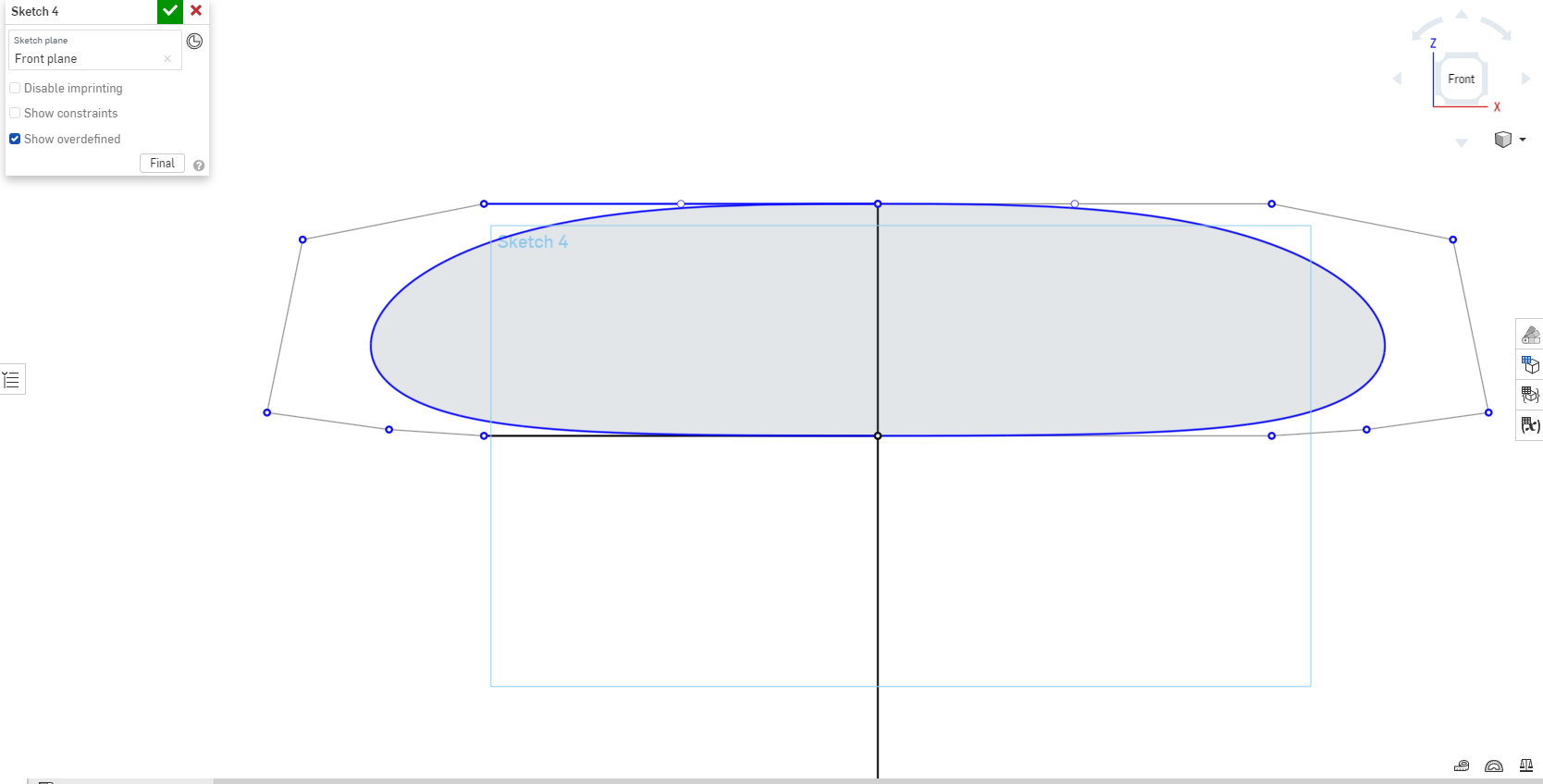
0
Best Answer
-
That connection is already G2, which is probably just fine, especially since it will be hand polished anyway. If you really want it to be G3, and you like it flattening out, you can use 3 control points in a line at the ends.
 If you want all of it to have some curvature, you might want to play with the following construction. By adding some helper lines which are equal and parallel to the control polygon, it keeps the ends so that their curvature is G3 across the mirror plane. If you play with the highlighted points, you can change the flavor of the shape a lot while keeping the basic dimensions constant (width, ID, OD).

Simon Gatrall | Product Development, Engineering, Design, Onshape | Ex- IDEO, PCH, Unagi, Carbon | LinkedIn
3

Answers
-
That connection is already G2, which is probably just fine, especially since it will be hand polished anyway. If you really want it to be G3, and you like it flattening out, you can use 3 control points in a line at the ends.If you want all of it to have some curvature, you might want to play with the following construction. By adding some helper lines which are equal and parallel to the control polygon, it keeps the ends so that their curvature is G3 across the mirror plane. If you play with the highlighted points, you can change the flavor of the shape a lot while keeping the basic dimensions constant (width, ID, OD).
Simon Gatrall | Product Development, Engineering, Design, Onshape | Ex- IDEO, PCH, Unagi, Carbon | LinkedIn
3