Help - Transform a surface into a wall

willian_tamagi
Member Posts: 12 ✭
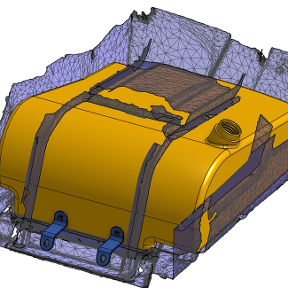
Hi folks, I'm building a custom case, and finally, I have the surface positioned exactly where I want it. But I'm having difficulty transforming it into a wall (2mm thickness). I already tried using the Thicken tool, but it didn't work.
Any suggestion?
Here is the project:
0
Answers
-
Thicken will only work on surfaces with good curvature. You will need to re-create the surfaces so that they don't have extreme curvature change. Select the surface then press (Shift + C) to view it's curvature combs.
Did you complete Onshape's Advanced Surfacing Course that I mentioned the other day? This will teach you how to do complex surfacing like this.
▚▞▚▞▚▞▚▞▚0 -
To add to Michael…. Surface curvature like this does not play nice with things like thicken and shell attempts.
 0