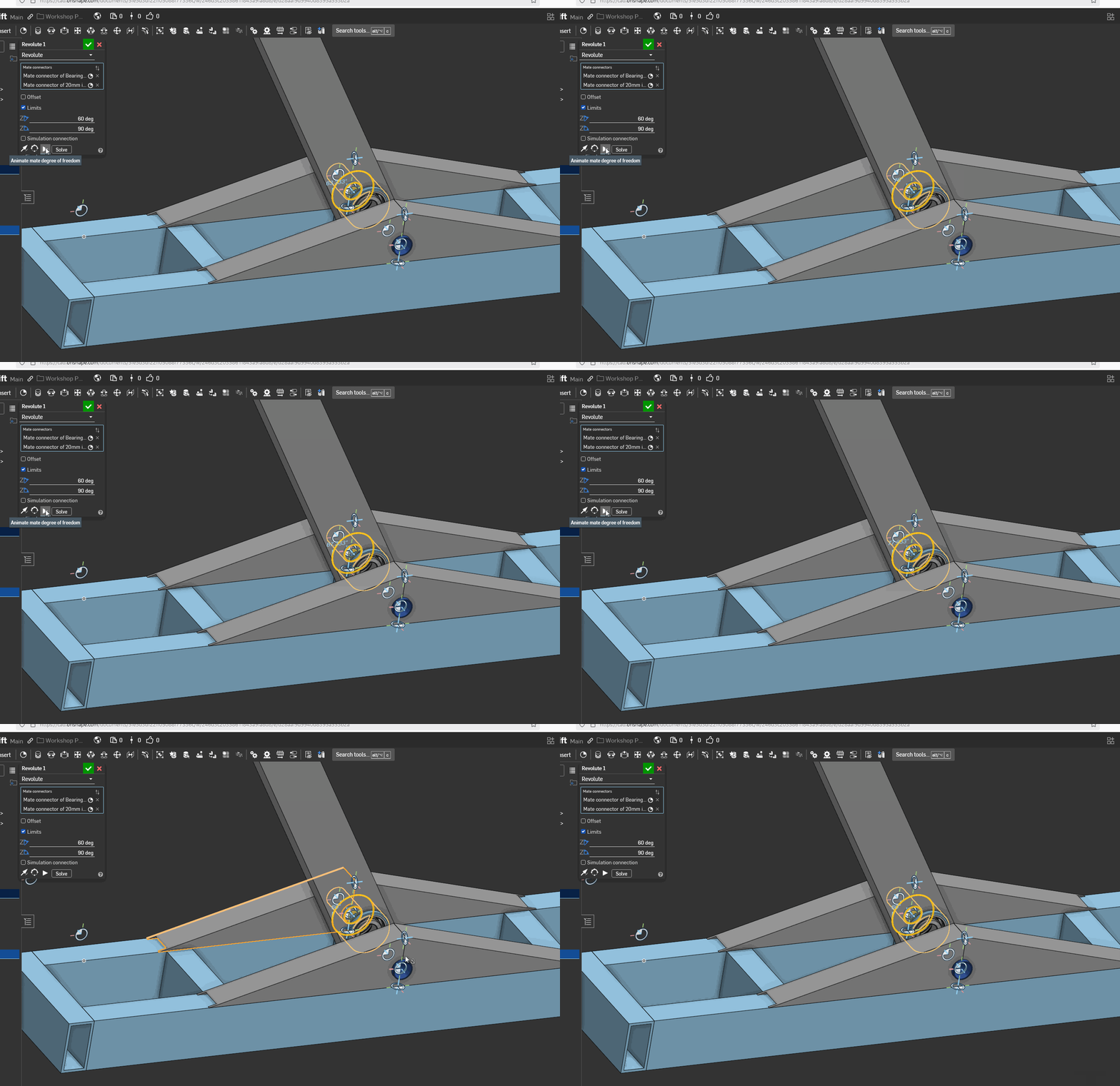
Revolute mates with sub assembly

Hi,
I hope I'm using the correct terminology; apologies if I'm not.
I created an assembly of a leg with a bearing tube for a piece of scissor lifting equipment. The leg attaches to a lifting bed and requires to have some freedom of rotational movement but attached to the pivot point on the bed.
However when I use a Revolute mate between the two only the bearing moves and not the whole leg assembly. I'm stumped as to what I'm doing wrong as the leg assembly is mated using fastened as I would expect?

Answers
-
The inner and outer race can be fastened to the arm and bracket with a revolute between the races. If the bearing is constrained or grouped to behave as a single part then fasten to the arm and revolute to the shaft.
0 -
Did you complete the assembly mate feature? When inside the dialog, it only moves the single part, not the whole thing, until you hit the check mark. I couldn't tell from your giff.
Better to link your document and we can take a look.
0 -
After reading your comment I had a look and whilst the simulation doesn't work I could manually move the assembly and it was correctly mated. This was enough to be able to create a set of measurements for the next part I designed. It isn't a perfect solution but at least I got it done enough to create the next part. Thank you 😊
0