How Do I Keep This From Happening?

Whenever I am editing my cad model, from time to time, Onshape Deletes a certain part of my model, sometimes when i just load into onshape it does this.
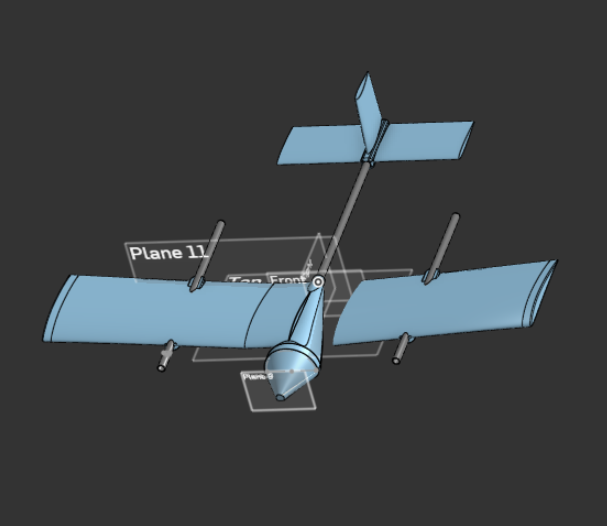
i do not know why, when i go back to previous versions it continues that part being missing and the rest of my wing being hallowed out.
Answers
-
Please share a link to your model, this way we can take a look at how it was made. Sometimes this is caused by feature instability with features like Fillet. And sometimes it is due to bad "geometry" so that the faces on the part are missing even though it's still a solid.
I also recommend creating a support ticket so that Onshape can track this bug.
▚▞▚▞▚▞▚▞▚0 -
Are the features failing, or is it a render issue? If it's failed features, I'd report a bug. If it's a render issue, I'd do this:
- option d (on mac, not sure for windows) to open a diagnostic panel.
- click "Clear local display cache"
- shift + refresh to hard refresh the page.
0

