Not sure what I'm doing wrong - print in place box w hinged lid

Rank beginner here and while I've done many tutorials trying to get the hang of things, I'm not sure what I'm doing wrong with my attempt at a design that is intended to be "print-in-place"
Here is my design:
https://cad.onshape.com/documents/7b1918161eba86248c6b3614/w/8ae7620fe7389145b448b061/e/152d4d44295cbe329298507c?renderMode=0&uiState=68790af459dd0116c12e5ce2
I was inspired by this design, but its the wrong size/shape and lacks a few things that I wanted:
https://makerworld.com/en/models/781715-hinged-box-with-lid-print-in-place?from=search#profileId-718896
I can't seem to get the "print-in-place" aspect to actually work. My hinge lacks enough clearance or the right kind of clearance or maybe, clearance in the correct places?
Is the hinge design acceptable?
Any changes, suggestions, etc. - I'm open to alternatives.
I would appreciate any tips or feedback.
Thanks,
Trent
Best Answer
-
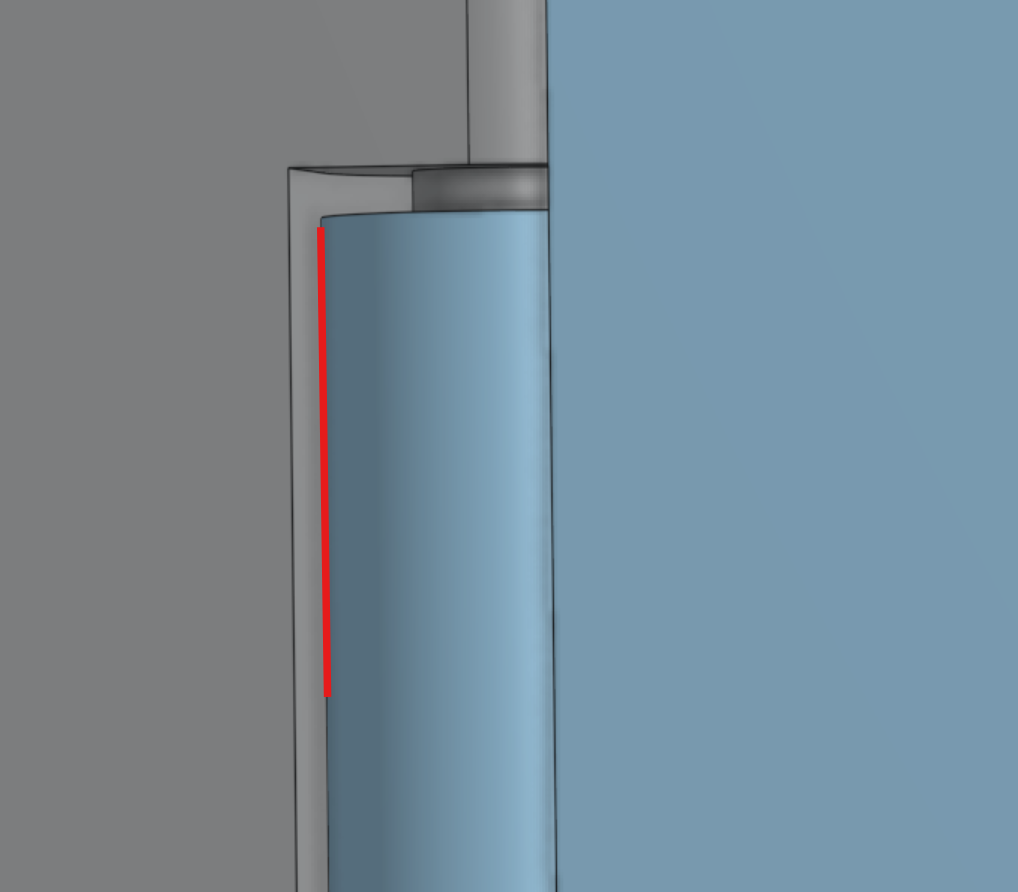
Looks like you forgot clearance here:
.
.
.
.
.
.
.
.
.
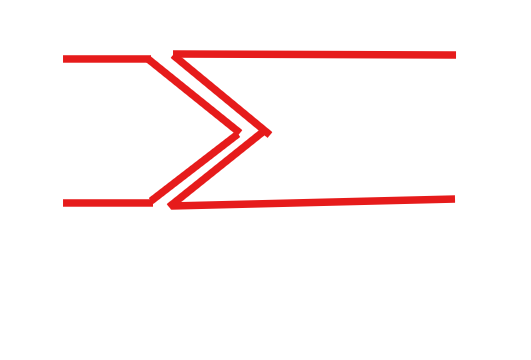
Also, not sure you can print those rods while floating horizontally, you could try using cones instead; about 45 deg, this way both the inlet and the cone itself are supported during the print. That, or you could print the entire thing on its side and have the rods go all the way through.
.
▚▞▚▞▚▞▚▞▚0

Answers
-
Looks like you forgot clearance here:
.
.
.
.
.
.
.
.
.
Also, not sure you can print those rods while floating horizontally, you could try using cones instead; about 45 deg, this way both the inlet and the cone itself are supported during the print. That, or you could print the entire thing on its side and have the rods go all the way through.
.
▚▞▚▞▚▞▚▞▚0 -
Good points - I hadn't thought about the the rods floating.
How do I add clearance? In the hinge drawing, I've tried adding a 4th circle slightly offset from the current outer circle that I would use as the attach point for the lid to the hinge - but I'm not able to extrude it (it shows up red and says sketch is not fully defined).0 -