New Custom Feature: 8020 "3030" Profile Converter

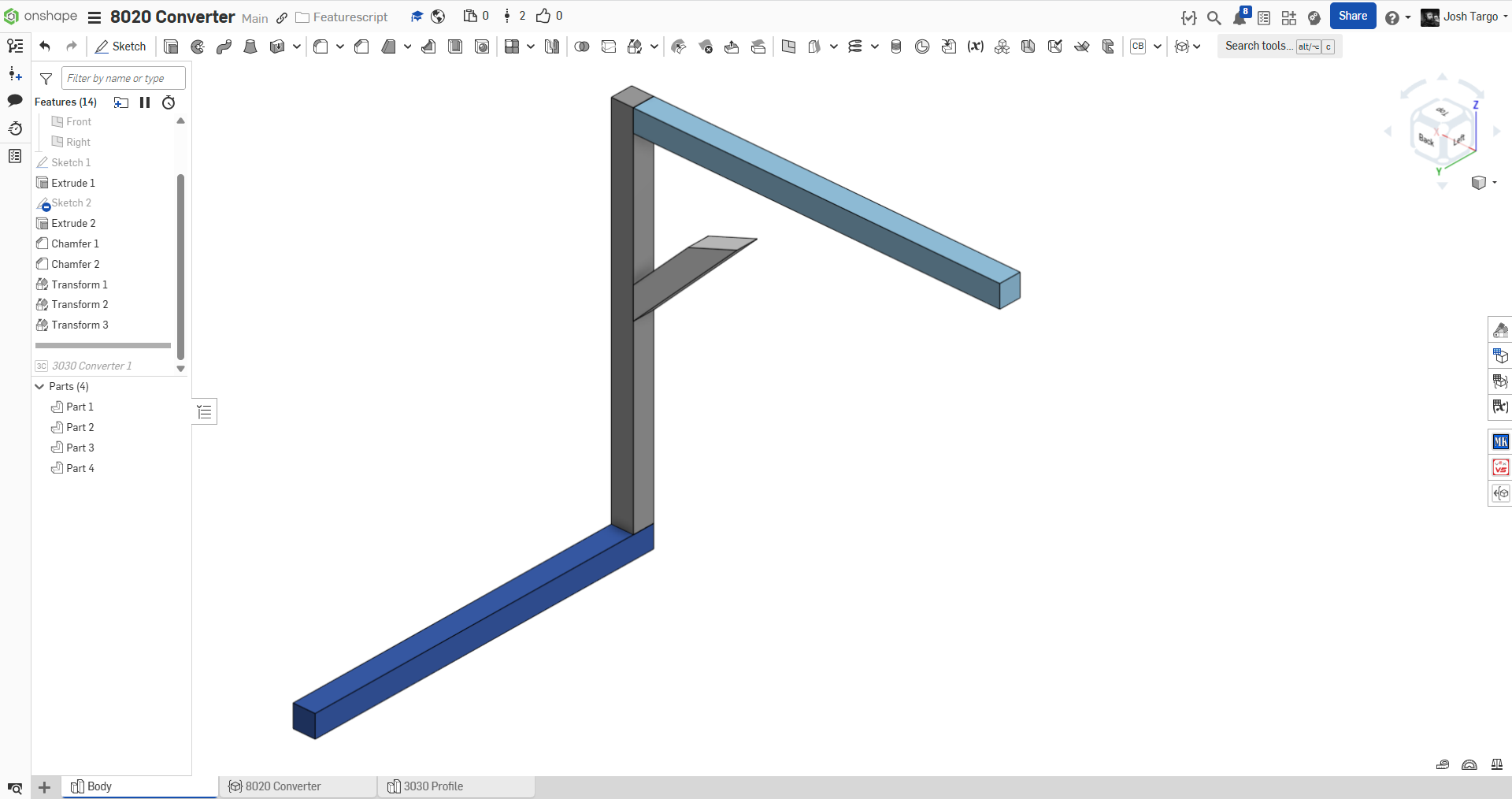
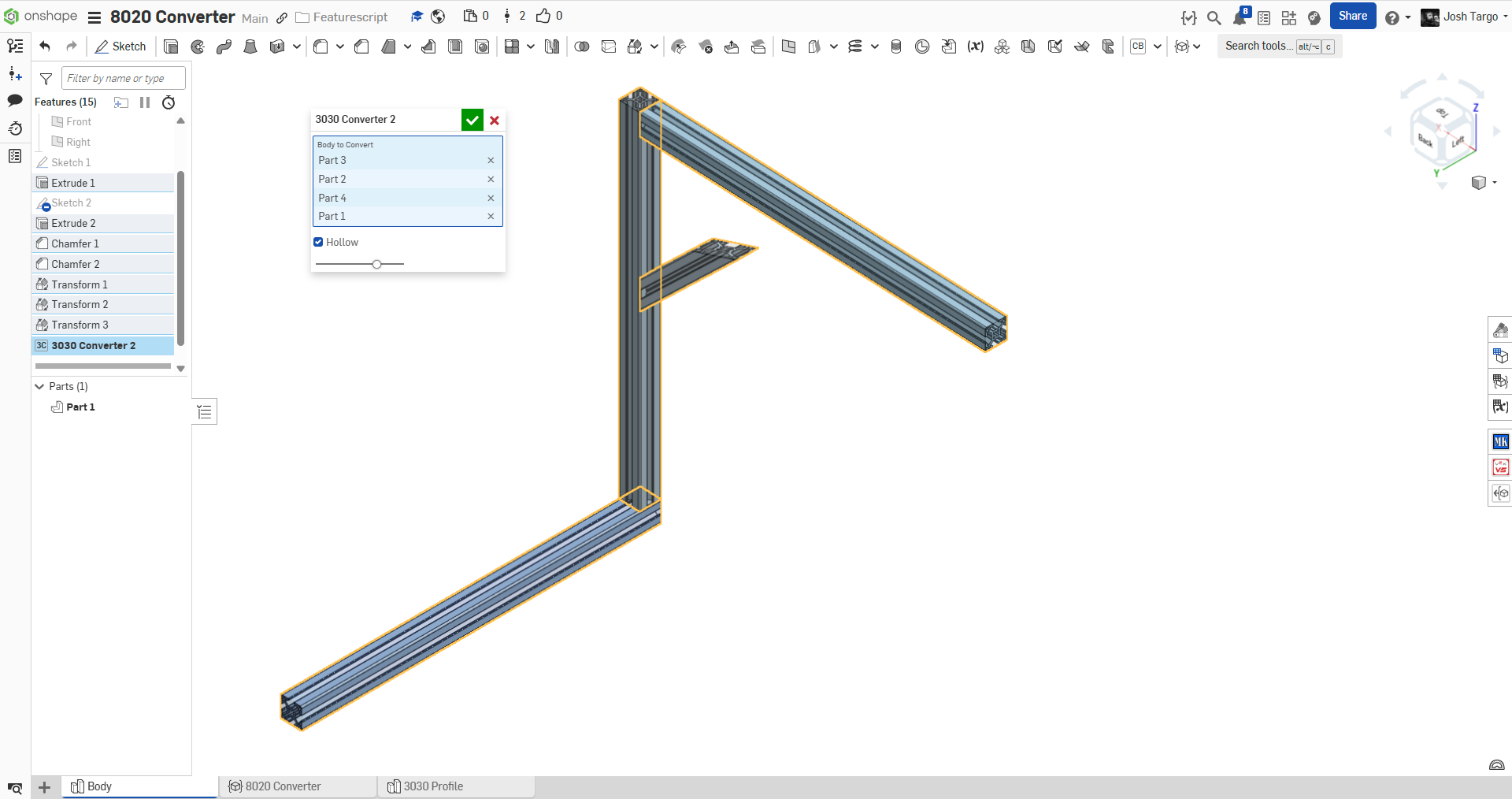
A custom feature to bulk convert 30x30mm prismatic bodies (works with with mitered ends) into 8020 "3030" profile aluminum extrusion.
future enhancements will obviously be the ability to convert to other profiles, possibly automatically.
can anyone tell me where the official Onshape 8020 library document is?
Comments
-
because the frame tool is unusable due to not being able to control the orientation of each member Individually (using the 9 point manipulator)
0 -
I agree that it's frustrating to not be able to configure each member's 9-point manipulator selection. I've just started using it for real recently myself, and found that quite problematic. We can individually flip butt joints, but not individually pick from the 9 points.
However, it's not that hard to just create multiple frame features. That seems much easier for now and better supported.Simon Gatrall | Product Development, Engineering, Design, Onshape | Ex- IDEO, PCH, Unagi, Carbon | LinkedIn
1 -
it felt like it is also nice to plan and edit the whole structure using cuboids, and then convert everything
the end
0 -
0
-
i can not edit my previous comments (the text disappears when I click edit). but as i was saying, it's nice to use cuboids during design and then convert all at once at the end. I was gonna modify Frame, but it's way too complex. so i wrote my own thing.
1 -
Hey @joshtargo there isn't an "official" Onshape 8020 profile library the way you might be thinking.
Something you could make work, however, is to add the frame profile selection code from frame.fs in to your custom feature. You can look at frame.fs ~62 where the profile library is accessed. You can follow the codepath of how this profile is eventually used to make sweeps:
doFrame > getProfile > sweepFrames > doStablePaths > … > doOneStablePath (there are branches off this codepath but this is the simplest). Eventually you get to sweepOnePath and sweepStartingEdge, where the profile is pulled out, patterned to the "start" of the edge, then swept.The frame toolset is fairly large and complex but you don't need very much of it to get the behavior you want (single straight segments). And in your own code you could probably treat each segment as a separate element and create a 9-pt manipulator for them just by lifting it out of the frame.fs code.
Re: Adding 9-pt manipulators for each path (as you and @S1mon propose above). Seems like a good feature request.
1 -
how do I get to the document of profiles that frame.fs uses?
0 -
I don't think you can. You can start a new document with additional profiles to suit your needs.
0