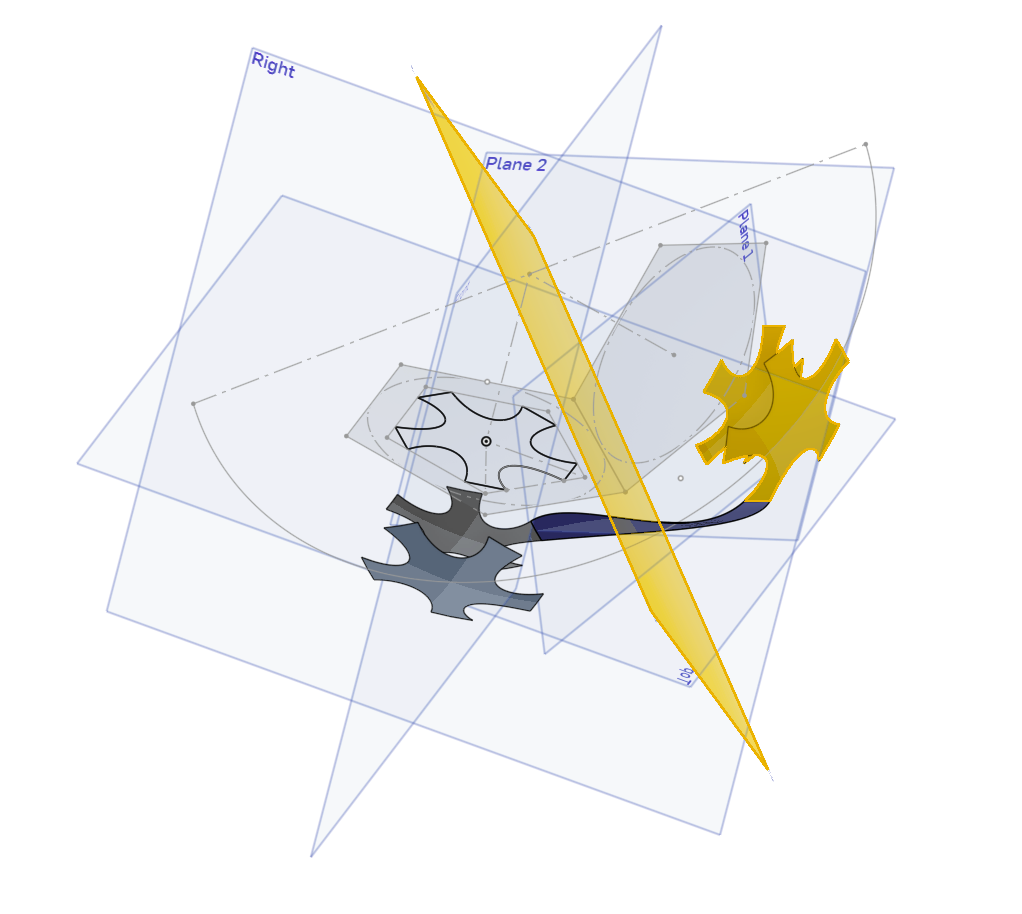
When I click ok (ck) on the mirror parameter box the the image of the mirrored objects disappears

I am experimenting with various surface treatments. At some point my project lost the normal image and a few squiggles replaced the part that I was drawing. I moved the 'end of the 'features bar' back to the beginning and incremented slowly till I got to the mirror1 command. After clicking the ok check mark on the parameter box the mirrored objects disappears. I can't find any tools to get it to return. Hope I am clear enough.
THANKS Bill
Here is my project URL https://cad.onshape.com/documents/1846808df66fe426cbbdef65/w/f9425324dd698703201d8a18/e/c6c780f6d05231ef351931e1
Best Answer
-
It appears your document is not set to public.
In general, you can use the Versions and History panel at the top left of your document to restore or view any point in the past. Or you can right click a feature that is broken now but use to work, and select "Edit healthy moment" which will bring up a moment in history where that feature was not broken.
▚▞▚▞▚▞▚▞▚0

Answers
-
It appears your document is not set to public.
In general, you can use the Versions and History panel at the top left of your document to restore or view any point in the past. Or you can right click a feature that is broken now but use to work, and select "Edit healthy moment" which will bring up a moment in history where that feature was not broken.
▚▞▚▞▚▞▚▞▚0 -
Michael, Thanks for getting me going again. Any clue as to what broke the mirror tool?
0 -