Fillet complex corner

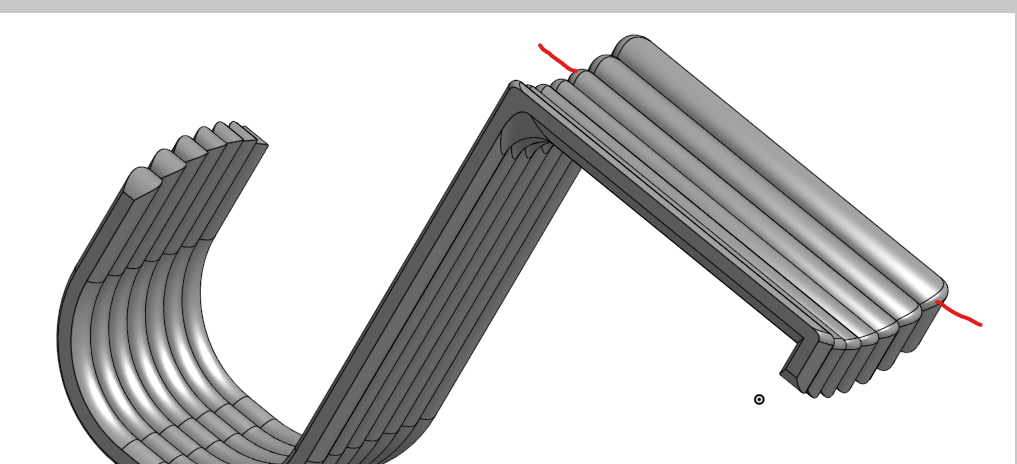
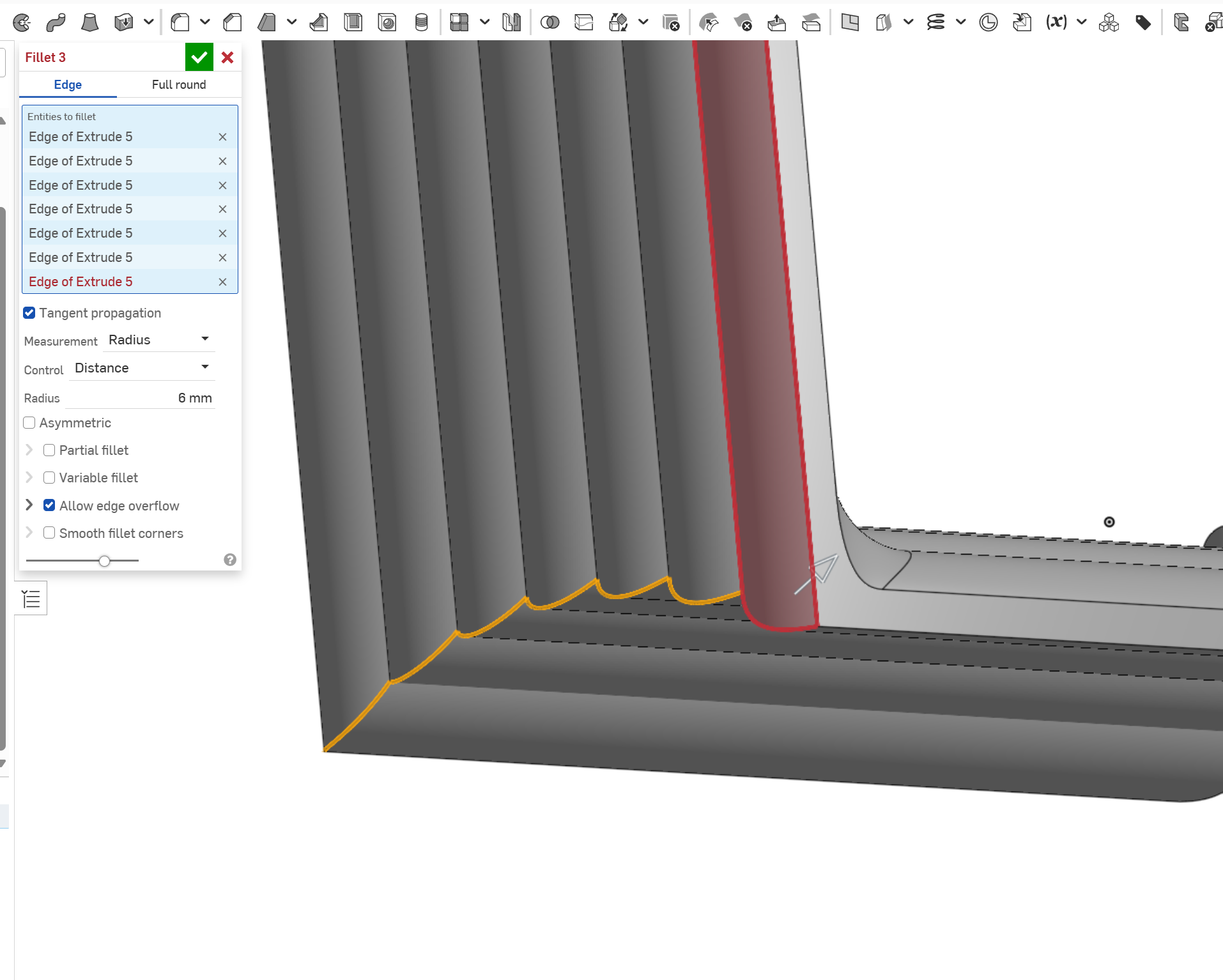
Hi. Does anyone have an idea how to fillet this corner? Or how to recreate the ribbing in any other way? I´m trying to add the ribbing to the part in the first part studio of this document. My lack of skill led me to creating it from scratch but I´m now stuck on this corner not wanting to fillet.
https://cad.onshape.com/documents/57e75d16e06ab54d1f6beddb/w/7ae89f092c2d2366f33f7927/e/b482b286ef1d59dbc32d50c1?renderMode=0&uiState=68d17e49c3119083d5512725
If i try a larger radius than 1mm it fails
Best Answer
-
A general comment, you really need to define your sketches properly as you are likely to have some weird things going on due to all the unconstrained geometry that might be causing the fillet to fail…
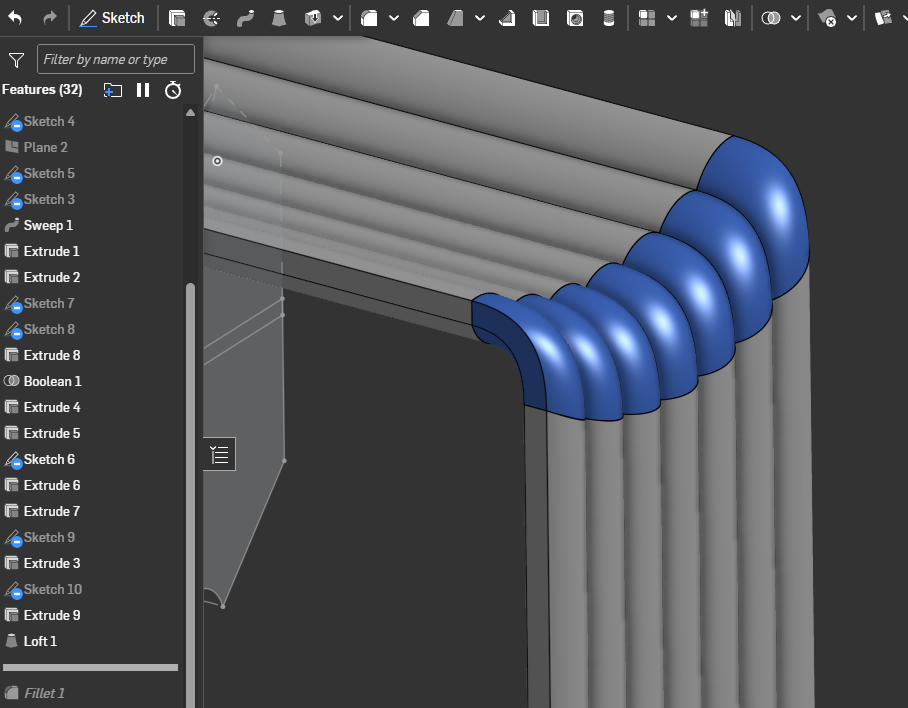
Probably the simplest option to remove the corner and use a loft to connect both faces:
You could refine it further (if you wanted a "sharper" shape on the outside compared to inside for example) by using separate lofted surfaces for the inner and outer corners
 0

Answers
-
-
A general comment, you really need to define your sketches properly as you are likely to have some weird things going on due to all the unconstrained geometry that might be causing the fillet to fail…
Probably the simplest option to remove the corner and use a loft to connect both faces:
You could refine it further (if you wanted a "sharper" shape on the outside compared to inside for example) by using separate lofted surfaces for the inner and outer corners
0 -
I think i solved it by making each individual rib a separate sweep following its own path, then a boolean to combine the parts
1 -
Yepp. That's the way.
0