Welcome to the Onshape forum! Ask questions and join in the discussions about everything Onshape.
First time visiting? Here are some places to start:- Looking for a certain topic? Check out the categories filter or use Search (upper right).
- Need support? Ask a question to our Community Support category.
- Please submit support tickets for bugs but you can request improvements in the Product Feedback category.
- Be respectful, on topic and if you see a problem, Flag it.
If you would like to contact our Community Manager personally, feel free to send a private message or an email.
A new one for help😊

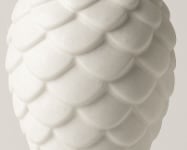
i wanna make this pattern on a curved surface
Can anyone help so i Can learn more of this awesome program 😀
I tryed but nothing close 🙃
Best Answer
-
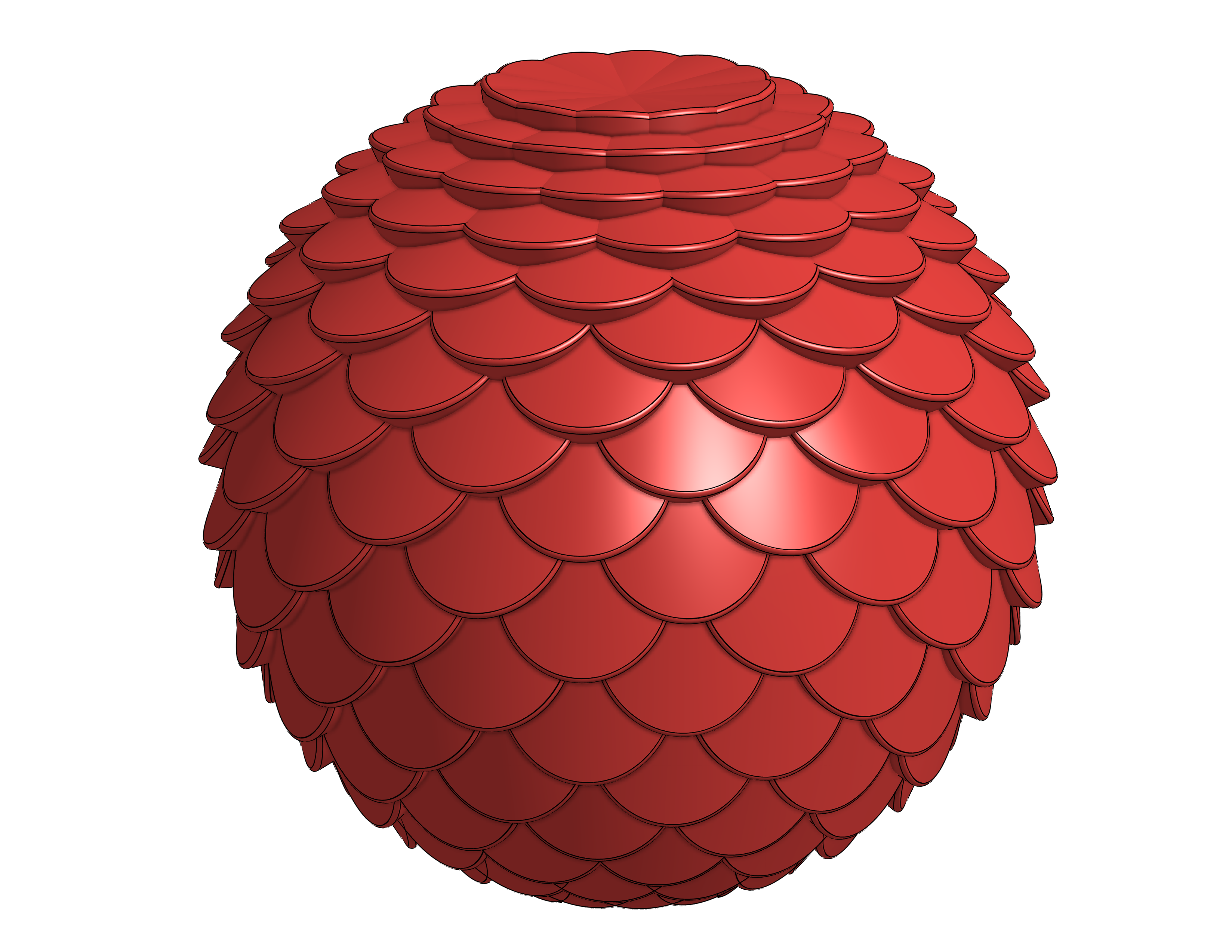
With the current version of Texture there is a bug when trying to do spheres. If you leave a small region open at the top and bottom, it will work. The new version fixes this issue but isn't complete yet.
Here is an example of how to do it with the current version of Texture:
https://cad.onshape.com/documents/172bc597d36da1751ec9c3cc/w/9a9b0d105898026566cd42fc/e/50af4d914f…
RENDERCAD
rendercad.ai - Photorealistic product rendering.
▚▞▚▞▚▞▚▞▚
________________________________________________________________________1

Answers
-
There are a few ways you could do this. One way would be to create a iterating feature pattern or variable feature pattern, but these can be overly complex.
A simpler way would be to use a custom feature like
 Texture. Just add it to your toolbar, then use it to pattern your own texture templates. Here is an example of how to do it in relation to your image: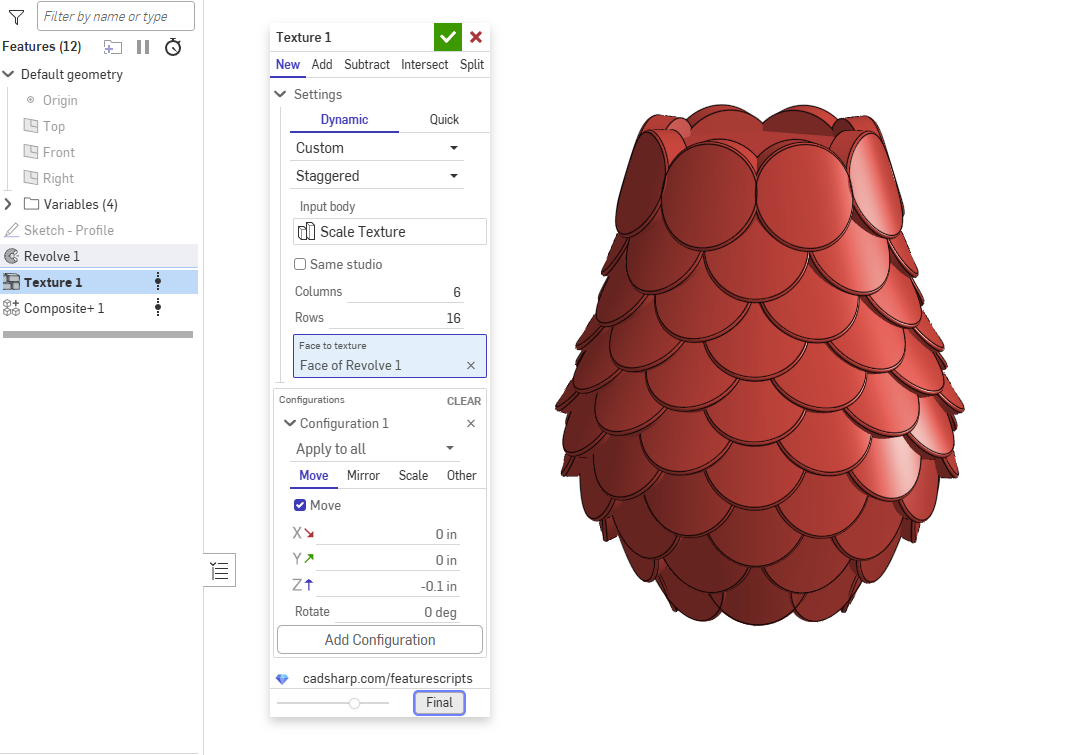
RENDERCAD
rendercad.ai - Photorealistic product rendering.
▚▞▚▞▚▞▚▞▚
________________________________________________________________________1 -
@MichaelPascoe thx a lot gonna look into adding texture to custom feature later today
0 -
works fine playing with it thx
now trying to put it on a half sphere and a full sphere but cant see whats wrong :)
can u help @MichaelPascoe:)
https://cad.onshape.com/documents/d5c69bc41c49f0f76ea6cb19/w/1d87eaca88cce64292171e67/e/7dc8a5882226d9e2bab81527
0 -
With the current version of Texture there is a bug when trying to do spheres. If you leave a small region open at the top and bottom, it will work. The new version fixes this issue but isn't complete yet.
Here is an example of how to do it with the current version of Texture:
https://cad.onshape.com/documents/172bc597d36da1751ec9c3cc/w/9a9b0d105898026566cd42fc/e/50af4d914f…
RENDERCAD
rendercad.ai - Photorealistic product rendering.
▚▞▚▞▚▞▚▞▚
________________________________________________________________________1 -
thx been playing a lot with it this evening :)
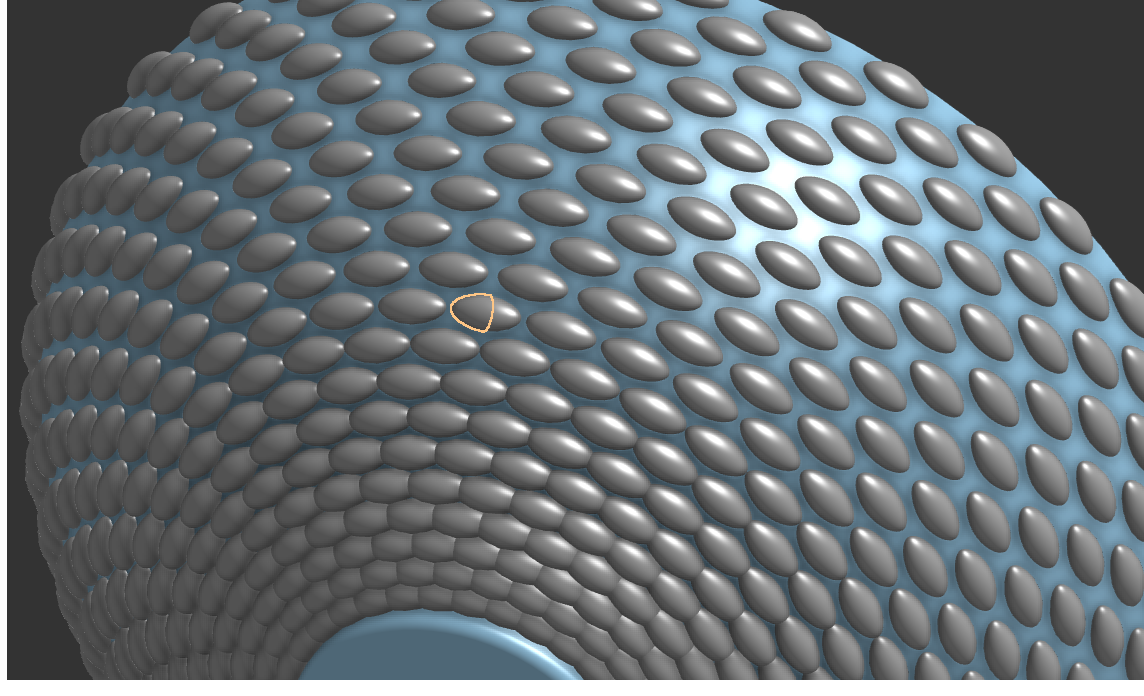
is it possible to get less dots in the bottom so i looks like the top
 0
0 -
Not currently with the Texture feature.
You could adjust the width of each of those parts one row at a time like this: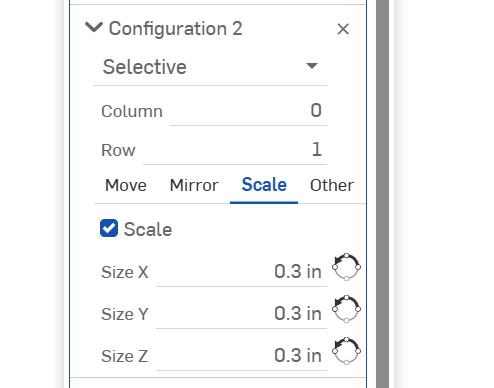
Also you could use @EvanReese's Attractor Pattern feature.
.
RENDERCAD
rendercad.ai - Photorealistic product rendering.
▚▞▚▞▚▞▚▞▚
________________________________________________________________________1 -
It's been on my backlog for a while to update Attractor Pattern to handle periodic surfaces (ones that form a closed loop), but right now it doesn't do great with them. Otherwise this would be a great use-case.
1
