CAM Studio Gcode output - Z bottom level incorrect

dave_fogliatti
Member Posts: 3 EDU
We are having a hard time getting G-code output with the proper Z bottom level.
Link to CAD/CAM file:
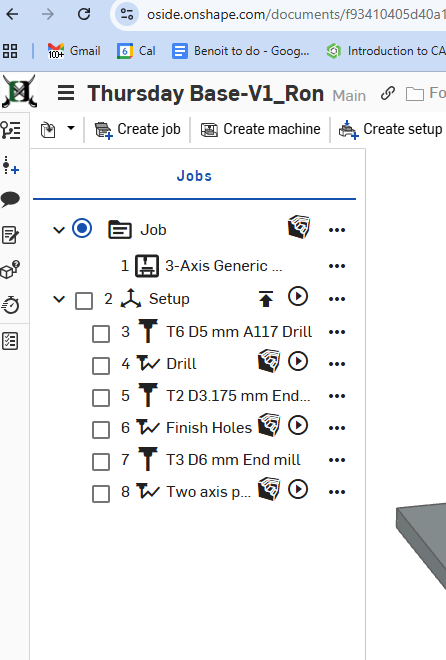
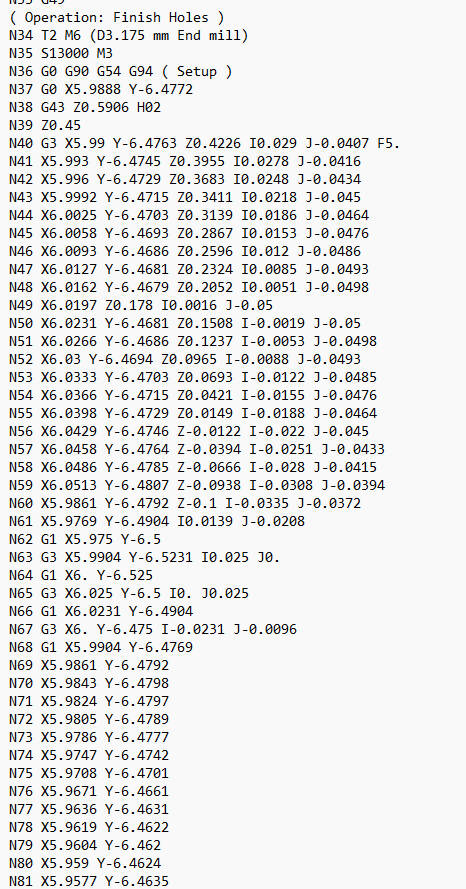
We have made the Height parameters the same for the Operation #4 (Drill) as well as #6 (Rough) but the Gcode is not outputting the commanded bottom Z level.
Operation Line #4 Drill has a -.400, but Operation #6 Finish is -.100.
Here are a few screenshots of the setup.
Gcode - Operation 4 vs 6 bottom level
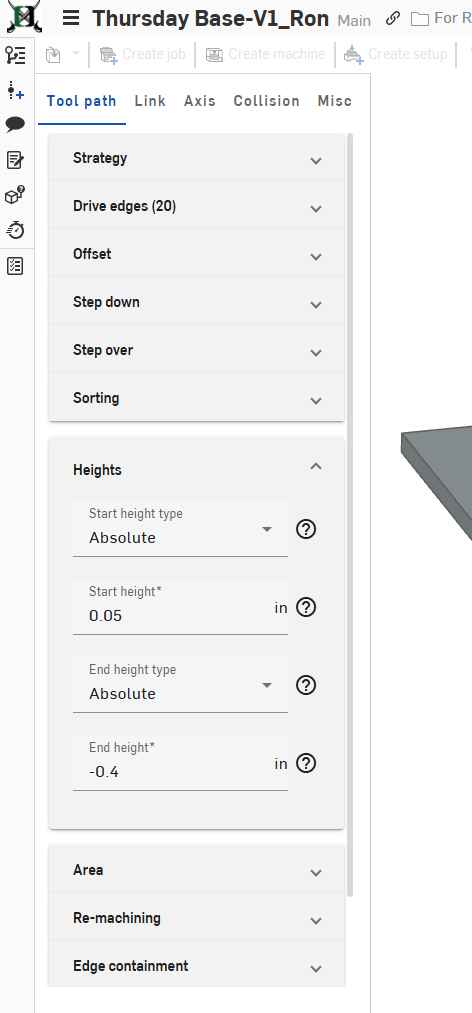
Any suggestions would be great. I'm completely new to using Onshape CAM Studio and now sure what to try next to fix this issue.
Thanks,
Dave
Tagged:
0
Answers
-
0