Help using a 3D Scanned STL surface, to split a part, or use in any meaningful way as a tool ???

Just got a 3D scanner, and one of my main uses is to make a scan that I want to import into OnShape, and then use that imported scan to split, or remove from a part.
So that the part has a shape that will fit to the oddly shaped surface of the scanned item.
For example, scan a wrench, and remove that shape from a rectangle part to make a recess for it to sit in as a holder.
Or, make a mount for a helmet, that the bottom surface of the mount I design is shaped just like the helmet surface I want to mount it to.
But, I just went to try this, and OnShape is saying I cant split my part with the STL surface I imported.
Ive tried the Constrained Surface and the Drape Surface plugins to try to use the STL as a way to create a surface, but both those have errors and wont work.
Tied using Bambu Studio to simply the STL, and have it fill holes in the surface, imported that, and still have all the same issues.
I tried using an online STL to STEP converter, but that resulted in a 150MB STEP file, that OnShape has been importing for an hour now,
Any ideas how I can use these 3D scans? These are complex shapes, so using the imported STL to redraw them manually is not an option.
Here is an example of the helmet mount I am trying to do.
https://cad.onshape.com/documents/7e092f4b82eb208377fb1a4e/w/1f492028d1089a4c1564d13b/e/f122d277b5a33e74abb6f5a8?renderMode=0&uiState=68e7d2846b0412494a560205
Answers
-
Haha, helmet mount: Just done that last week. It works as expected, but it is obvious that a split can only work if the splitting entity has no holes in the splitting area:
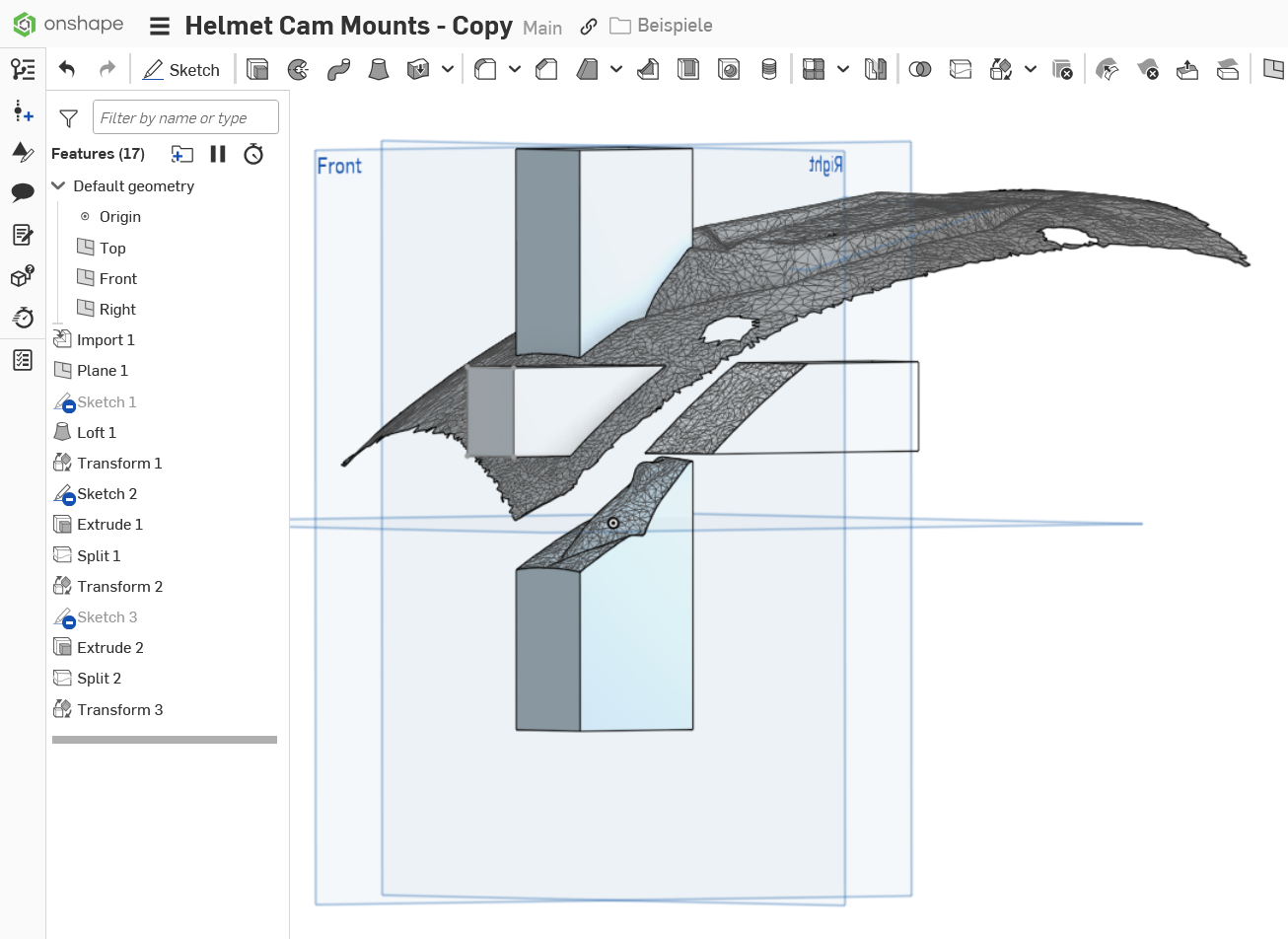
https://cad.onshape.com/documents/4e13638d27884f6462aa99d9/w/f08933df3046562061d826ae/e/39639529b949b5d68560840f?renderMode=0&uiState=68e8c329517ea5d4244818e1
1
