Welcome to the Onshape forum! Ask questions and join in the discussions about everything Onshape.
First time visiting? Here are some places to start:- Looking for a certain topic? Check out the categories filter or use Search (upper right).
- Need support? Ask a question to our Community Support category.
- Please submit support tickets for bugs but you can request improvements in the Product Feedback category.
- Be respectful, on topic and if you see a problem, Flag it.
If you would like to contact our Community Manager personally, feel free to send a private message or an email.
etching

we send parts o a company to manufacture for us sometimes,
i usually download and send dxf of flat pattern for cutting. with a pdf of the drawing.
they also offer laser etching, i asked how they need files to show the etching and they said just add lines to the dxf, red if possible.
i think they mean red line on the drawings? if so how do i colour the lines on a drawing.
and if theres a way to add lines to the dxf?
or do i draw a sketch off the flat pattern and then download the sketch as a dxf?
trying to speed up our fabrication. if we have etched lines to line things up, would be quicker than measuring/marking/jigging before tacking and weldin as sometimes location tabs arent possible.
does anyone have experience in etching that could help please.
thanks kev.
Answers
-
You can change the colour of lines/curves in the drawing views. I do that for laser cutting/bending, for example. My laser software can then mark bend lines on sheets or cut different colurs in a sequence (like holes first).
Right-click on the view to get the menu. Here come the steps:
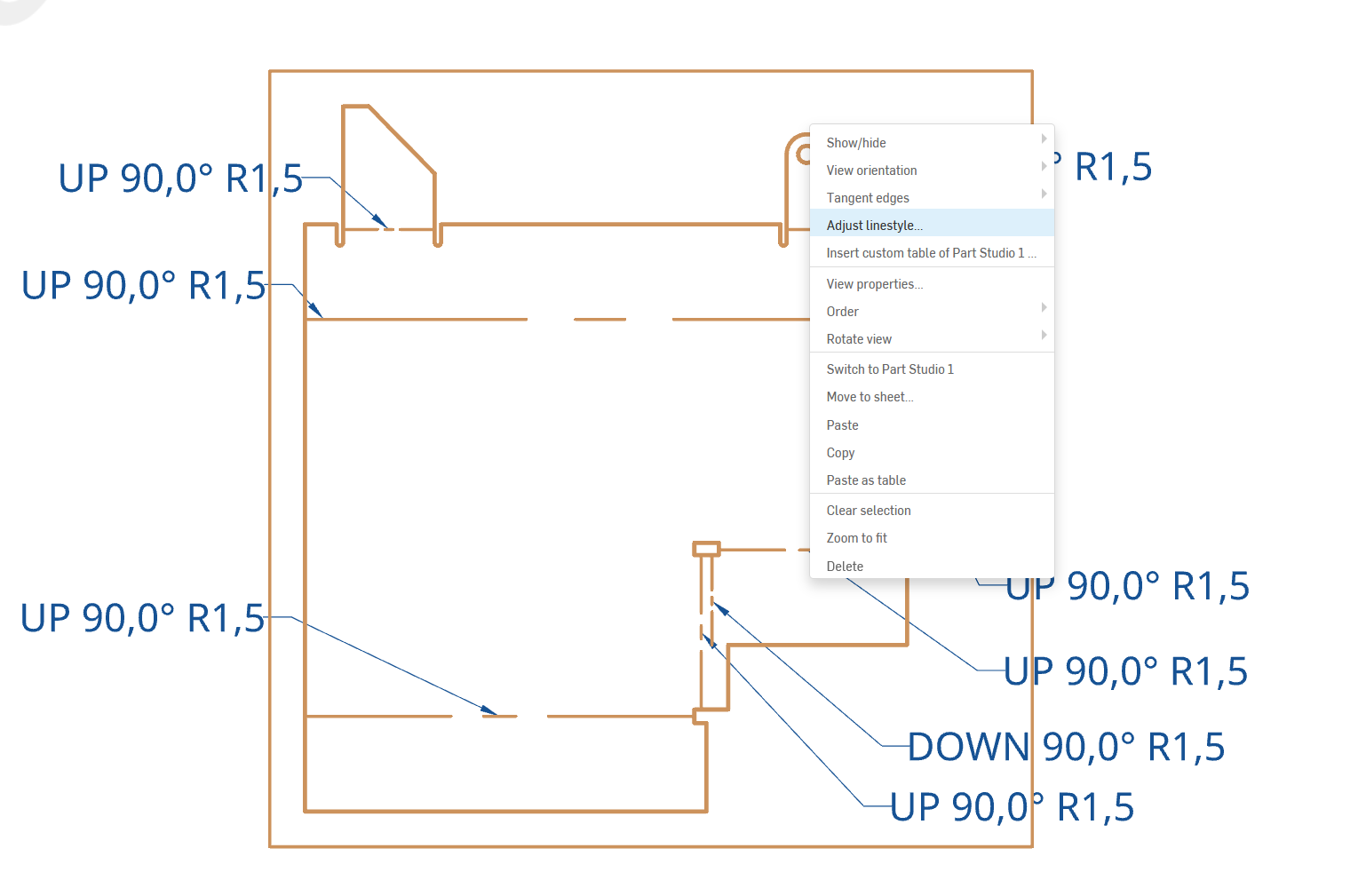
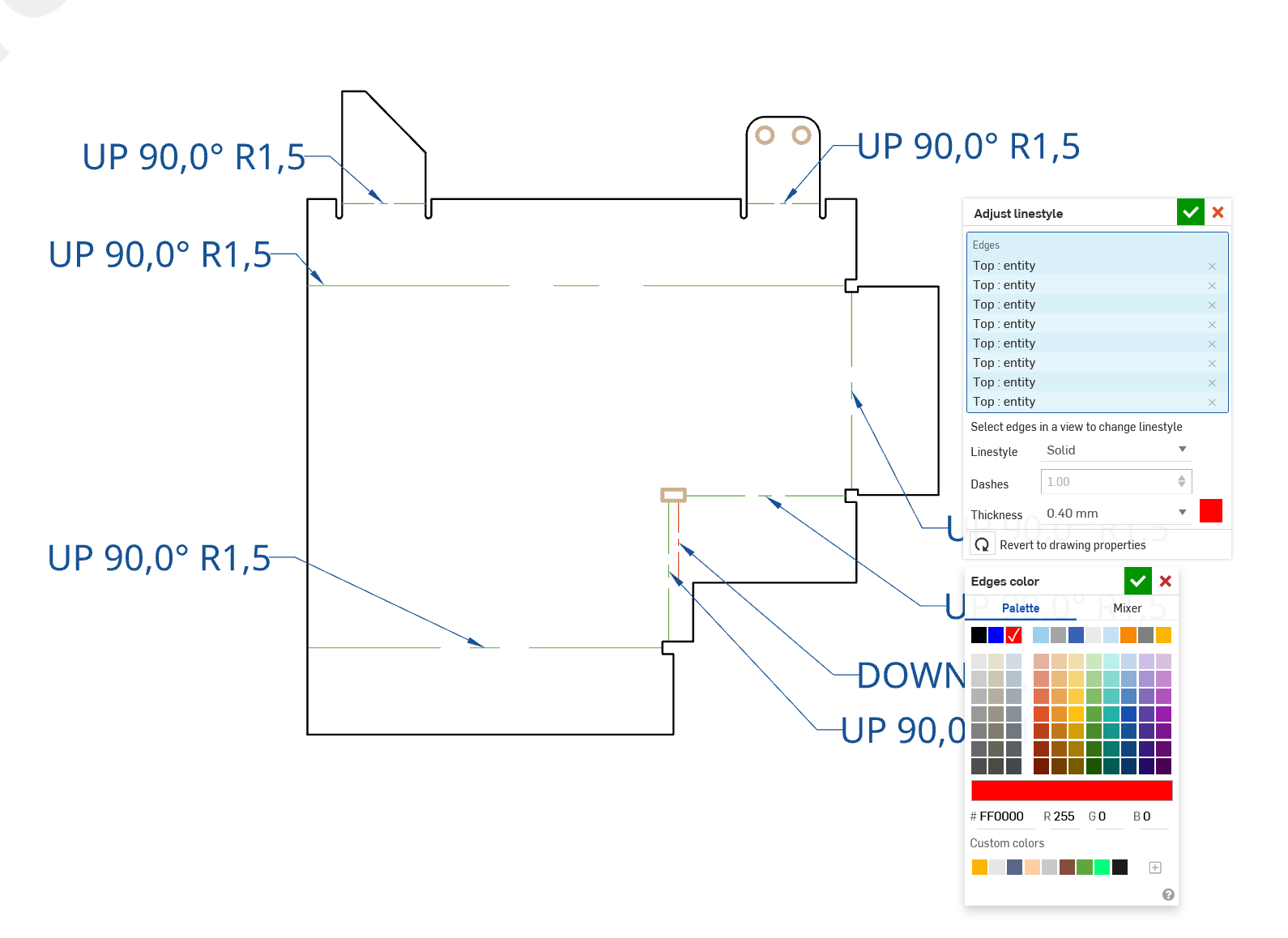
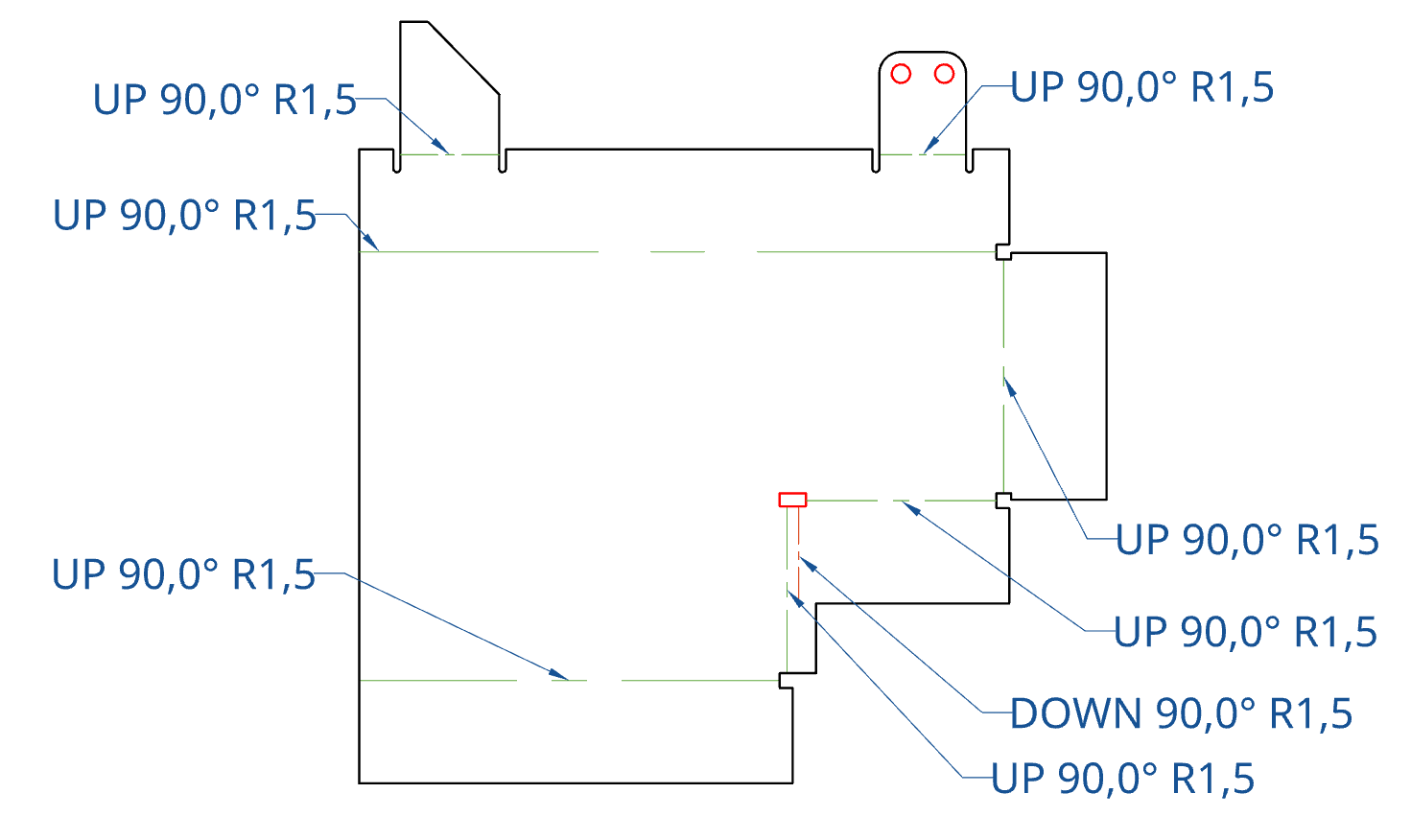
This will carry through to PDF, DXF/DWG and SVG exports. Note there will also be layers.
1 -
@martin_kopplow this is on the drawing? thankyou.
how do i get this onto the dxf of the flat patterns
0 -
Just insert a flat pattern as a view in your drawing. I usually use an empty sheet for this. Then export the drawing as DXF/DWG.
1 -
I suspect your laser company also expects DXFs to be 1:1 scale and in a particular unit, not some arbitrary drawing scale and unit. Might want to confirm with them and find out before using @martin_kopplow 's drawing→dxf idea.
0 -
You can set scale to 1:1 in drawing. paper size doesn't even need to be big enough it exports just fine.
0 -
I use a custom blank drawing template that has nothing in it except the view and is large enough to take a 1:1 drawing of all parts that fit onto the laser bed. Of course everything's metric around here, so no issue with units.
0

