Cannot seem to get Boolean Union to work...

Answers
-
Try posting your link agin. Sometimes it takes a few seconds for the little wheel to stop spinning.
0 -
for 3d printing It doesn't NEED to be step. Just use fine settings on STL or 3MF export and you need to pay attention to the checkbox in the export dialog that says export as individual files. turn it off.
0 -
Here's that link again…
https://cad.onshape.com/documents/5b247f18a59b54899c2fce3c/w/097df982ca7cb8aa0545179b/e/257e0d327d2efb6c8d522666?renderMode=0&uiState=691f3b4a3e6bcbdb72156a5d
0 -
For what it's worth, I'm trying to use a service (Send Cut Send) to have the part made in .125" thick ABS, but keep receiving the error that the file is "multi-body" and must be single-body. Of the available export formats, it appears STEP is the only compatible option (they don't accept STL/3MF).
0 -
that's because scs is not 3d printing your part They are CNC routing it out. so they need STEP file to do that. I looked at your file. I would spend some time with the replace face tool and boolean as a short cut to getting it to one piece. hindsight you should be using add when you create new features that will be part of the whole. if you can't get add to work boolean is not gonna work later down the road unless more geometry is added to join pieces together.
0 -
-
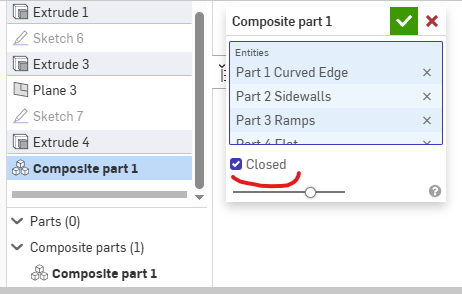
All closed does in the composite part feature is delete the individual parts from the Parts List and make it a solid color. It also prevents you from controlling the individual parts independently.
The composite part is always treated as a grouping of parts, or a multi-body part if you want to use SolidWorks lingo. So, the step file looks the same as if it were multiple parts anyways.
If you want to have it import into other cad/cam systems as a single part, then you need to use Boolean→Union
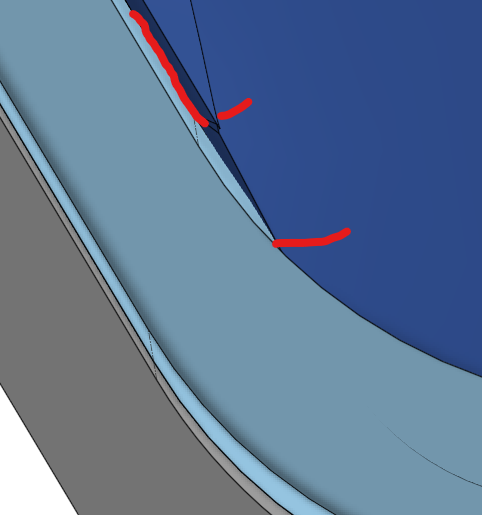
in order for Boolean to work, you will need to fill your gaps, so the parts are touching or intersecting. See @MDesign's comment about non-manifold geometry
1 -
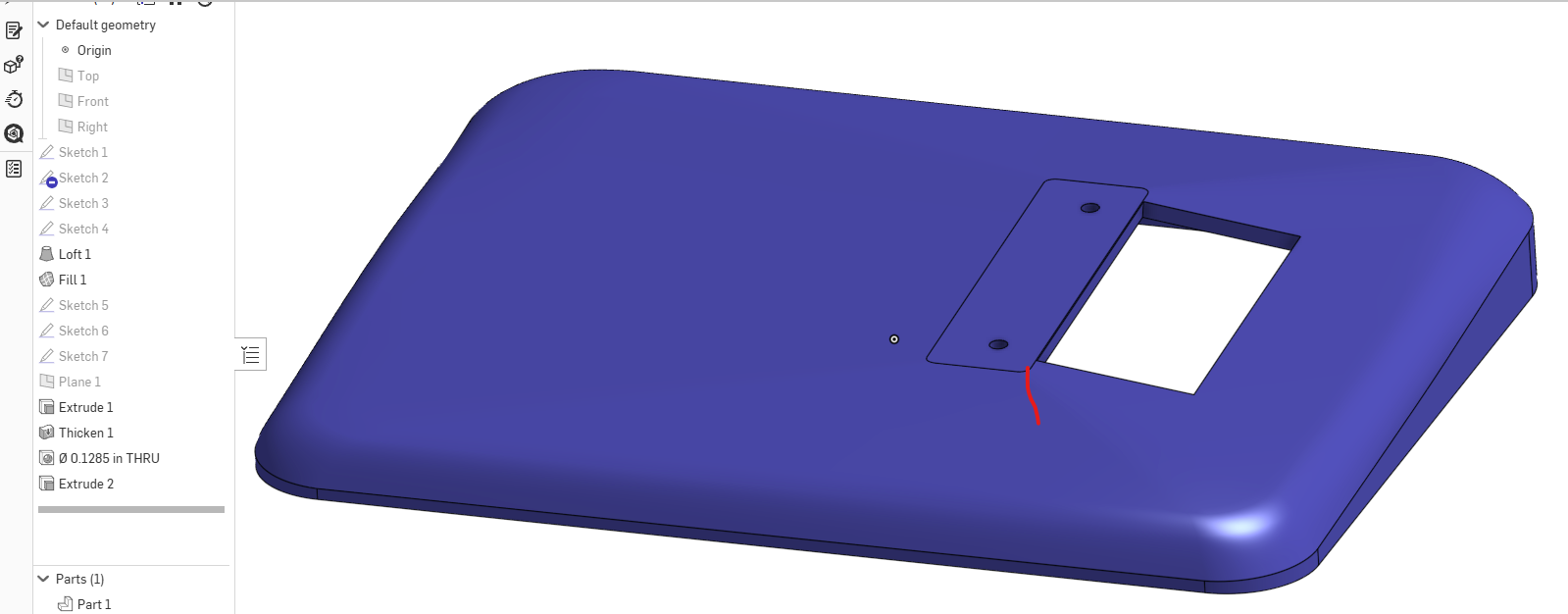
When I first looked i thought maybe an import base on the look and multiple parts. Was obviously mistaken. Here is a version that may help to understand the problems. There are piecemeal parts because edges don't come together to make one part when something new is added. The overall method is quite piecemeal. You may want t look into use of mate connectors when starting sketches with less planes in the feature list. I did add a plane to provide the sloped bottom since extrude can be to face which allows selection of a plane as the cutoff. Also put some small radiuses to make the loft much simpler. I worked in surfaces and thickened the whole thing. I wouldn't think using solids and shelling would not be to much different. Just my preference.
This came out as 1 part instead of a few and can be exported in any of the above mentioned formats as a single part with out the problems you're you've been having. Boolean and composite parts aren't likely to get what you want because of gaps.
 0
0 -
Fantastic, thank you!
For educational purposes… is there a simple way to "fill" the many small gaps? I watched a tutorial and messed around with the replace face tool for a while but can't seem to get it to fill those gaps that MDesign pointed out.
And agreed… piecemeal is putting it kindly.
0 -
Piece meal was very kind but it is part of the learning process. The next time you'd do some things differently. the replace face was suggested before I inspected further and realized how complex the item was built. You could still get there with replace face but you'd need to add move face and delete face to the tool box to get it done without redifining existing features.
0 -
Filing the gaps and smoothing things out in this case may take a lot of time and effort. Especially the non manifold bits pointed out earlier. May be quicker to go through the the learning center lessons first to get used to the tool. It's worth the time and no cost for the self paced section.
As MDesign says it's part of the learning process. Don't hesitate to continue asking questions.
0