Featurescript / app to generate SVG for CNC

Sorry if this has been covered, I'm looking to create the OnShape equivalent to https://apps.autodesk.com/FUSION/en/Detail/Index?id=3662665235866169729 for Fusion 360. There's a use case to be able to export SVGs of a set of 2D faces for CNC machines (Shaper Origin, laser cutters, etc).
My rough idea is to have a FeatureScript feature to allow the user to select a set of faces to be exported / (or ideally automatically sync'd somewhere). Then create a companion app that when activated would find those FeatureScript feature and do the actual SVG conversion / download / sync (since it seems you can't do any of that from within FeatureScript itself).
I skimmed the FeatureScript docs and couldn't find a way to actually dig into the shape of a selected face, and on the app side only saw examples on how to pull in tesselated 3D models of the whole part, which isn't helpful in this particular case.
Am I barking up the wrong tree? I figured since there's already a dxf exporter, OnShape is probably 98% of the way there to being able to generate what I want, I'm just not sure how to finish wiring it up since I'm new to this side of things.
Any pointers would be appreciated.
Thanks!
Comments
-
The main issue here is that FeatureScript cannot export data, only create, modify or delete. So you would have to work out how to generate and create the profiles yourself then work out how to find the results with your app.Senior Director, Technical Services, EMEA0
-
Makes sense, thanks. Is it possible in FeatureScript to dive down into the actual paths that make up an entity? Actually I'm re-reading the docs now and came across `evApproximateBSplineSurface` which actually looks like it might get me close to what I need.
0 -
BSpline surface isn't going to help you as you are trying to get the edges that define the shape of a planar surface.
What you are looking for is to take the adjacent edges (qAdjacent with the face as the query, and looking at edge adjacent edge type entities).
evCurveDefinition will give you the specifics of each edge type, which you would then use to construct your svg.
As Neil said, you can't export with FeatureScript, but you can utilize the API to run featurescript code. The API also provides a method of detecting selections in a studio.
What you are trying to do is possible, I've done it for DXFs, which are very close to SVGs.1 -
@caden_armstrong thanks so much, this is super helpful!0
-
I have tried to make this app/featurescript before, and failed. I'm specifically interested in exporting paths for the Shaper Origin, but I can see that there's continuing demand for a simpler SVG export to support different less-than-industrial CNC workflows.The API also provides a method of detecting selections in a studio.@caden_armstrong I don't suppose you could provide a link? I've looked for this but I can't find it. (The docs are great IF you know where to find the thing you're looking for).
1 -
If the part is already 2d, as a user you can right click on a face and export to dxf. Most CAM should be able to read dxf, even hobby grade softwares like lightburn support it. If you aren't looking for an automated way of doing it, thats an easy way to generate paths.
That same function is supported in the api via /documents/.../export, but it will export the entire part as a projection into the specified view plane.
@hovis
Its the client messaging system.
One of the things it can do is notify on user selection.
https://onshape-public.github.io/docs/clientmessaging/#capturing-selection-messages-from-the-onshape-client
0 -
I would be an eager adopter of this feature if it were available.
My students and I use Onshape and Shaper. The workflow from Onshape to Shaper is messy and complicated for students. Anything to make the process smoother would be greatly appreciated here.
1 -
same here! we have to use illustrator after exporting from onshape to shaper origin. something like the fusion360 plugin for shaper origin is what we need:) https://apps.autodesk.com/FUSION/en/Detail/Index?id=36626652358661697290
-
0
-
yes - but getting nice, connected shapes usually means manually join the paths in illustrator... also the fusion origin-plugin does a nice color-coding job... pockets gray, outlines black...dirk_van_der_vaart said:
but also - even if it is a bit tedious...it's not the end of the world and it's not an everyday thing:)0 -
Hiya folks! Coming here to see if anyone has updates / progress on this workflow. I’m an Onshape + Shaper Origin user too. Definitely don’t love the Onshape —> DXF —> import into vector program to join —> SVG workflow.
0 -
I'm frustrated that it's been years and there still isn't a better workflow for SVG export in Onshape. I see no reason to ever upgrade my plan if there isn't a simple workflow to get from CAD to my machines.
0 -
Generating SVGs via a FeatureScript/app for CNC greatly streamlines workflows—producing precise vector files that simplify CAM import, speed prototyping, and reduce manual mistakes. Similarly, trusted platforms that prioritize reliable, well-managed digital tools like help users work with confidence.
-1 -
Generating SVGs via a FeatureScript/app for CNC greatly streamlines workflows—producing precise vector files that simplify CAM import, speed prototyping, and reduce manual mistakes. Similarly, trusted platforms that prioritize reliable, well-managed digital tool Yacine Net help users work with confidence.
-1 -
-
@hovis wow!!! this is great! works perfectly for a single surface! thank you!!
0 -
You're welcome!
This version (v5 in the studio) only supports single faces with holes, there's no support yet for multiple faces or pockets. There's also no support for getting consistent coordinate spaces between exports. I'm happy with what I have so far, but I'm not satisfied. I'm feeling a little burnt out on this project, though, so it may be a bit before I get back around to it.0 -
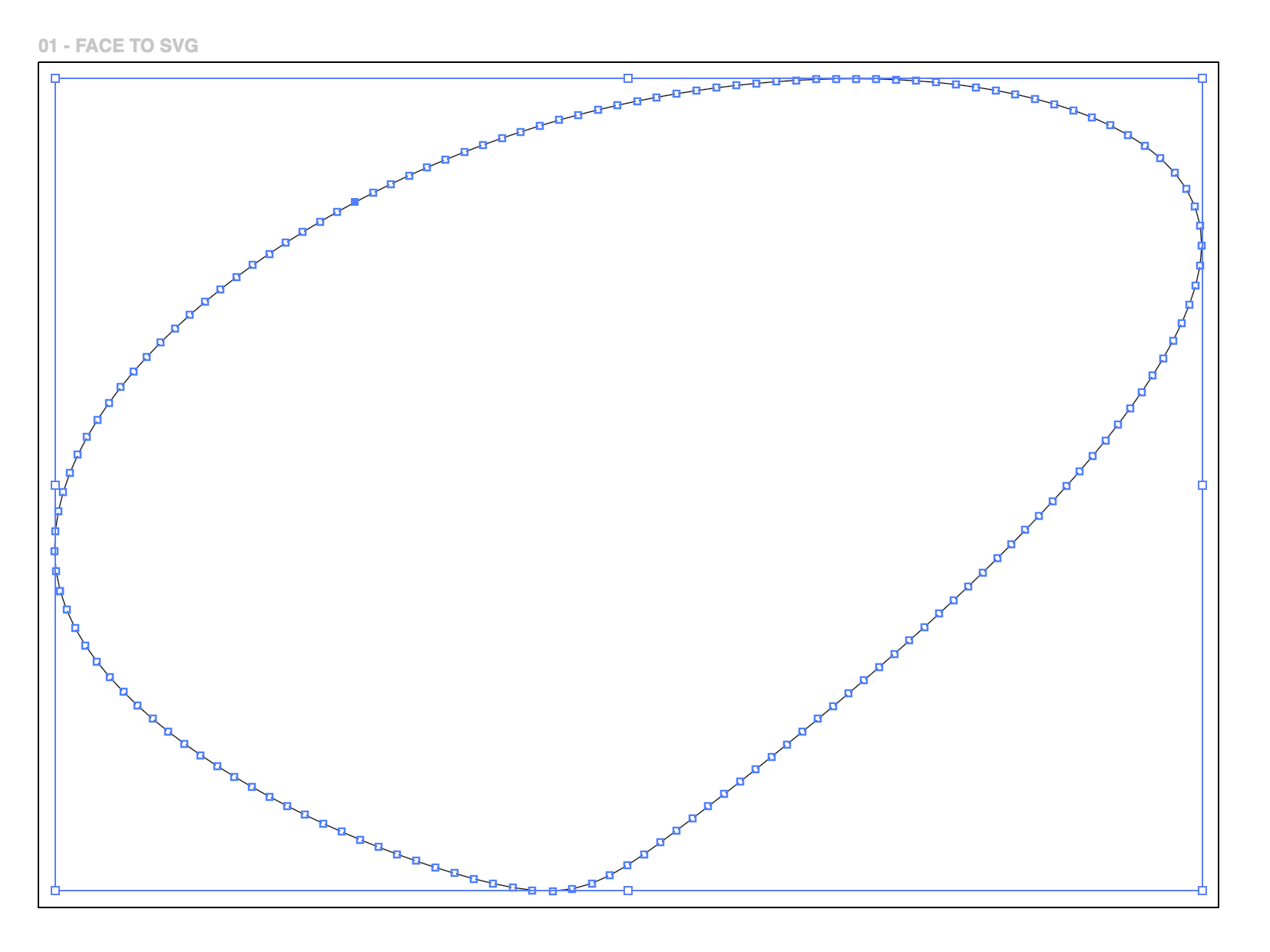
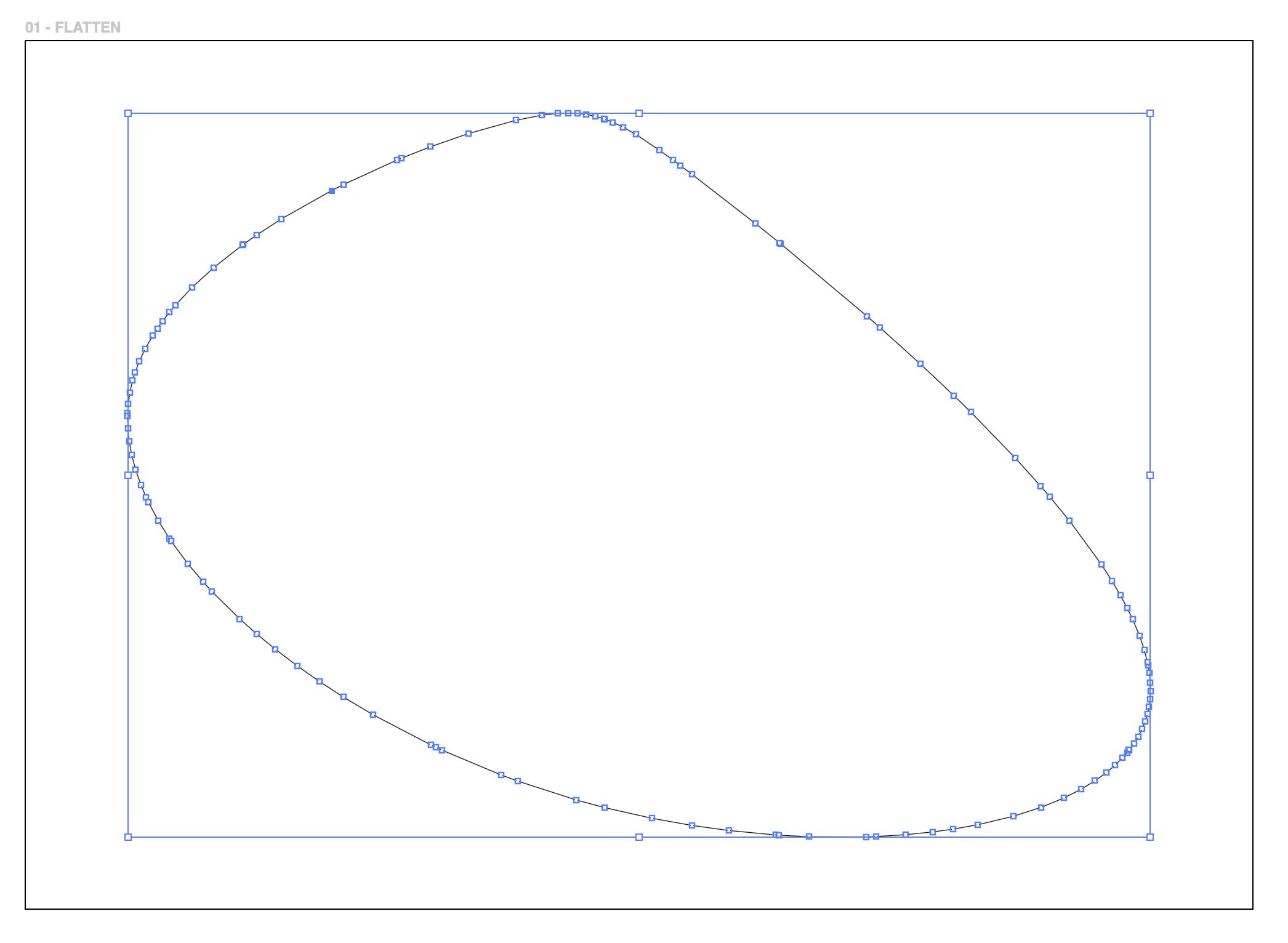
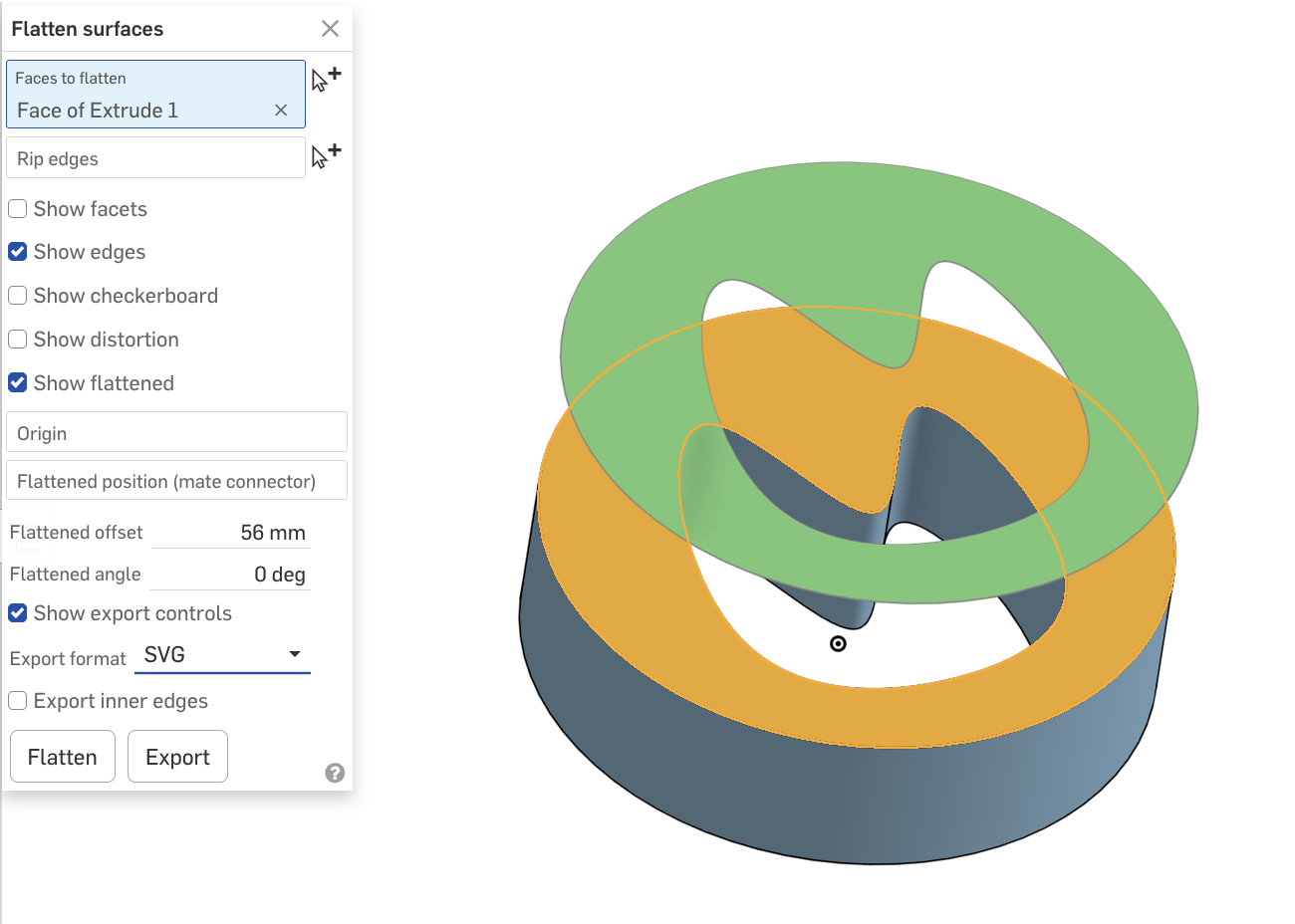
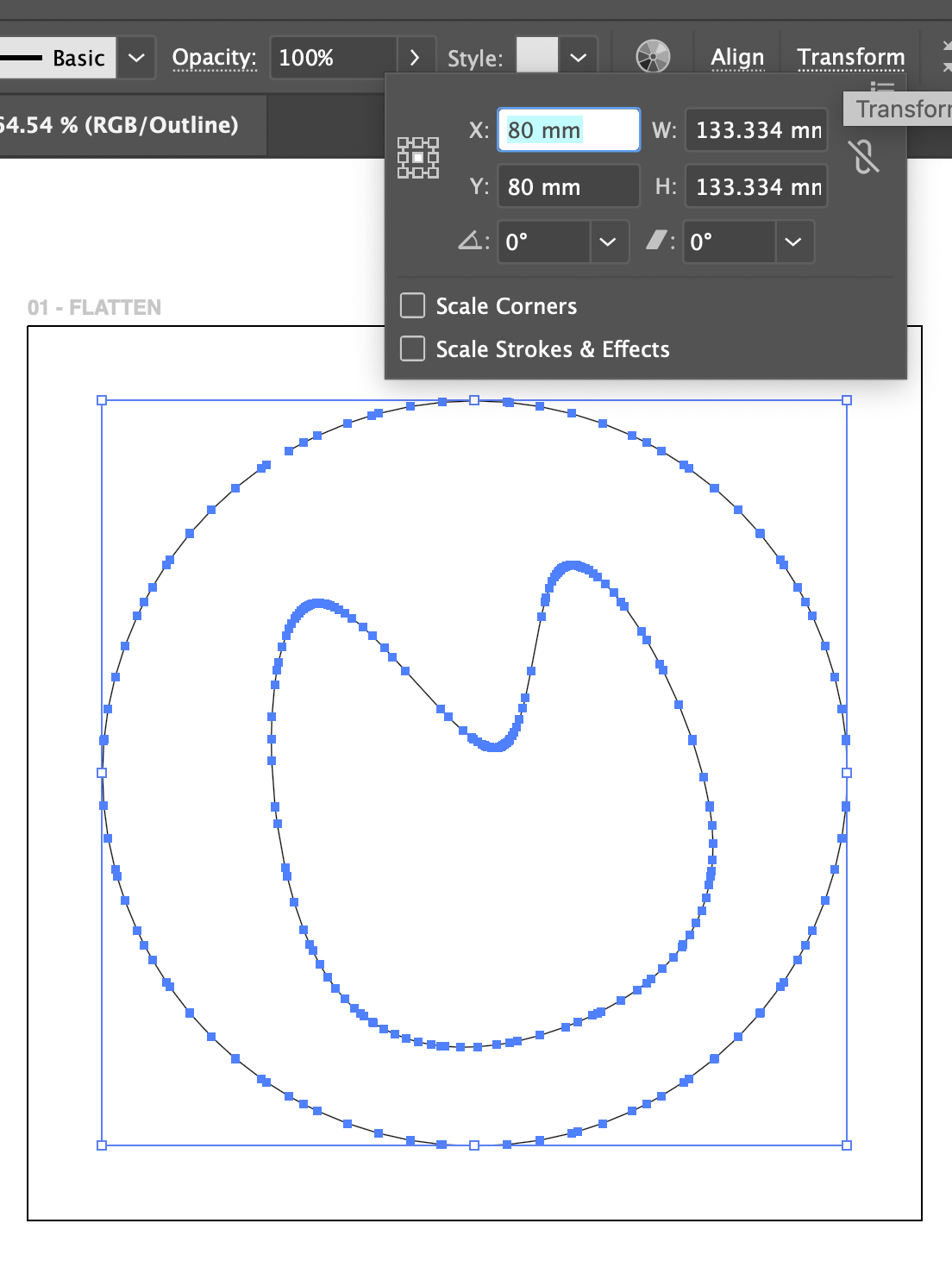
Ok! I did a bit of research with the FacetoSVG FS and the export function on the “Flatten Surface” tool… a circle part with a curvy hole inside using Illustrator to check size and lines of the SVG.
Both methods converted them to polylines and the size is off. The circle should be 100 mm.
- The FacetoSVG FS is too small (83.334 mm).
- The Flatten SVG Export is too big (133.334 mm).
- The FS has no inside shape
- the Flatten SVG is open on the outside (it does close when there is no hole).
Looking at just the curves:
- The polyline segments from FS are evenly distributed.
- The Flatten lines are not.
Lines and Circles
- shapes with no curves but only lines and circles look awesome with the FacetoSVG FS (but still the wrong size)
Conclusion:
- For Freeform Shapes, The Flatten tool is probably easier to use since it’s built-in and exports an SVG right away, but it also can’t handle multiple faces (though going through them separately is fairly quick).
- For geometric parts with fillets and straight lines, the FacetoSVG FS method is better than anything we get from other export options (Drawing to SVG/PDF → a million polylines; Face to DXF → not closed) but the sizing is wrong.
- For multi-part, multi-face jobs, creating a drawing and then manually joining the lines in Illustrator is still the best option (because the size is correct).
thank you @hovis and keep up the good work!
onshape doc with setup and more screenshots
 0
0 -
I'm just kind of shocked that Shaper doesn't have support for other file types to import natively. Most other CNC softwares will support at least a few common file types for their tools, kinda weird that they're limiting themselves to just one and that that one is .svg
0 -
converting DXF to SVG would be fine… connecting all the loose segements is the real pain:) even with "flood fill" in illustrator, it's always a hack.
0 -
@roman_jurt190 Thank you very much for your help testing this!
The new latest version is V6 (in the same public Onshape document). I have:
- added support for exporting multiple paths/objects
- added Shaper Origin cut type encoding (this is best guess based on geometry, there are bugs here)
- added Shaper Origin cut depth encoding for pocket operations
- rewritten almost everythingRegarding the sizing defects you encountered, I suspect that your SVG tools are rescaling the file. I am encoding the SVG as 1 to 1 millimeters. For example, if you want to cut out 40 millimeter disc my tool will export SVG like
<circle cx="0" cy="0" fill="black" r="20" stroke="black" stroke-width="0.005mm"></circle>, which is to say a circle at 0,0 with a radius of 20mm. If you can adjust your SVG software to read the file as native millimeters I suspect your sizing problems will go away.Do you have a Shaper Origin? I suspect that if you load the SVG into the router you'll find the scaling is exactly correct.
0 -
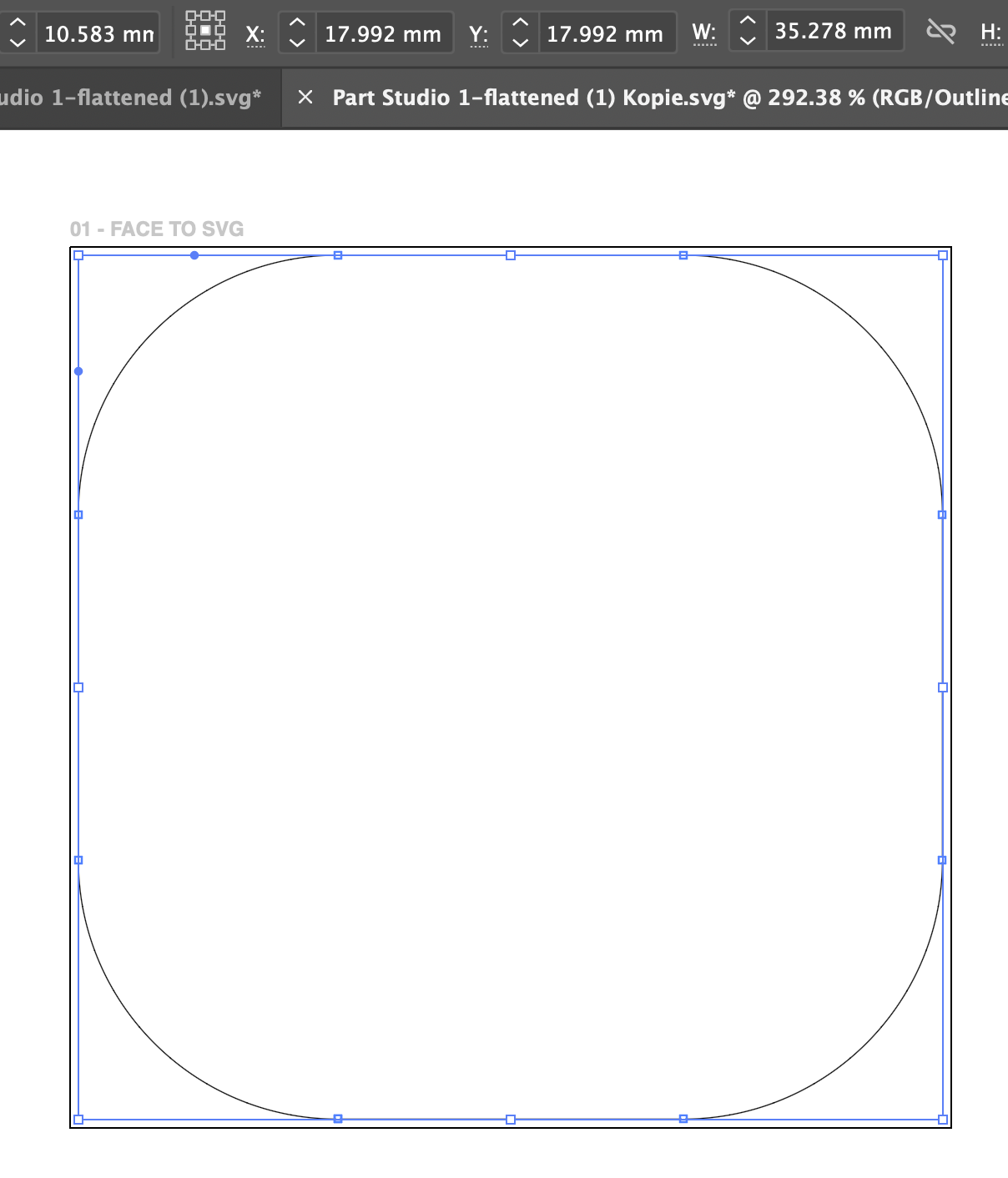
I looked at your test file and made a copy here:
https://cad.onshape.com/documents/80728e30f79cb6674610cb3f/w/84c4475672068dc026d74895/e/b45d401176f585f759d4ee21?renderMode=0&uiState=69619dc03961274c81fc6dd6
The SVG output is below, and the dimensions look exactly correct to me. (Your drawing specifies a 100mm square, and you made 30mm fillets)<?xml version="1.0" encoding="UTF-8"?> <svg xmlns="http://www.w3.org/2000/svg" xmlns:shaper="http://www.shapertools.com/namespaces/shaper" viewBox="0 0 100 100"> <desc>Generated from Onshape by user-contributed logShaperSvg feature</desc> <path d="M 0.000 30.000 A 30.000 30.000 0 0 1 30.000 0.000 L 70.000 0.000 A 30.000 30.000 0 0 1 100.000 30.000 L 100.000 70.000 A 30.000 30.000 0 0 1 70.000 100.000 L 30.000 100.000 A 30.000 30.000 0 0 1 0.000 70.000 L 0.000 30.000" fill="black" stroke="black" stroke-width="0.005mm"></path> </svg>
0 -
I have updated the feature to include width and height attributes to the <svg> element, which should completely prevent scaling issues in the future though YMMV depending on what tools you're using. I have tested SVG exported with my feature straight to ShaperHub and my Shaper Origin CNC and the file is imported with correct scaling at no extra effort.
0




