Welcome to the Onshape forum! Ask questions and join in the discussions about everything Onshape.
First time visiting? Here are some places to start:- Looking for a certain topic? Check out the categories filter or use Search (upper right).
- Need support? Ask a question to our Community Support category.
- Please submit support tickets for bugs but you can request improvements in the Product Feedback category.
- Be respectful, on topic and if you see a problem, Flag it.
If you would like to contact our Community Manager personally, feel free to send a private message or an email.
Drill Press Hub
 kent_amberg
Member Posts: 2 ✭
kent_amberg
Member Posts: 2 ✭
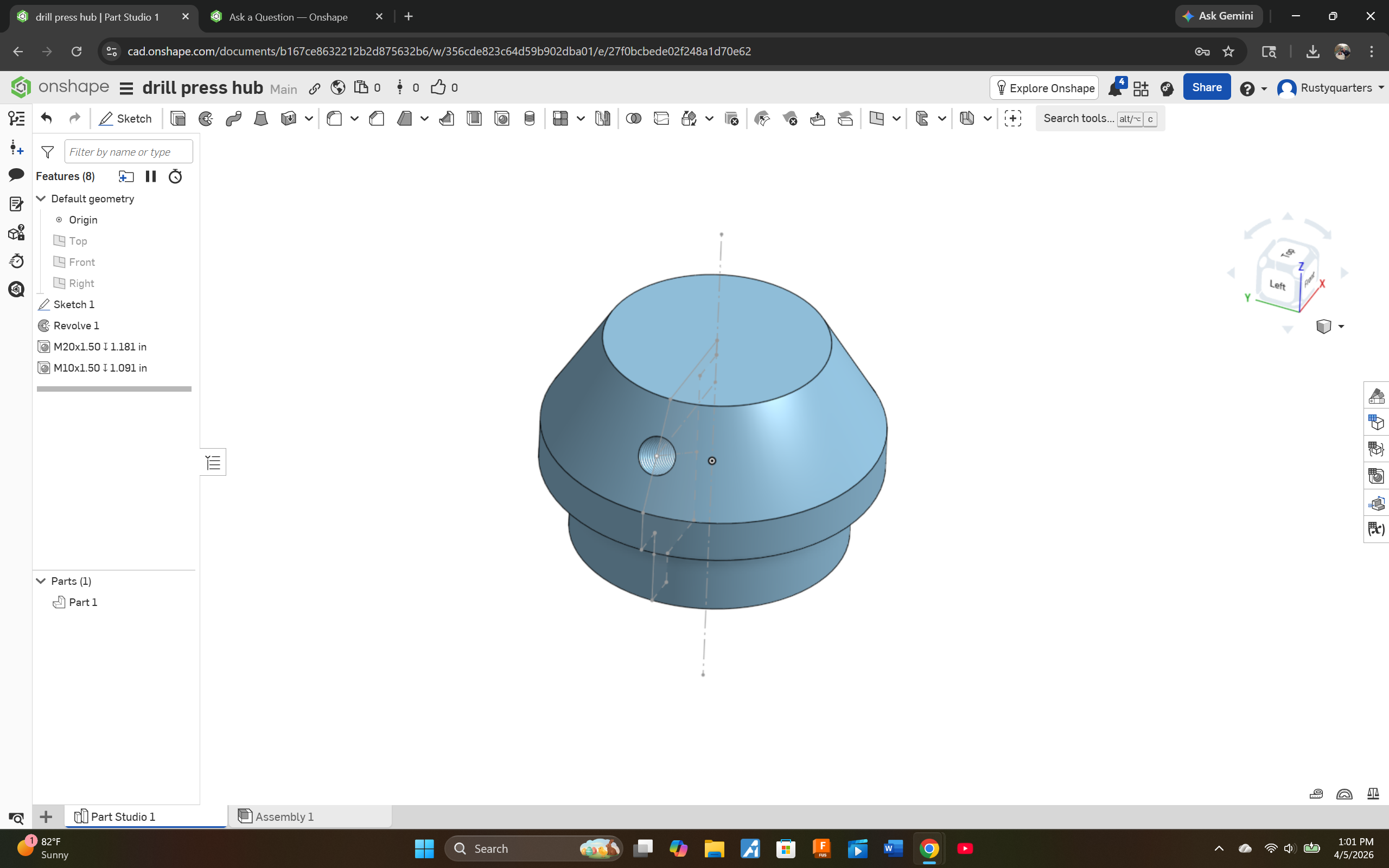
I am trying to create a basic Milling Machine Hub for my pinion on my Enco because the handle holes are worn out, and i need a new one, and they are not available, can someone tell me how to create the holes on the angled plane on the sides, i managed to get one using the original sketch before revolving it, can i create other sketch views at 120 degrees from each other? Not sure what i am doing wrong?
0
Answers
Hello Kent. The only other feature you need to provide the additional holes is a Circular Pattern feature. In that feature's dialog select the feature you used to create the hole and the sketch centerline of the hub for the axis. - Scotty
As always there are multiple ways, but I would do it like this: https://cad.onshape.com/documents/17a63b5bb90df2da31a79ae2/w/ad3a83fb71e8a4b1c53da8c0/e/72b0187564e31d4075cbd70a
Use the angled line from the revolve sketch and the top plane to construct a plane tangent to the angled revolve. Create your hole with a normal extrude (or hole feature) and then feature pattern it around.