how to change the configured property name to the configuration item selected

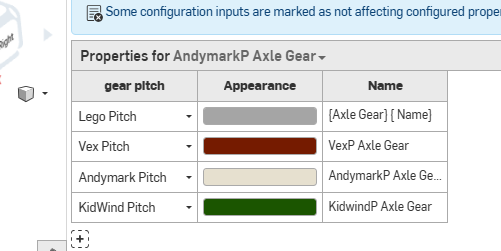
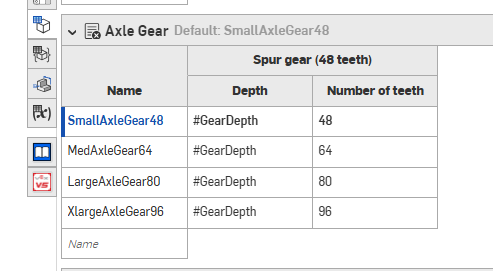
I'm trying to have the name of the part change within the configured properties panel, and I want the name to be the configured Input list name. for example, I want the name of the gear (listed in the properties name of the configuration prop window) to be the name of the configured item in the configuration panel. So when the type of axle gear is selected in the part studio or assembly configuration menu, it changes the inserted part name. The gear FS already did this to some extent, but everything is labeled spur gear, which isn't helpful.
Answers
-
There should be some examples in here for how to do this. I recommend using normal configurations rather than the property configuration panel, this way you can automate it with custom features.
https://forum.onshape.com/discussion/24731/set-property-new-custom-feature/p1…
Using the property attribute feature, you can dynamically assign the name. Here is an example:
https://cad.onshape.com/documents/861d68af1cee67efb9e4843d/w/53981180c05151…- Remember to edit the featurescript id of the list if using list configurations:
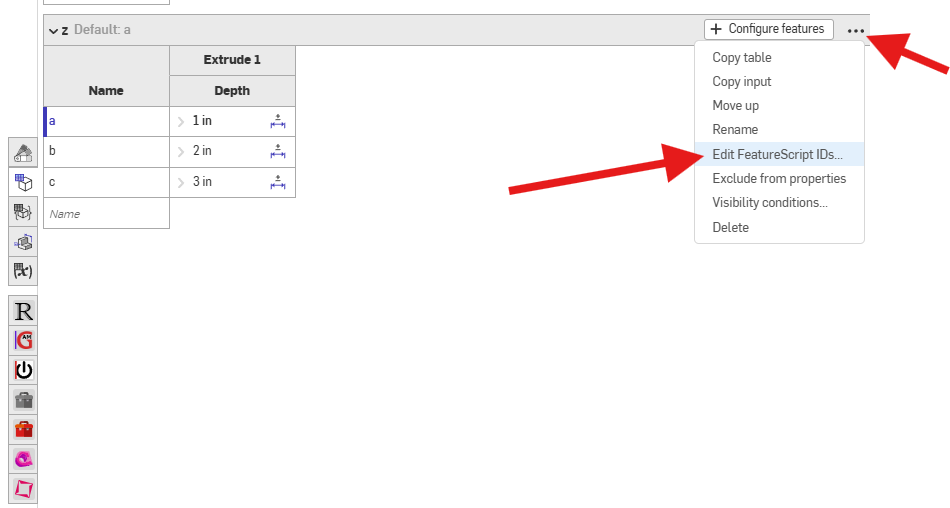
- Also don't forget to right click the input cell within the feature and convert to expression:
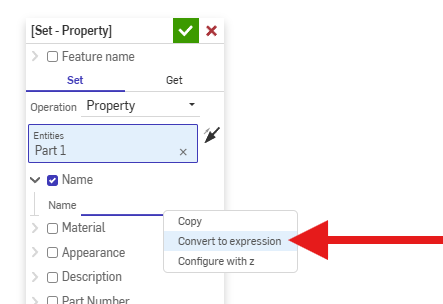
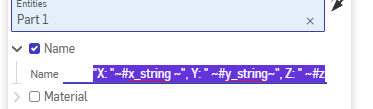
- Then do something like this for the equation:
"X: "~#x_string ~", Y: " ~#y_string~", Z: " ~#z
.
▚▞▚▞▚▞▚▞▚0
