Cut list from MDF panels

Hi I know this has been asked many times before, but I can't seem to get my head round how I use frames and cut list in this instance.
https://cad.onshape.com/documents/03f2f41ced144652a5173916/w/e3c37a37ac004f162053c318/e/21953c303c400f03d2c463e0?renderMode=0&uiState=6a44ffb7c596de4872b51424
Basically I want to use onshape to give me a dimensions and cutting list for the above cabinet
I'll be cutting down 18mm MDF 2440 x 1220. so the one constant I have is the 18mm
I can go through and measure all the bits individually as I ended up sketching each part, but I feel like there is a much easier way.
Any help would be appreciated.
Thanks
Mike
Answers
-
hey mike
try this features script - it's called Auto Layout and arranges your parts in a definded XY space (aka standard MDF sheet size) https://cad.onshape.com/documents/576e01dbe4b0cc2e7f46a55d/v/f697250aa149b6846173f4b1/e/b72c231628b5affea0873222
i also took a look at your file. it's build a bit too complicated:) - some basic tips:
- no need to make a new sketch for every extrude - there could also be a master sketch where most of your 3d geometry lives.
- use a variable for things that repeat it self (MDF thickness would be my first pick)
- give "thin" extrude" in the Stradadrd Extrude Feature a try.
- maybe the "Extude Individual" custom feature could also be useful: https://cad.onshape.com/documents/95c00401c440b44ad8799ef5/v/8c57684b10a0dd810f1a0877/e/f59ee8c28530122eb7fa9f5c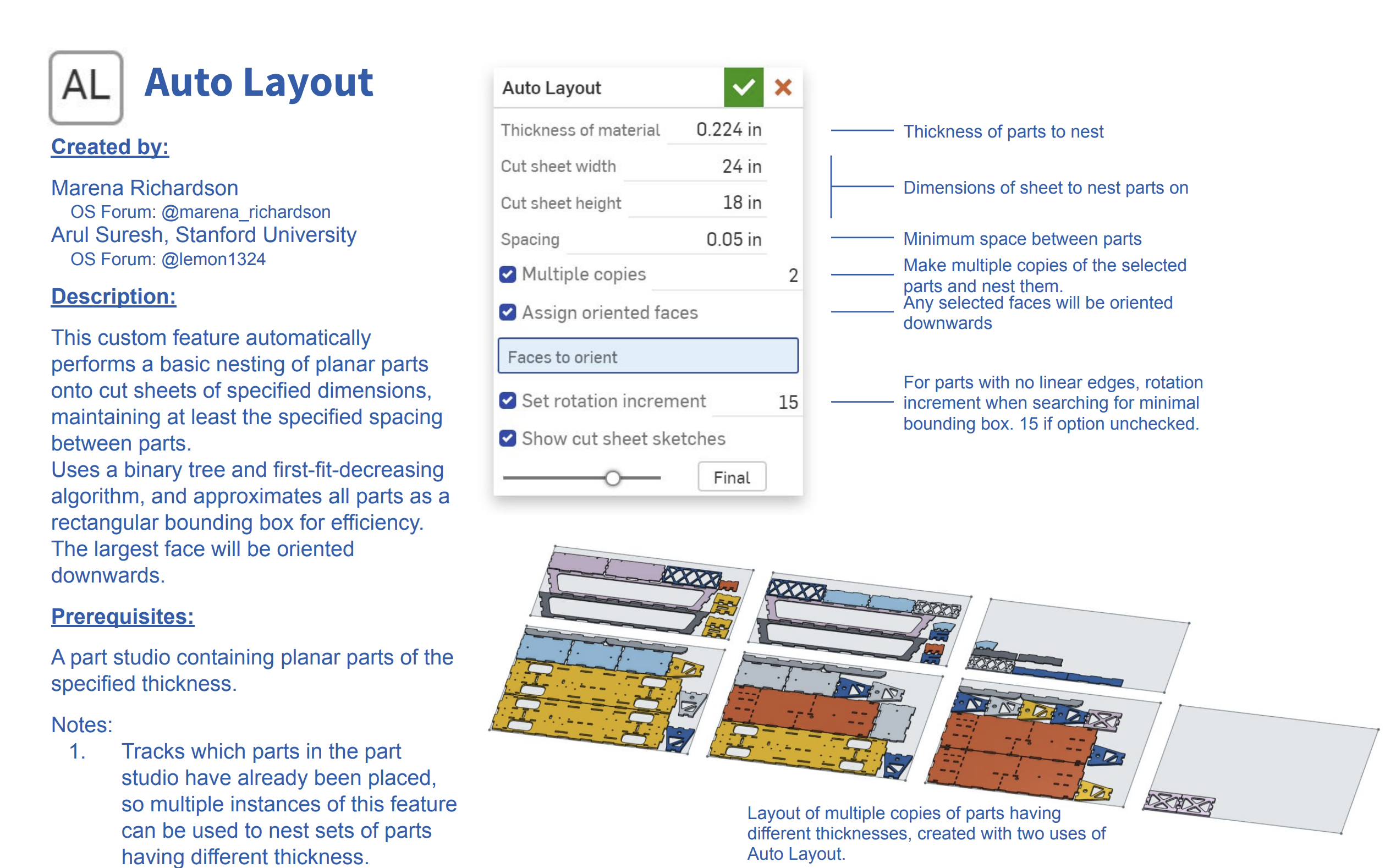 1
-
awesome thank you, sorry for the slow acknowledgment, I will take a look.
Very new to onshape so learning every day.
1
