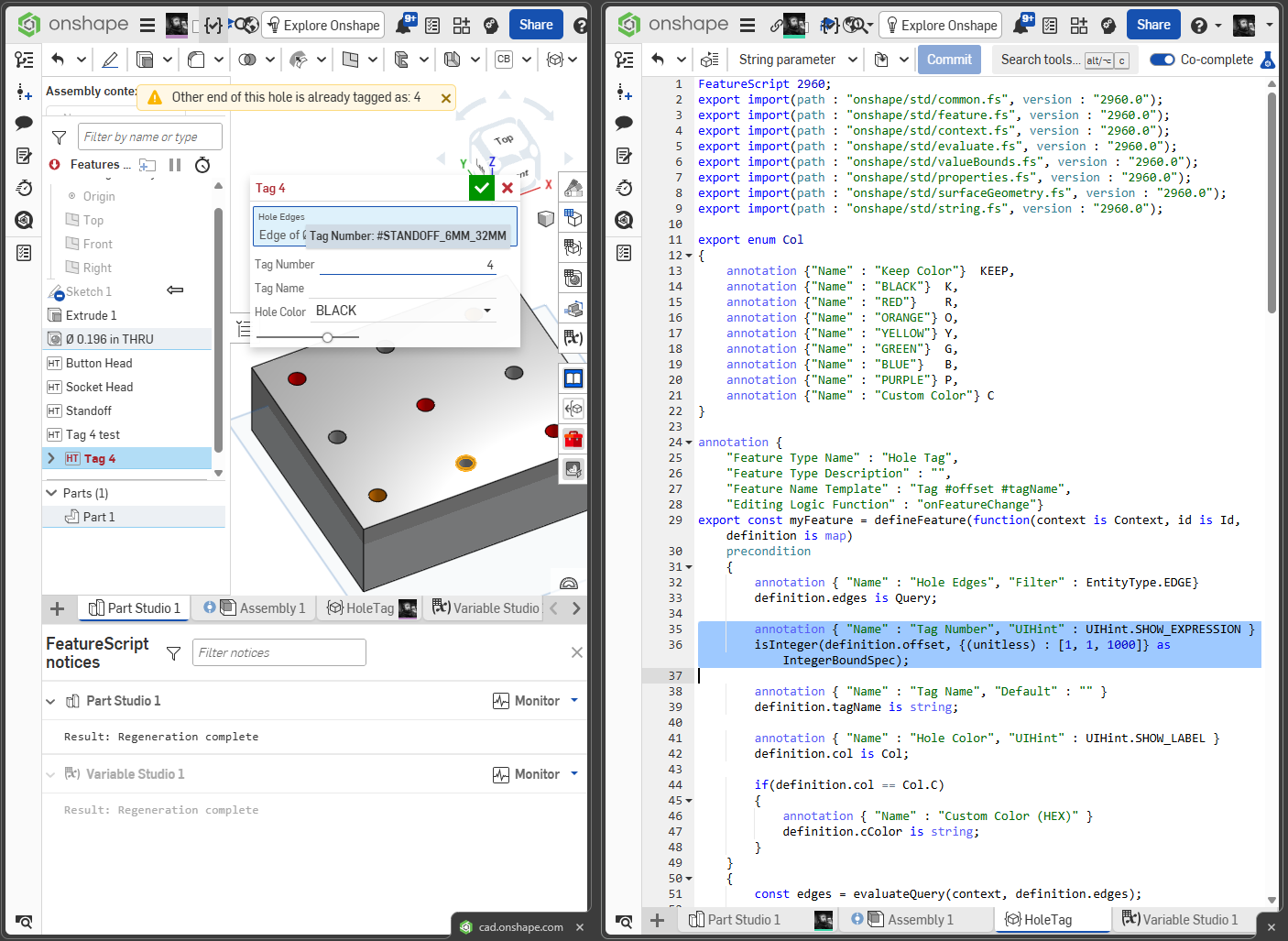
In FS dialog annotations UIHint-opt "show_expression" seems not to work, or is my syntax wrong?

anton_berta
Member Posts: 3 ✭
I use
...
annotation{"Name" : "Size ", "UIHint" : "SHOW_EXPRESSION"} isLength(definition.X, ...);
...
But at runtime, if i bind this parameter to a variable by inputting #test, a variable defined before, into the field of this parameter,
after leaving this field, there is always shown the evaluated value of #test, for example 10,
but the field never shows the expression "#test" as i expect the UIHint "SHOW_EXPRESSION" to work.
Standard Library Documentation for uihints says:
What am i doing wrong?
You can check this in my project:
https://cad.onshape.com/documents/43806bae9008bff220d2eb0c/v/9c15468693025089c46e334b/e/0626a1d837b6b21f6ceefcff
FS-lines: 19, 22, 25 and dialog fields X and Y for size input.
...
annotation{"Name" : "Size ", "UIHint" : "SHOW_EXPRESSION"} isLength(definition.X, ...);
...
But at runtime, if i bind this parameter to a variable by inputting #test, a variable defined before, into the field of this parameter,
after leaving this field, there is always shown the evaluated value of #test, for example 10,
but the field never shows the expression "#test" as i expect the UIHint "SHOW_EXPRESSION" to work.
Standard Library Documentation for uihints says:
SHOW_EXPRESSION; If an expression (like #foo or 1/4 in) is entered, always show the expression, and never the resulting value. What am i doing wrong?
You can check this in my project:
https://cad.onshape.com/documents/43806bae9008bff220d2eb0c/v/9c15468693025089c46e334b/e/0626a1d837b6b21f6ceefcff
FS-lines: 19, 22, 25 and dialog fields X and Y for size input.
0