Welcome to the Onshape forum! Ask questions and join in the discussions about everything Onshape.
First time visiting? Here are some places to start:- Looking for a certain topic? Check out the categories filter or use Search (upper right).
- Need support? Ask a question to our Community Support category.
- Please submit support tickets for bugs but you can request improvements in the Product Feedback category.
- Be respectful, on topic and if you see a problem, Flag it.
If you would like to contact our Community Manager personally, feel free to send a private message or an email.
Sheet metal - how to transition from flat to curved without using multiple small bends

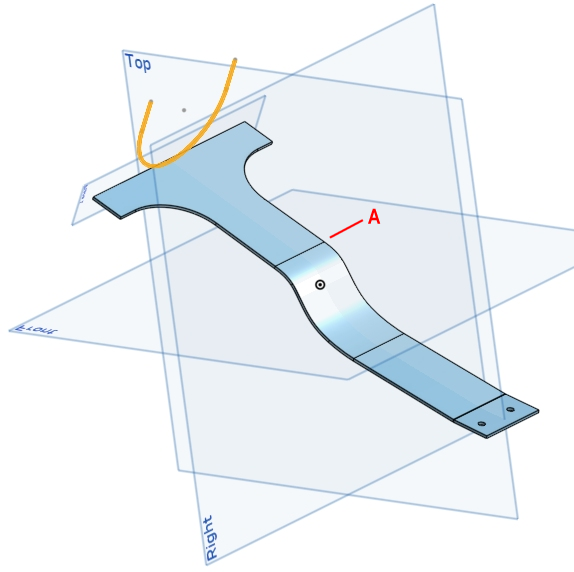
I have a sheet metal bracket with curves on two different planes. I cannot figure out how to do this using OnShape. What am I missing?
Here's an image of the bracket. There is a sketch on a plane at the back of the bracket. I need the sheet metal formed to match that sketch and transition to the flat at A.
https://cad.onshape.com/documents/aee953e6f391cffb994cb5ae/w/9e5bd4830de53ad3b34b5af5/e/6f0705f475530f8938d0b914
Best Answer
-
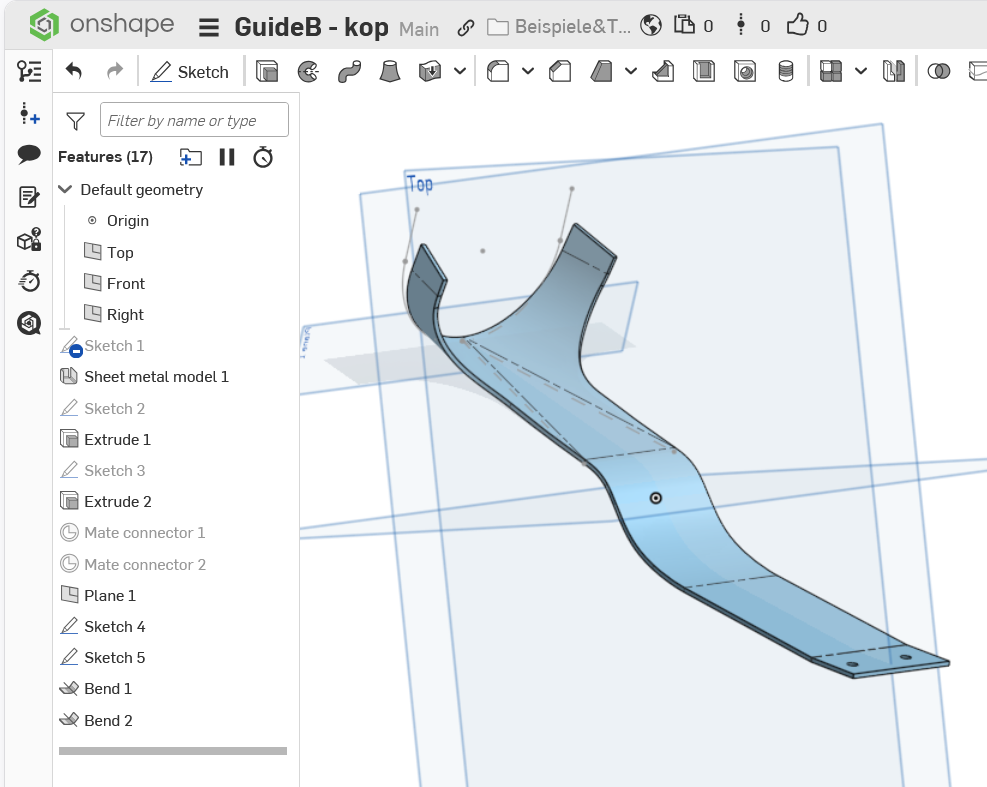
That would rather be stamping than unfolding, then. Maybe this model could be 3d-modeled first, then converted to sheet metal? Anyway, it might create non-unfoldable geometry. You could use bends, but that would require you to adjust the plan sketch first.
 0
0

Answers
-
That would rather be stamping than unfolding, then. Maybe this model could be 3d-modeled first, then converted to sheet metal? Anyway, it might create non-unfoldable geometry. You could use bends, but that would require you to adjust the plan sketch first.
0 -
Thank you!
0 -
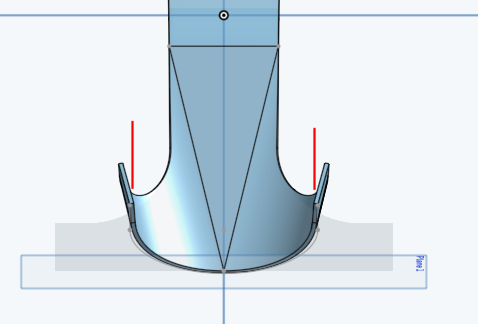
After looking more carefully, the result is not quite what I'm looking for. After the bends, I need the vertical tabs to end up parallel to the rest of the part. Bending along the angled sketch results in angled vertical tabs.
 0
0 -
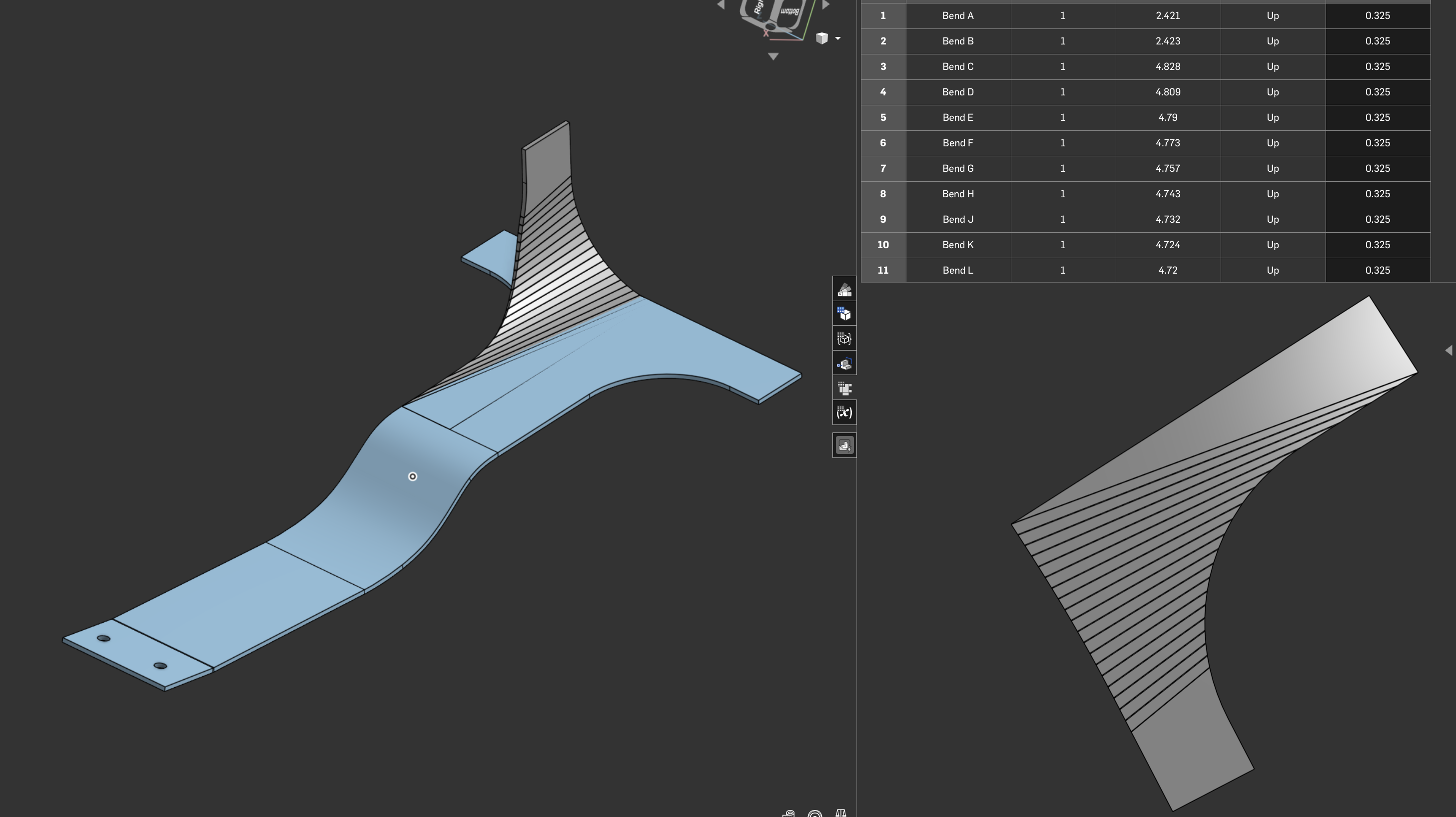
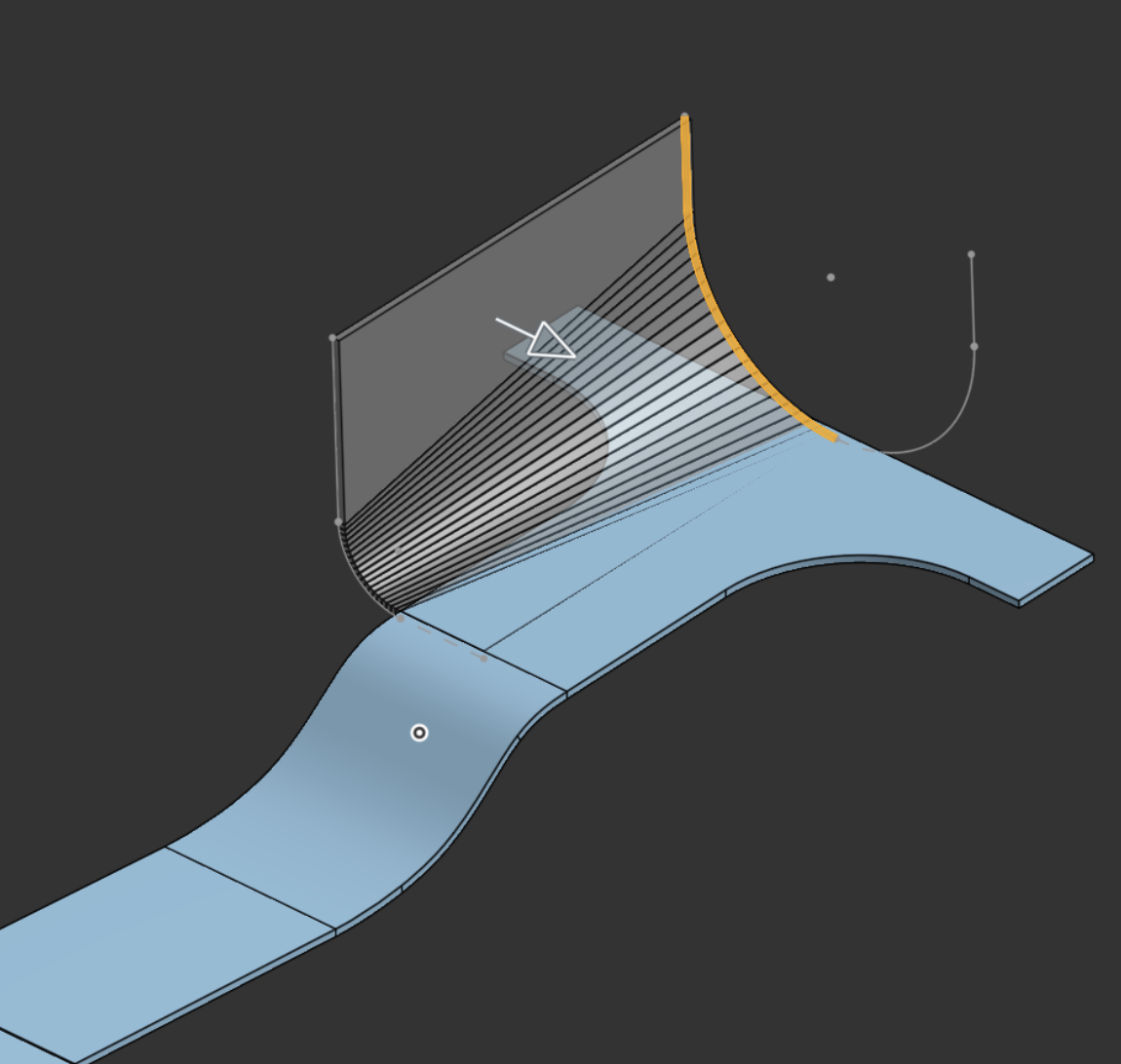
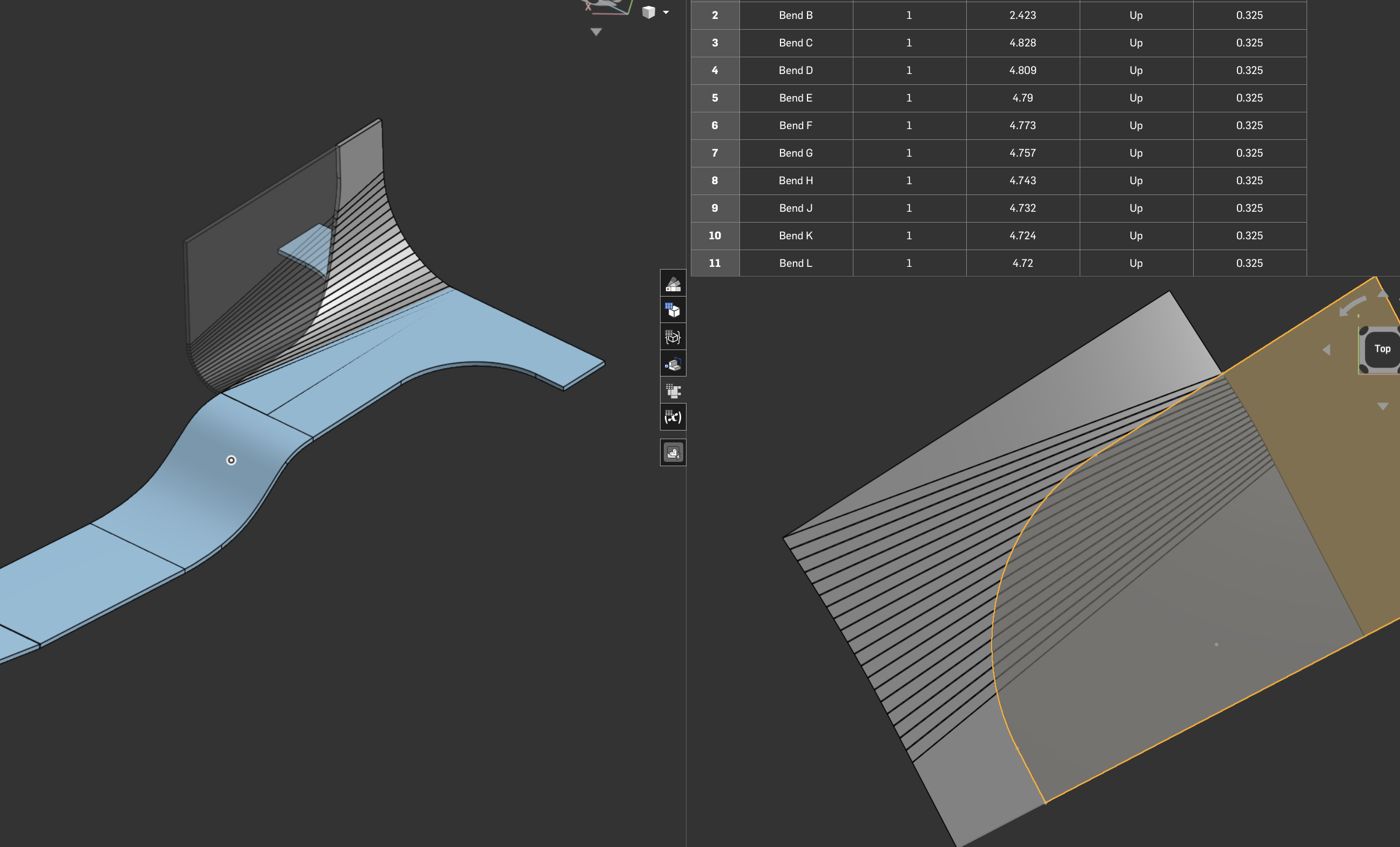
Sheet metal Loft is quite powerful, Sometimes you need to extend the guides beyond the end result then delete it back to the shape you're wanting.
Sheet metal won’t like any twists that you can do with formed sheet metal manufacturing techniques as you're basically stretching the material opposed to bending it in a press brake along a line.
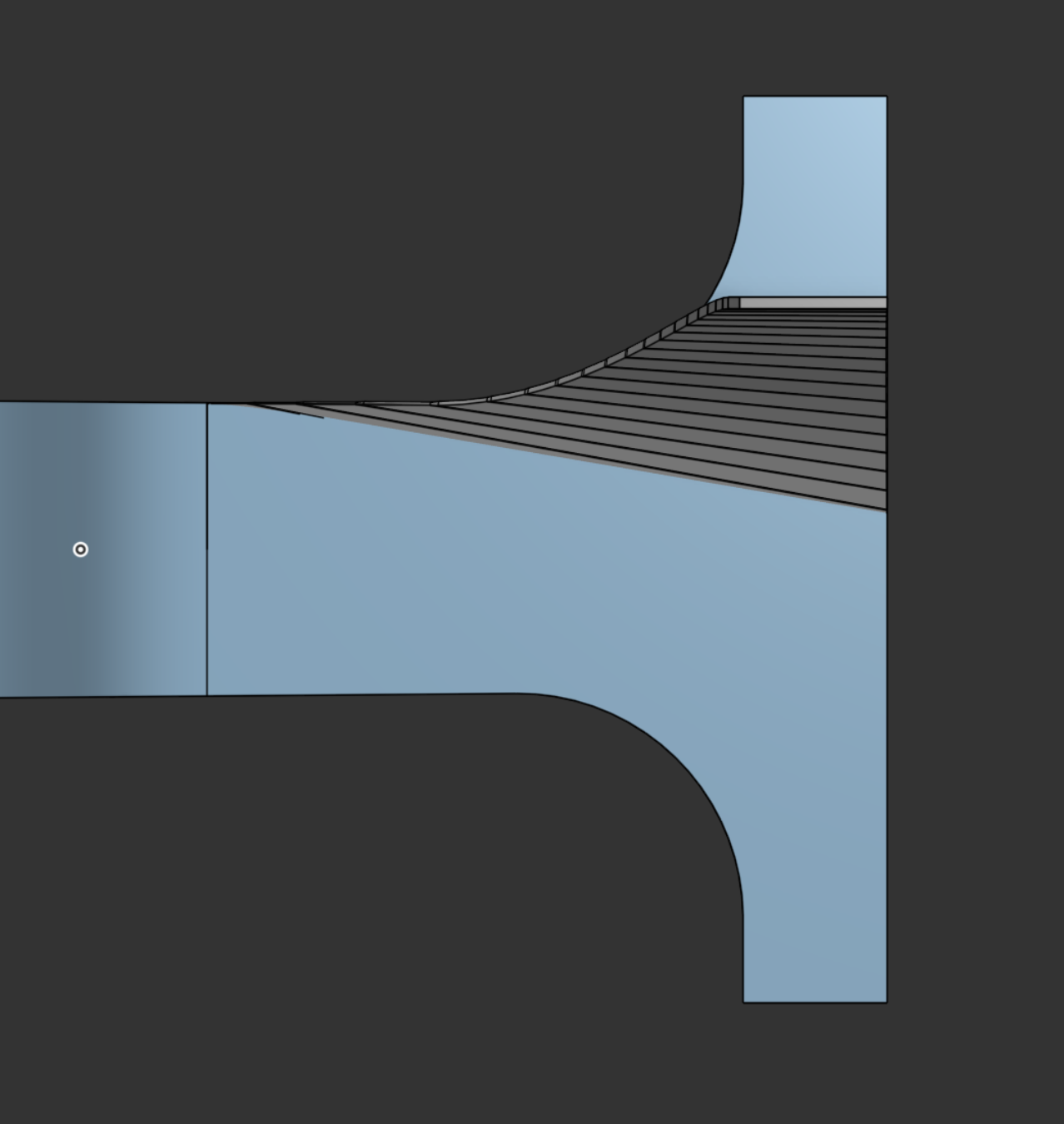
Is the below path any closer?otherwise will need to work out how you can keep the surface cylindrical or conical
 2
2 -
I think the only way to get this to work properly is to make a form tool. However, the demo's and examples of forms are basically lances, louvers and indents. I don't know much about the form tool.
0
