Mate connectors created by script can't be hidden in assemblies!?

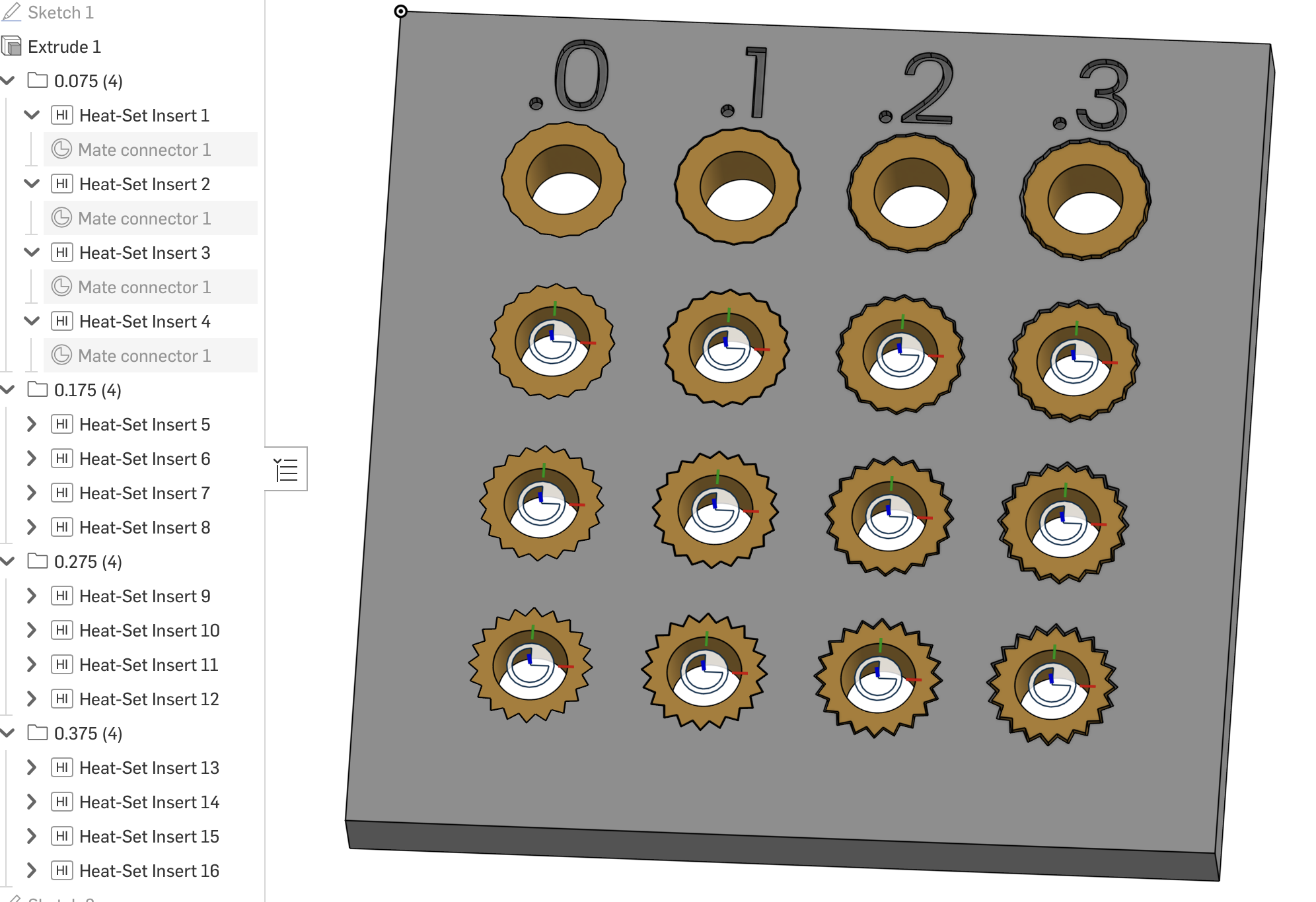
Have created a script to fill heat set inserts on prototype parts, the problem is that when this example part is inserted in an assembly all the mate connectors will be shown, even if we hide them in the part. K key can't hide them, only connectors that are not created in the script. The Mate Connector is not shown in the assembly, but they belong to the part. Any clues for a solution?
Comments
-
I have this same bug across many of my custom features and it's getting hard to see any of our real parts through the omni present swarm of mate connectors. Additionally some of these script generated mate connectors seem unselectable for mates at the assembly level.
3 -
It can be hidden if you dont assign an Owner [EDIT: in the featurescript]
1 -
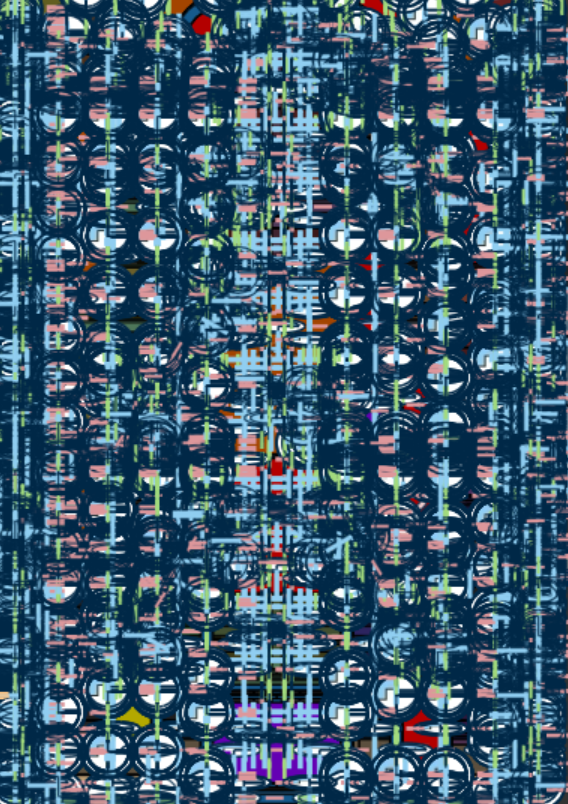
This is legitimately one of our projects.
0 -
Oooh love it, our assemblies look exactly the same way @Derek_Van_Allen_BD! Massive amounts MCs in the assemblies is a tell-tale for me of proper and experienced Onshape use 😊
0 -
But them not being able to hide when made by FeatureScript is odd, I have not noticed any behavioral changes but I'll have a quick look later. I tend to use shift-P a lot to get rid of all non-solids.
0 -
Shift P is not working on these assemblies either. It does work if you insert a mate connector using the standard mate connector feature, but I've been able to confirm that if you literally copy and paste the code for the mate connector feature and apply all the same constraints and the ones that are generated by std.fs will hide but the ones generated by copyofstd.fs will not.
https://cad.onshape.com/documents/346843d13da5cc6aaab97f8f/w/17129bc1e944cd3f5599d0f3/e/8ba03d14ceb2b42c9542ca17
It's not really an issue with a particular implementation of custom features, otherwise copying std.fs 1:1 would work. It's some other product issue that affects all mate connector generating features.1 -
Wow ok, impressive bug!
0 -
The script code defining the MateConnector to the part:
// Assembly Mate Connectors:
//
//      One Mate Connector can be generated for each insert.
//      The origin is at the insert entrance.
//      +Z points outward from the part.
//      -Z points into the insert hole.
//      The connector is owned by the target part.

...
        // =================================================
        // ASSEMBLY MATE CONNECTOR
        // =================================================
        //
        // This connector belongs to the main target part,
        // not to the optional brass insert.
        //
        // It can therefore be used after the target part
        // is inserted into an Assembly.
        //
        // +Z is the screw axis pointing outward.
        // =================================================

        if (definition.createAssemblyMateConnectors)
        {
            opMateConnector(
                context,
                locationId +
                "assemblyMateConnector",
                {
                    "coordSystem" :
                        locationCS,

                    "owner" :
                        ownerPart,

                    "attachTo" :
                        ownerPart
                }
            );
        }
Looks like the MateConnector exists in the assembly part and visually in the drawing, but they are not defined in the tree under the part, so they don't have the 'eye' option to be hidden. Just a thought for developers…
0 -
        if (definition.createAssemblyMateConnectors)
        {
            opMateConnector(
                context,
                locationId +
                    "assemblyMateConnector",
                {
                        "coordSystem" :
                        locationCS,

                    //  "owner" :
                    //    ownerPart,

                        "attachTo" :
                        ownerPart
                    }
                );
        }
joshtargo, thank you, commenting "owner" part of the mate connector solved the problem. Now it will not be visible in the assembly, K key will not show it, but it will show and can be selected when mating parts! Solved!
0 -
Did a similar edit to the std copy and it did not resolve the problem for either mate connector visibility or being able to select the custom mate connectors for a mate in the assembly.
0 -
The problem happens only when we insert parts (with script defined mate connectors) as rigid in the assembly. And in fact it is not solved. The Mate will not exist in the assembly if we comment the "owner". If the part has a shape that can be used as a valid mate connection then we can bypass it, otherwise another workaround must be used.
0 -
I've got a support ticket (#428108) open with Onshape about this bug. They've acknowledged that it's a bug.
1