Progress on new mesh tools

Building some mesh tools in this Public Document.
See process below:
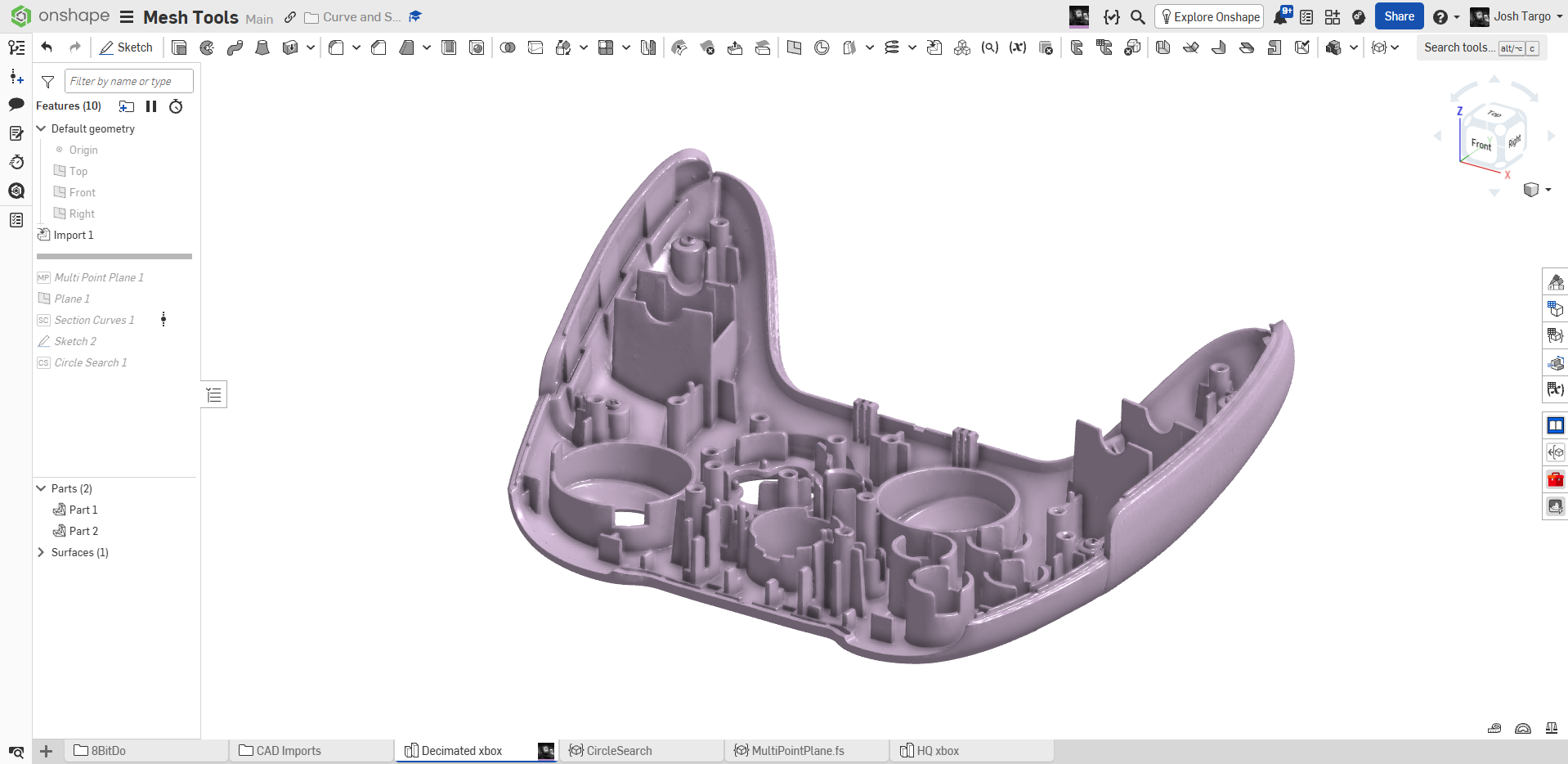
Import mesh
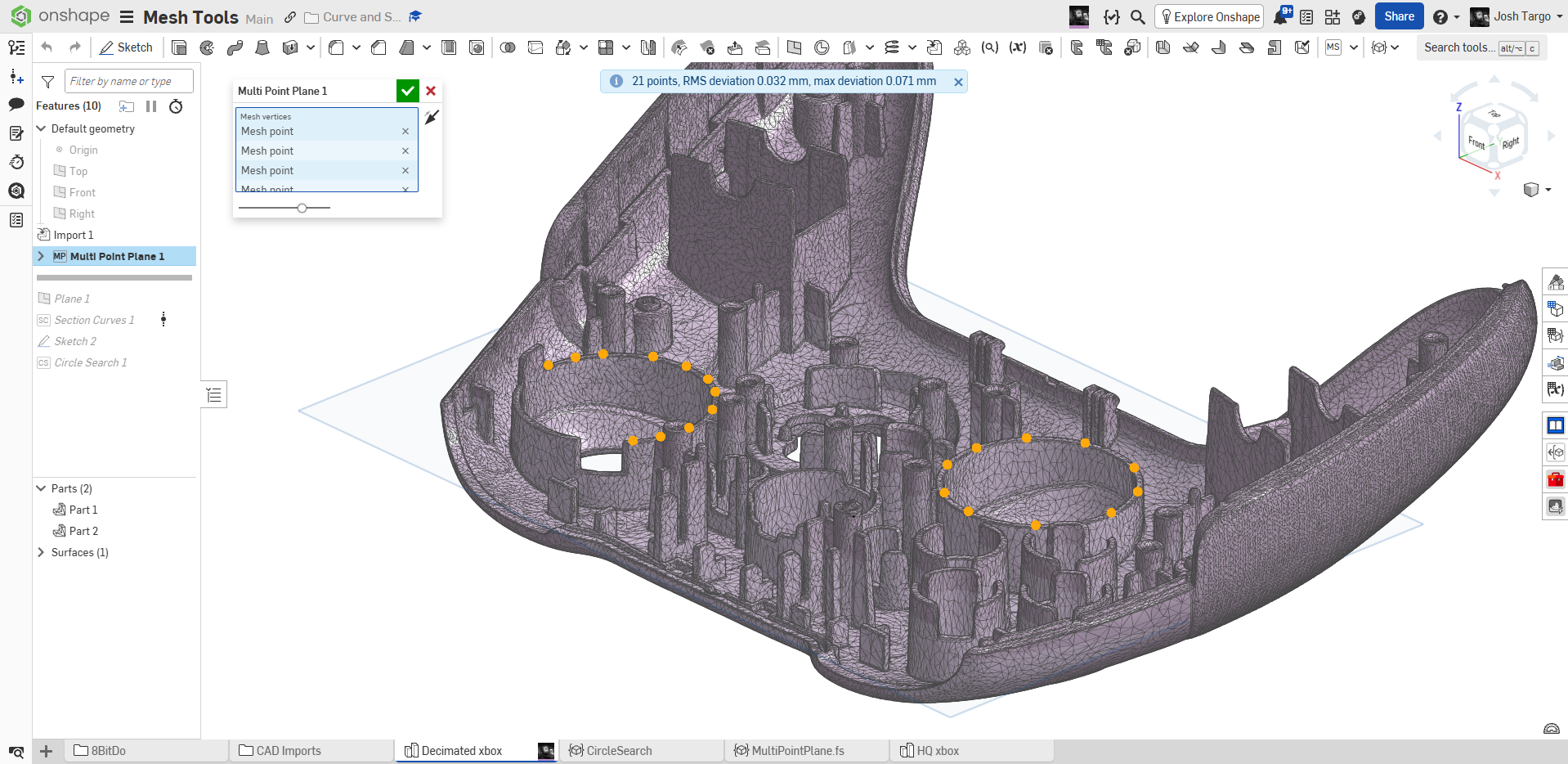
Use MultiPointPlane to least squares fit through points
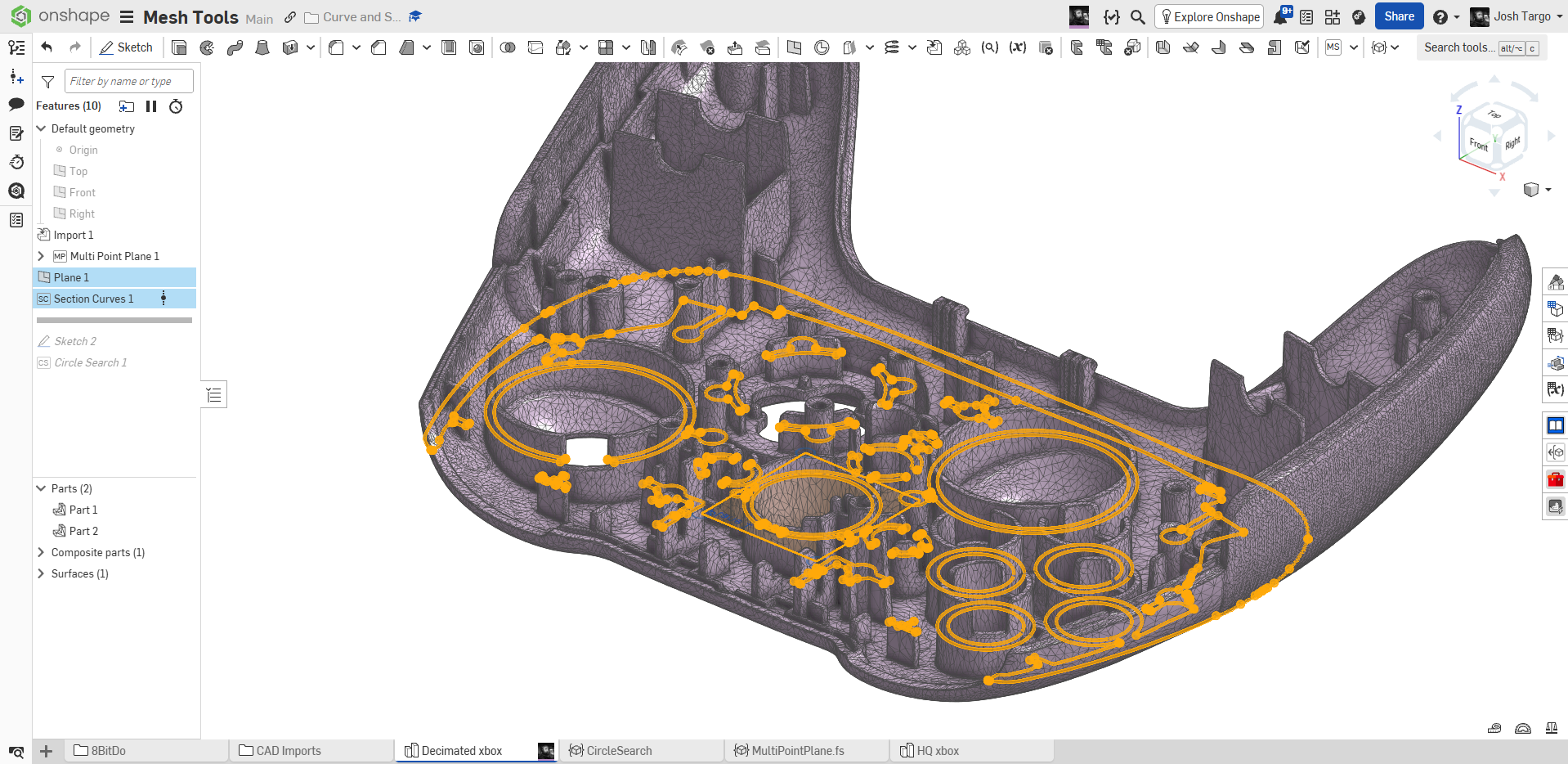
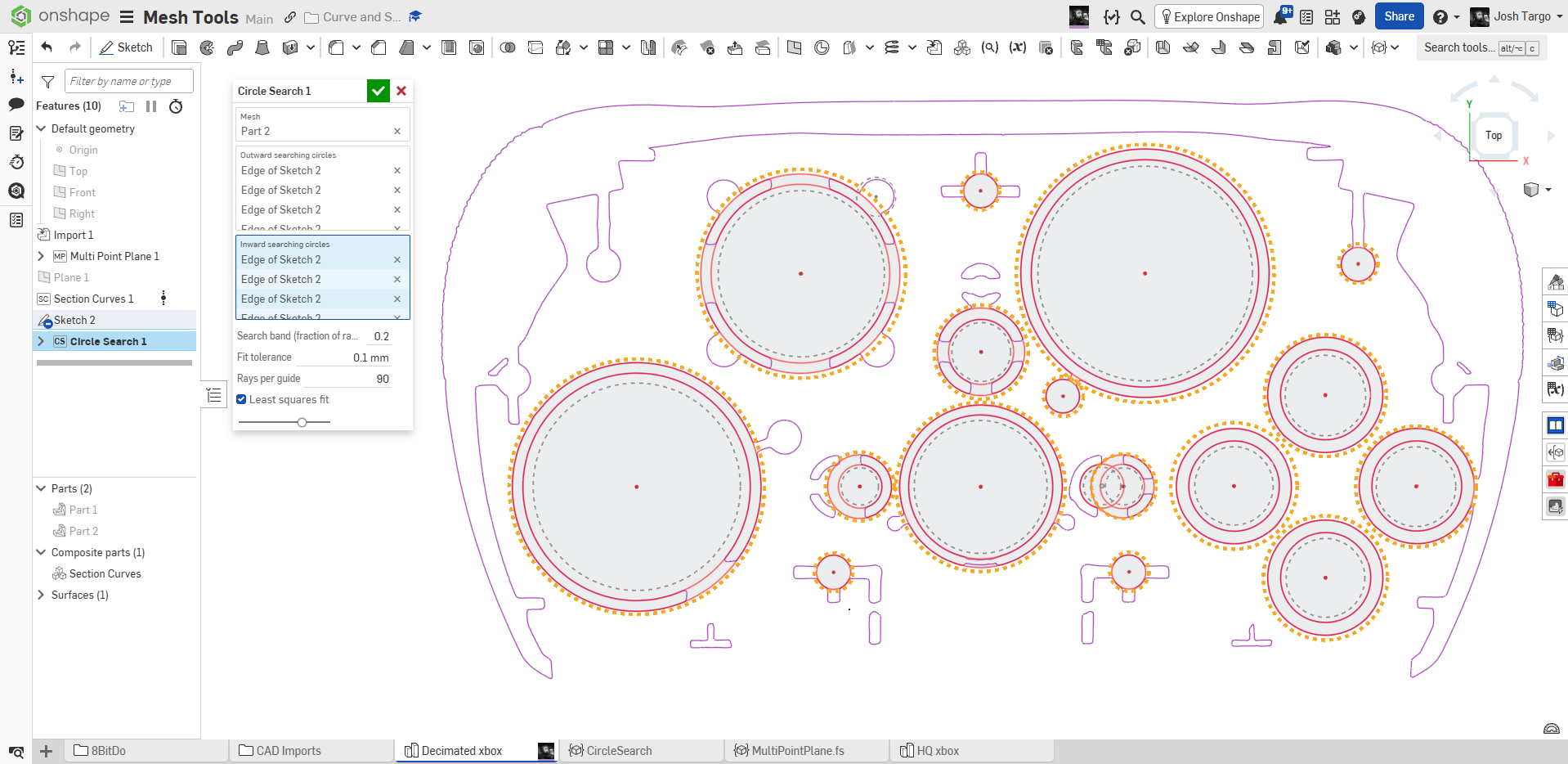
use SectionCurves to get raw polyline sections through mesh
Sketch circles near inside and outside circular features, depending on what you want to fit
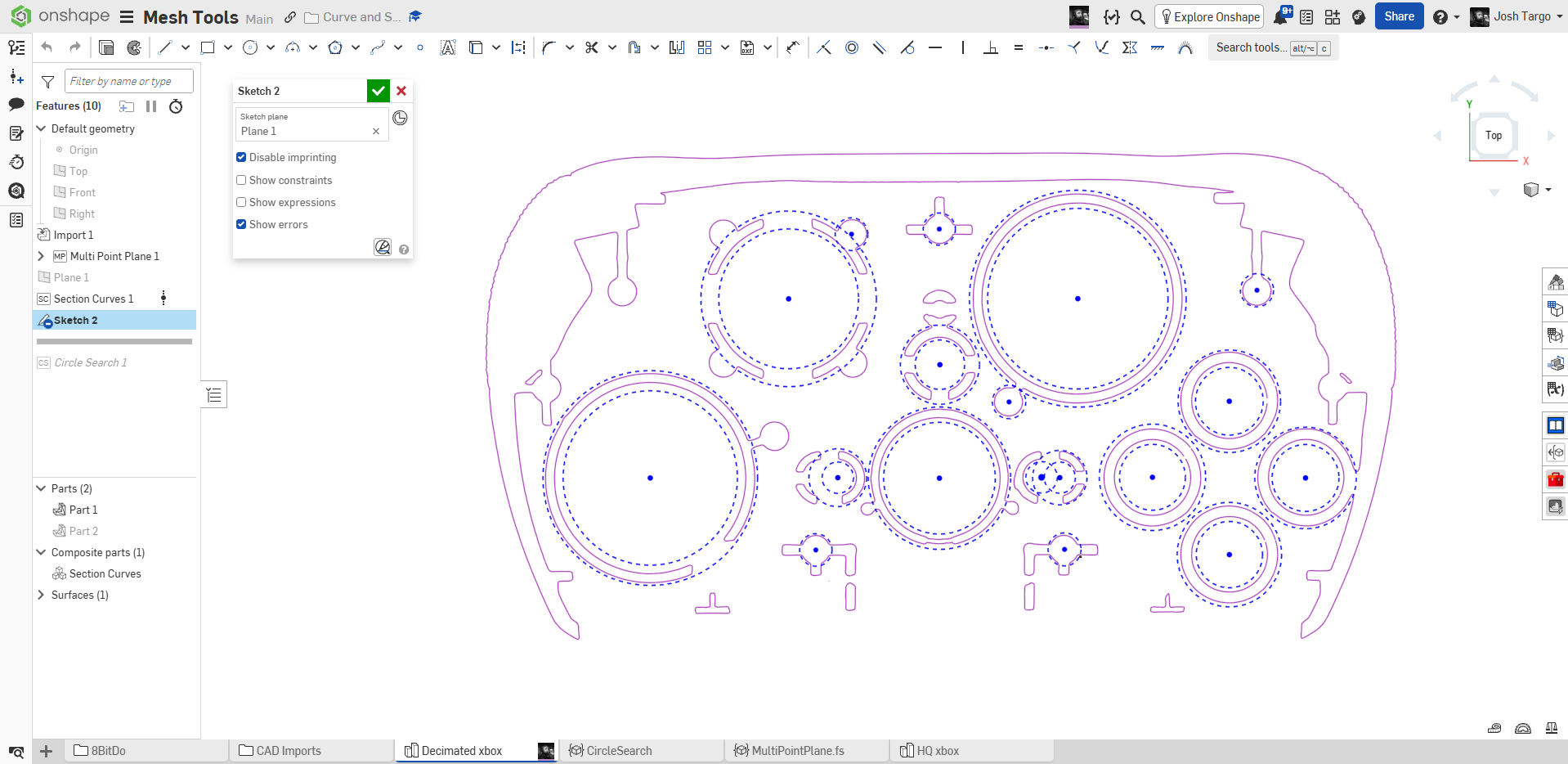
use CircleSearch to fit circles directly to mesh using RANSAC fitting.
Comments
-
I haven't had a chance to try these yet, but very excited to see work on tools like this.
It would be interesting to have a least squares fit, while maintaining parallelism with a reference. Once you have your scan oriented in the "correct" location, one would assume that many surfaces are theoretically parallel to a reference.
Alternatively, it would be interesting to select a lot of points on multiple discrete planes and have it group them into planes and then force those to be parallel, and then orient the mesh based on those to a reference.
Simon Gatrall | Product Development, Engineering, Design, Onshape | Ex- IDEO, PCH, Unagi, Carbon | LinkedIn
0 -
It should be trivial to modify multipointplane to also allow transform. But picking origin is tricky. Maybe I can do some kind of auto symmetry search from a section or the full cloud.
0 -
I was expecting for you to take a week or two develop some of these tools, but you're moving so fast! If I could donate my API tokens, I would.
Ramon Yip | glassboard.com
0 -
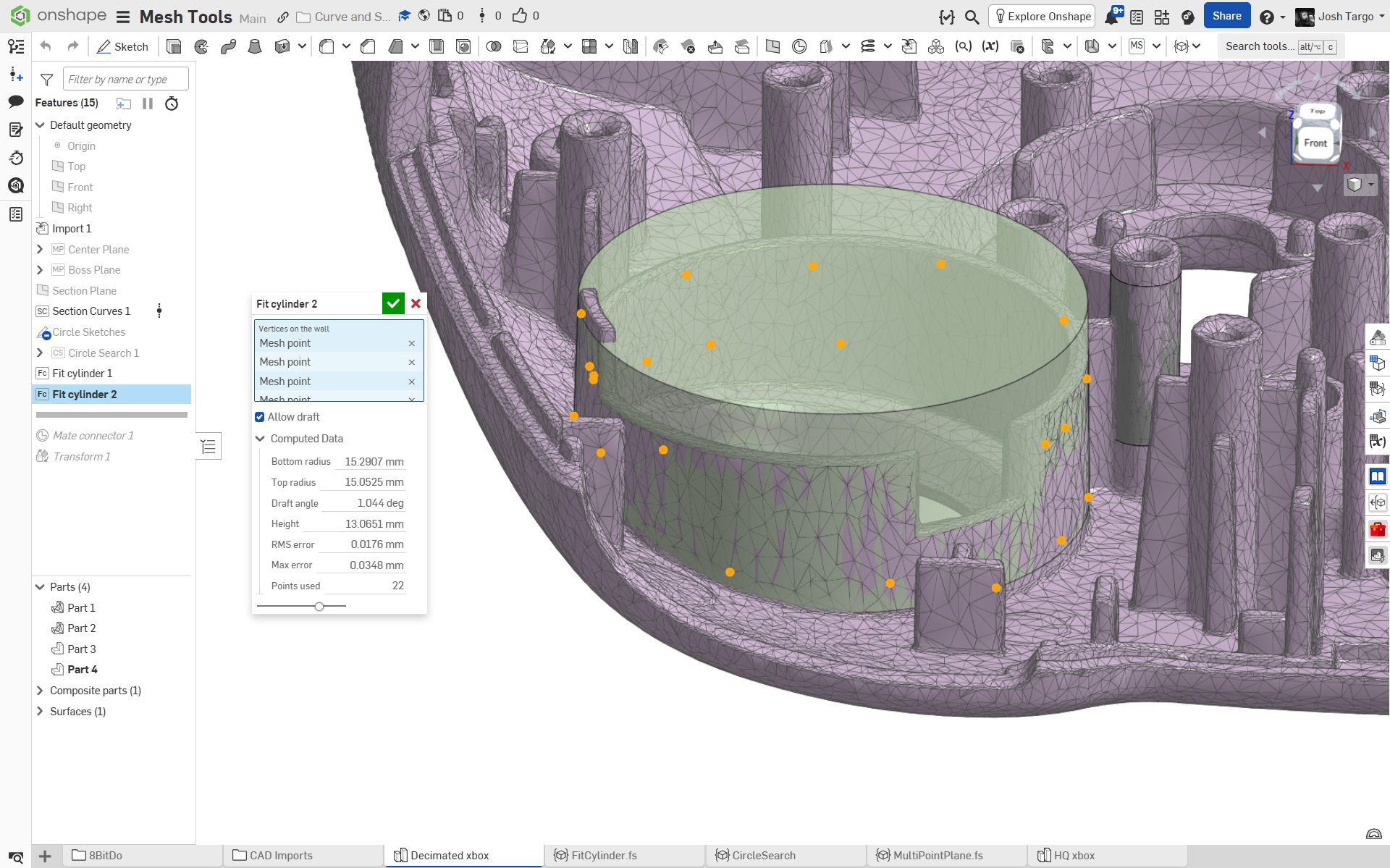
Working on FitCylinder.fs. Basically already working!! Adding more options now.
Biggest issue: Quickly selecting vertices on the visible mesh surface. Picker sees all vertices and will pick ones at the back of the object, and you can't unpick by clicking, you have to find it in the query box and x-out from there. Gonna try to auto-fit from raycast.
 1
-
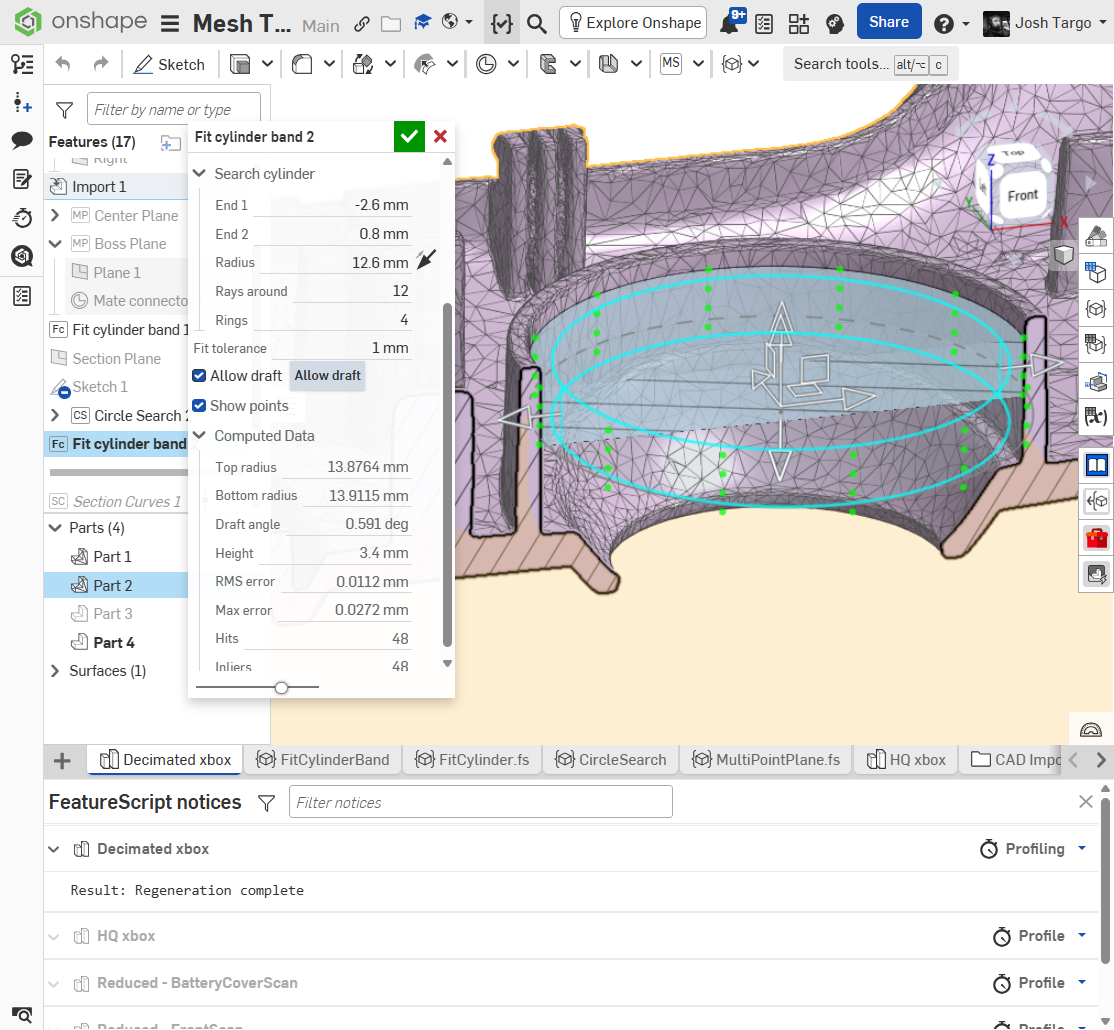
@S1mon. debug cylinder is to locate region for raycast. green points are hits. code does RANSAC fit with or without draft. user can lock axis or axis direction, or allow full auto (slower due to fitting). can reverse direction to search for outside of bosses. going to enable surface/solid choice, and try for extend flats up/down.
 1
-
Uhmmmm. came looking for refresher on another feature and greeted with new tools to play with my current project. **pulls up a chair** and says, "Sir, what do you need from me?
I've been using best fit plane for points fs for my RE work, but I like your mpp fs better as I can flip the z direction. And now I can set the X to take advantage of the horizontal/vertical sketch constraints straight away. Bravo, well done. X direction should default to from points for what I do most of the time
0 -
No problem…Probably makes sense for certain workflows/projects. Most of the time when I bring in scan data there is no plane that makes sense to orient to or I am trying to establish those planes that I can rely on. I suspect the preference for selecting a plane for x direction changes once you get a few planes and features created. I usually use factory planes after a certain point once I'm confident that things are parallel and perpendicular as intended. I usually only have 1 plane maybe 2 that are done via featurescript. Maybe that will change with different projects or tools.
0 -
I have been working on a mesh-to-solids app that does something a little bit more targeted than pure RANSAC fitting. Trained a local model on surface classification so it can guess the correct surface types for patches and label regions of mesh with patches that then get turned into analytical surfaces. Computationally it runs way too many loops to be done effectively in Featurescript, and it requires surface normals of the triangles to get more data to sort out some of the core surface types versus essentially pure point cloud data. It works pretty well on simpler models but handling large amounts of triangles at once is still kind of a nightmare just to visualize and process mentally, or correct issues with wrong guesses.
Still needs more time in the oven, and my T-spline thing is closer to the finish line.
1



