Welcome to the Onshape forum! Ask questions and join in the discussions about everything Onshape.
First time visiting? Here are some places to start:- Looking for a certain topic? Check out the categories filter or use Search (upper right).
- Need support? Ask a question to our Community Support category.
- Please submit support tickets for bugs but you can request improvements in the Product Feedback category.
- Be respectful, on topic and if you see a problem, Flag it.
If you would like to contact our Community Manager personally, feel free to send a private message or an email.
Wrap a sketch (or extrusion) around a cylinder

duncan_thomas
Member Posts: 9 ✭✭
Hi
I want to wrap a hex grid around a cylinder. What's the easiest way to approach this please?
Cheers
I want to wrap a hex grid around a cylinder. What's the easiest way to approach this please?
Cheers
0
Best Answer
-
@duncan_thomas let me know if this is helpful.
I would create a cylinder with a plane tangent to the face.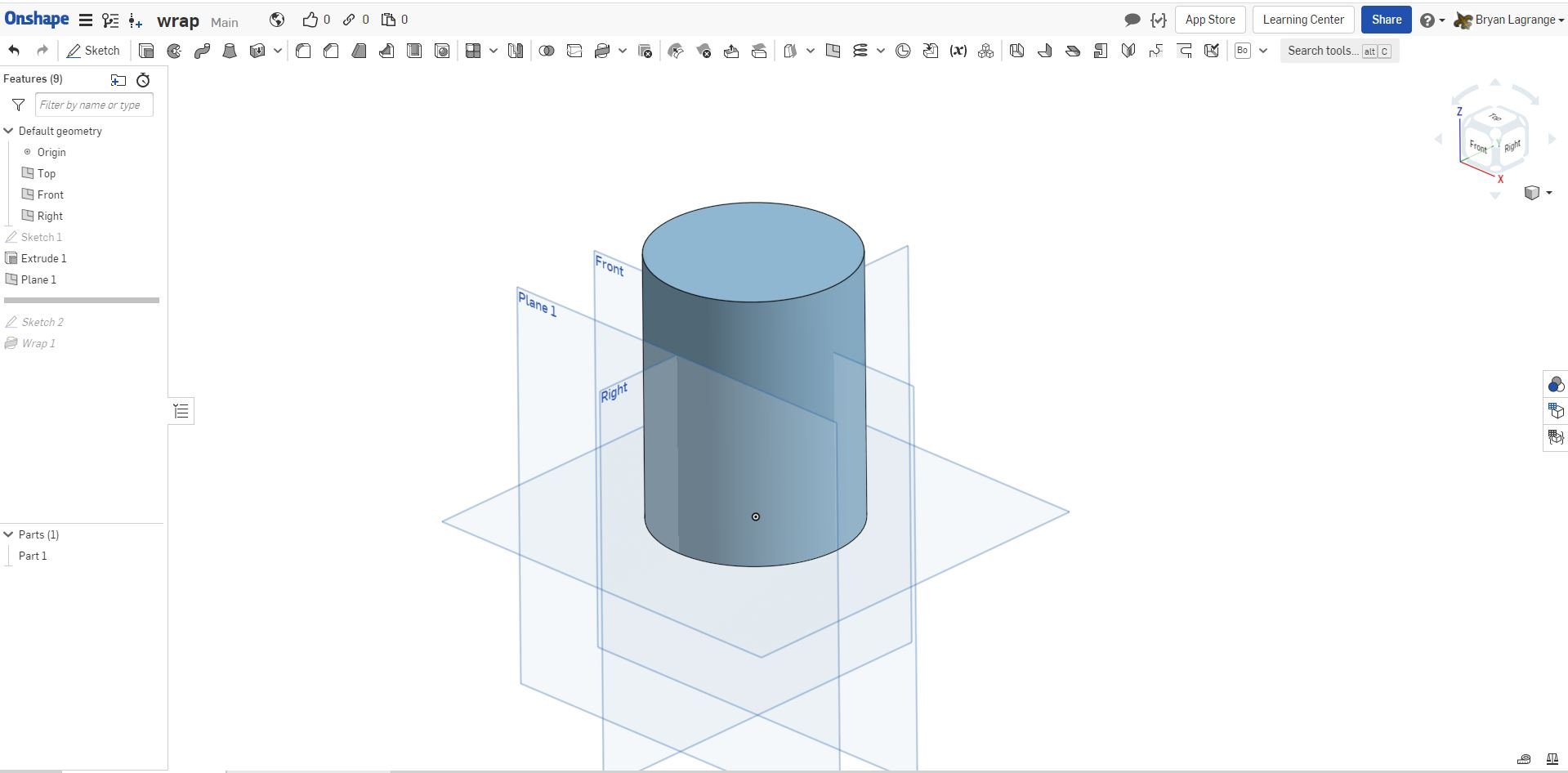
On the tangent plane create a sketch of the hex grid. I used the polygon command and then did some patterns to make a grid.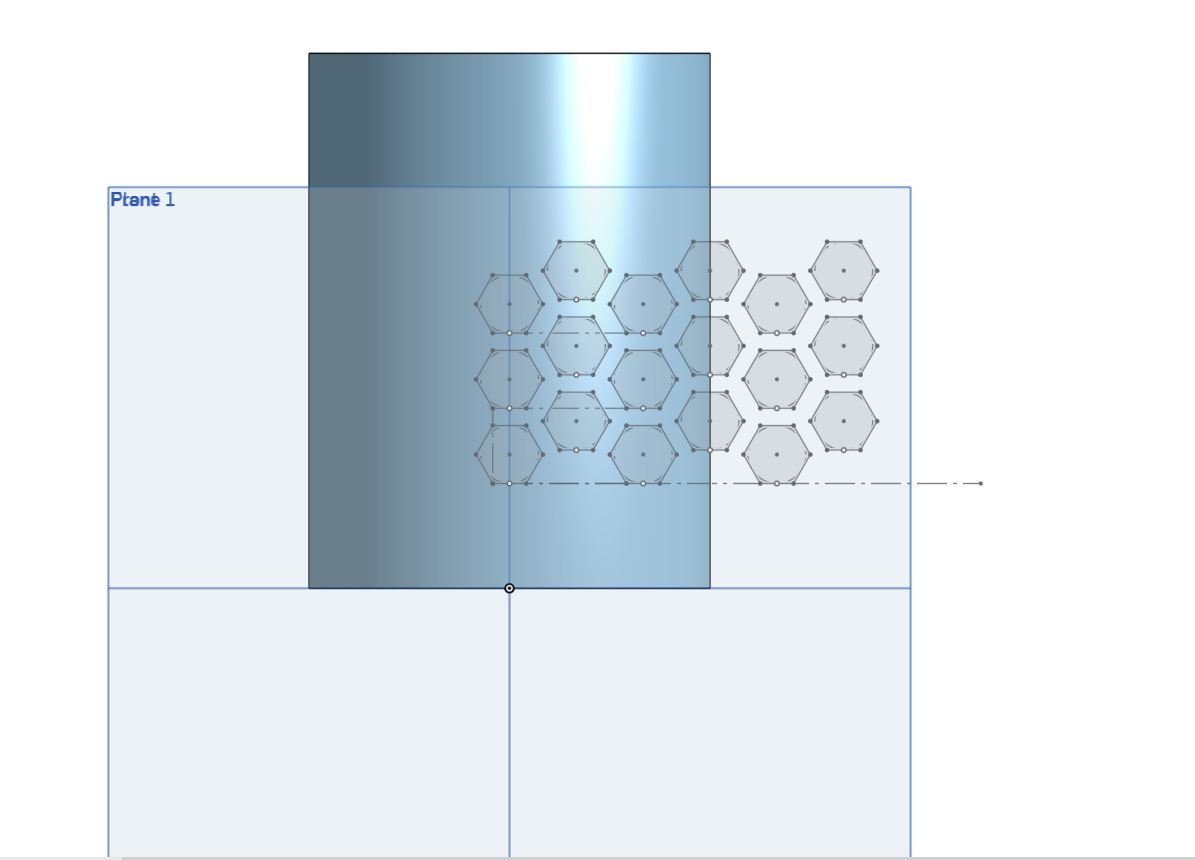
Then use the wrap command to extrude, cut, make a surface.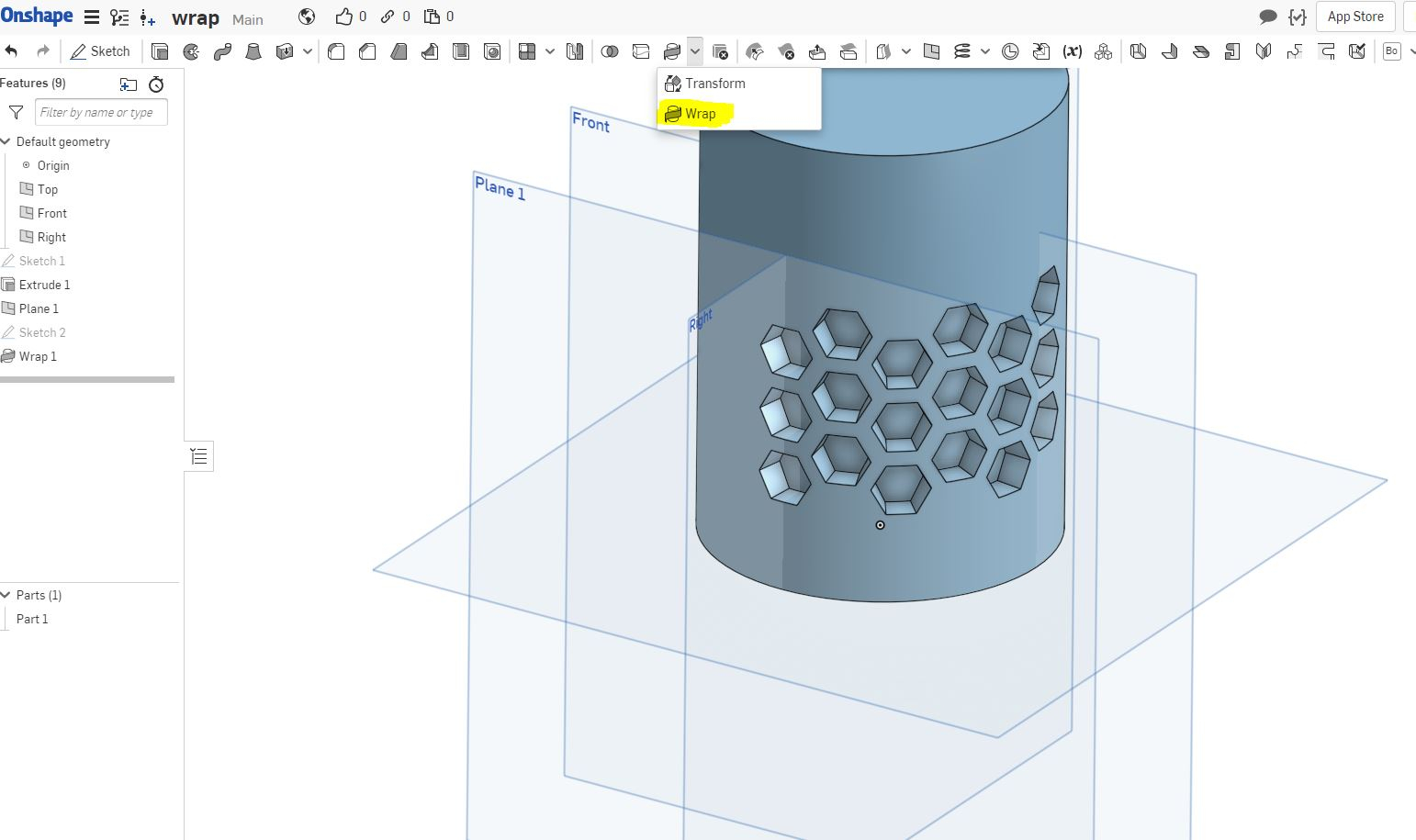
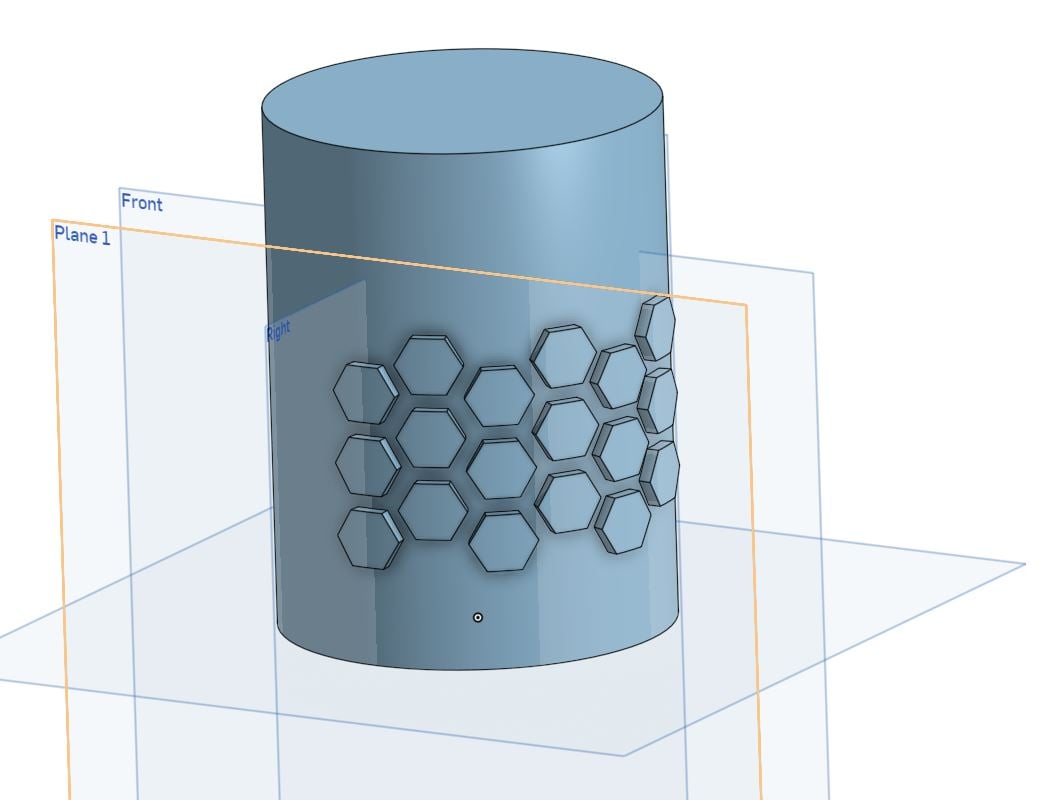
here is the link to the model: https://cad.onshape.com/documents/07d746e9644e895931f2fcfc/w/8ca25cd353d0c816939a2547/e/1b5d82e8f3b351b04adbb22c
10

Answers
-
@duncan_thomas let me know if this is helpful.
I would create a cylinder with a plane tangent to the face.
On the tangent plane create a sketch of the hex grid. I used the polygon command and then did some patterns to make a grid.
Then use the wrap command to extrude, cut, make a surface.
here is the link to the model: https://cad.onshape.com/documents/07d746e9644e895931f2fcfc/w/8ca25cd353d0c816939a2547/e/1b5d82e8f3b351b04adbb22c
10 -
Hi Bryan
That was exactly what I wanted, thanks!
Specifically it was the fact the the cut is inside the wrap command, not a separate step done after, that was confusing me.
Much appreciate the fast answer0 -
-
bryan_lagrange I can't begin to thank you for this post. This helped me so much on a school project for a mug. Thank you!
1 -
Adding another thanks, great clear reply with a great example. Thank you!1
-
This is so helpful. Thank you @bryan_lagrange .
0
