Welcome to the Onshape forum! Ask questions and join in the discussions about everything Onshape.
First time visiting? Here are some places to start:- Looking for a certain topic? Check out the categories filter or use Search (upper right).
- Need support? Ask a question to our Community Support category.
- Please submit support tickets for bugs but you can request improvements in the Product Feedback category.
- Be respectful, on topic and if you see a problem, Flag it.
If you would like to contact our Community Manager personally, feel free to send a private message or an email.
Projection or intersection draws and solids

angelo_scozzarella
Member Posts: 58 EDU
A construction like this would be very easy and speed with a project geometry function. Where I have to looking for onshape?

0
Answers
-
Have you seen the learning centre,
https://learn.onshape.com/catalog?labels=["Learning Pathways"]&values=["All"]
And take a look at Linear Pattern0 -
Thank you for advice. I didn’t understand if can find a project geometry function like in Autocad. Could you, please, help me?0
-
The repetition along a path can change the dimension of part?
example:
0 -
Check out the features of Patterns in this webinar:
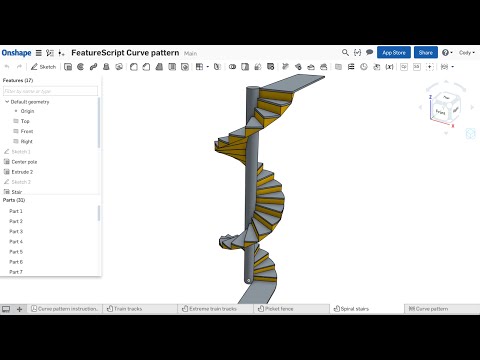 https://www.youtube.com/watch?v=4thhe0pidKIThere are some good techniques here.
0 -
thank you, but I can’t find a repetition patterns that follow four curves that change, along the path, the reciprocal distance.0
-
@angelo_scozzarella
There is no function that will do this in one step...
You could pattern the full size part, create a loft along the 4 curves as an "intersect". The only thing is that the edges will follow the shape of the loft (rather than be normal to the pattern direction).
If you need the sides to be parallel to the pattern you can pattern a surface for the base of each piece, create the loft as a surface and trim the patterned surface and then extrude all these faces at once, so a few more steps...0 -
Quickly looked at an example of the two options I discussed above:
Solid intersect ("Intersects" configuration):
Trimmed surfaces ("Surfaces" configuration):
Note for the surface options you could also do the trim and extrude before patterning (and use the "apply per instance" in the pattern), which would save you some selection if the pattern has many instances, see "Surface2" configuration in the example:
https://cad.onshape.com/documents/b4a2db4d3bc4c30d96773c15/w/bb16ff9cf84d6fe499b5a94d/e/9f261882bf7318e29e9fb2ab
1 -
Yes, Eric. What I want to say is that, in my opinion, Onshape would have a function like Project Geometry.0
-
Thank you very much, Eric. Very interesting. I didn’t understand what exactly to do, but will get in deep.0
-
Minus the variables in the feature tree, we are only talking 5 features. I hope that is easy enough@angelo_scozzarella said:… patterns that follow four curves that change
To adjust — tweak the variables or sketches
This particular sketch profile gives the sides of the eight parts curvature. Either concave or convex
https://cad.onshape.com/documents/d0de42504d4cb788c05e4ec8/w/ba8a744baa872845174beafc/e/30521fbbb462984482142a1e
 0
0 -
-
Thank you very much, Steve.0
-
This is what you are looking for, the Onshape term for Project Geometry is Use.
https://cad.onshape.com/help/Content/sketch-tools-use.htm?Highlight=Use
0 -
Thank you Dirk. The problem is that Use doesn’t project on a solid but only on a plane or on a face at a time. So you have to repeating each Use for each face and doesn’t allow to projecting more than one sketch, for example a series of line.0
-
0
-
Thank you Jake, I see. But would be useful projecting geometry in sketches all around a solid, without select face for face of the solid.0




