can any one please give me a guide on how to proceed in modelling the grip in the image below

heinz_burlik
Member Posts: 4 ✭
I am a newish user, the more I use onshape the better I like it. I need to model the image below for 3d printing. I can make a scaled 2d sketch of the base, but have no idea how to proceed from there. I would appreciate any pointers on how to proceed with the curvy bits.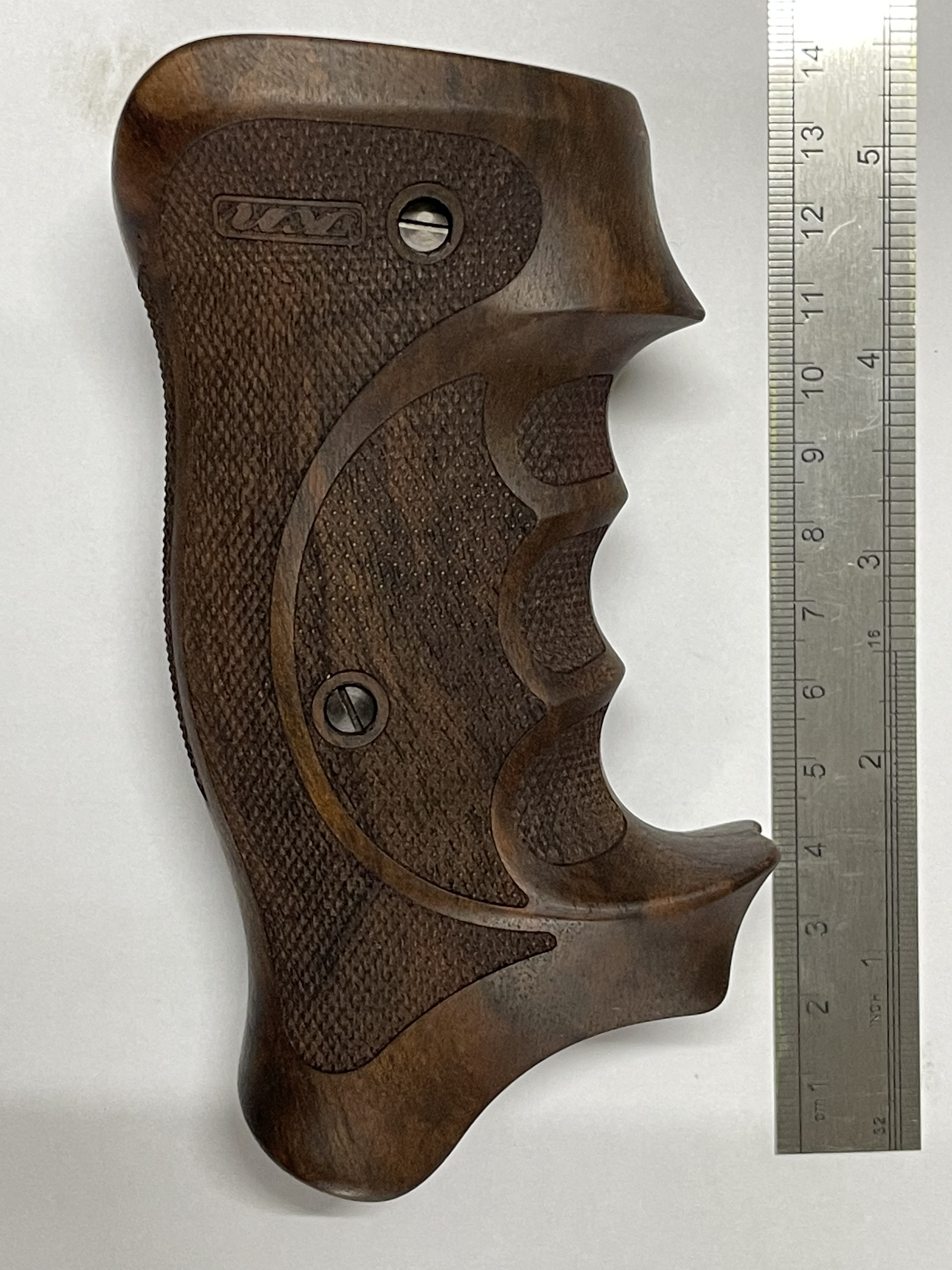
0
Answers
-
A 2D sketch is good, to begin with. You will also need several cross sections, so there will have to be helper geometry, like curves that represent the 'ridges' between the finger rests, and the planes these live on might be driven by the 2D sketch. Maybe you'll need a cylinder which represents the circular element, and which could receive a projection of the ridge that forms the upper and lower end of the finger rests. Then it's classic surface modelling, possibly overbuilding a lot, and maybe a few booeans later.There are a few tutorials out there, dealing with joystick handles. Even if they are not all specifically Onshape, they may give a hint on how to procedd.0
-
This would be a good start.
https://learn.onshape.com/learn/course/onshape-surface-modeling/manipulating-surfaces/exercise-handle?page=2
0 -
I just found this one Sample in my Onshape documents:It is much simpler, but it shows the approach.
 0
-
Thank you, that is a good guide, I will now challenge my old brain to use it0