Welcome to the Onshape forum! Ask questions and join in the discussions about everything Onshape.
First time visiting? Here are some places to start:- Looking for a certain topic? Check out the categories filter or use Search (upper right).
- Need support? Ask a question to our Community Support category.
- Please submit support tickets for bugs but you can request improvements in the Product Feedback category.
- Be respectful, on topic and if you see a problem, Flag it.
If you would like to contact our Community Manager personally, feel free to send a private message or an email.
Best Of
Re: Is there a way to accept/dismiss dialog boxes using keyboard?
Enter and Escape are precisely the keys.
Hit '?' to see the keyboard shortcuts.
 S1mon
S1mon
Re: Simple Model Won't Simulate
The technology we use in Onshape Simulation is not well suited to extremely thin (high aspect ratio) models. The elements we use are solids, and so when meshing across the thin direction of the sheetmetal it requires a minimum number of elements, which then rapidly increases when automatic refinement occurs. Bottom line, the number of elements (and thereby DOF) is too large for the solver.
The exact phenomenon can be seen in traditional FEA tools: if you mesh >3 solids through the thickness (which is an absolute minimum for accuracy), and then size the elements such that the aspect ratio is within guidelines, then you'll have a very small element. Keep doing this across the rest of the "simple" sheet metal part and you'll have millions and millions of DOF to solve.
The recommended element type forsuch simulations is a shell element, which we do not support currently.

Re: Improvements to Onshape - July 18th, 2025
We also want the DXF export to be changed to default to the document setting. It is fine being able to override it but having to actively set the scaling of every export is unnecessary extra time and sources of error added. I just came back to work after the summer and this was the first thing my boss asked me to fix because they have had trouble with it for weeks now.


Re: Improvements to Onshape - August 7th, 2025
^ We disallow setting conditions based on continuous parameters because floating-point math quickly gets you into gross situations.
 _anton
Re: Improvements to Onshape - August 7th, 2025
We have the "always show" option in the works. There was value in getting this out rather than holding for that.
Enums/lists for now. Other parameter types coming later.
 Jason_S
Re: Improvements to Onshape - August 7th, 2025
I think it only works with list inputs as the driver of the condition. I'd love to see more flexibility though with custom expressions that return a boolean..

Re: Parametric Offset in a Sketch
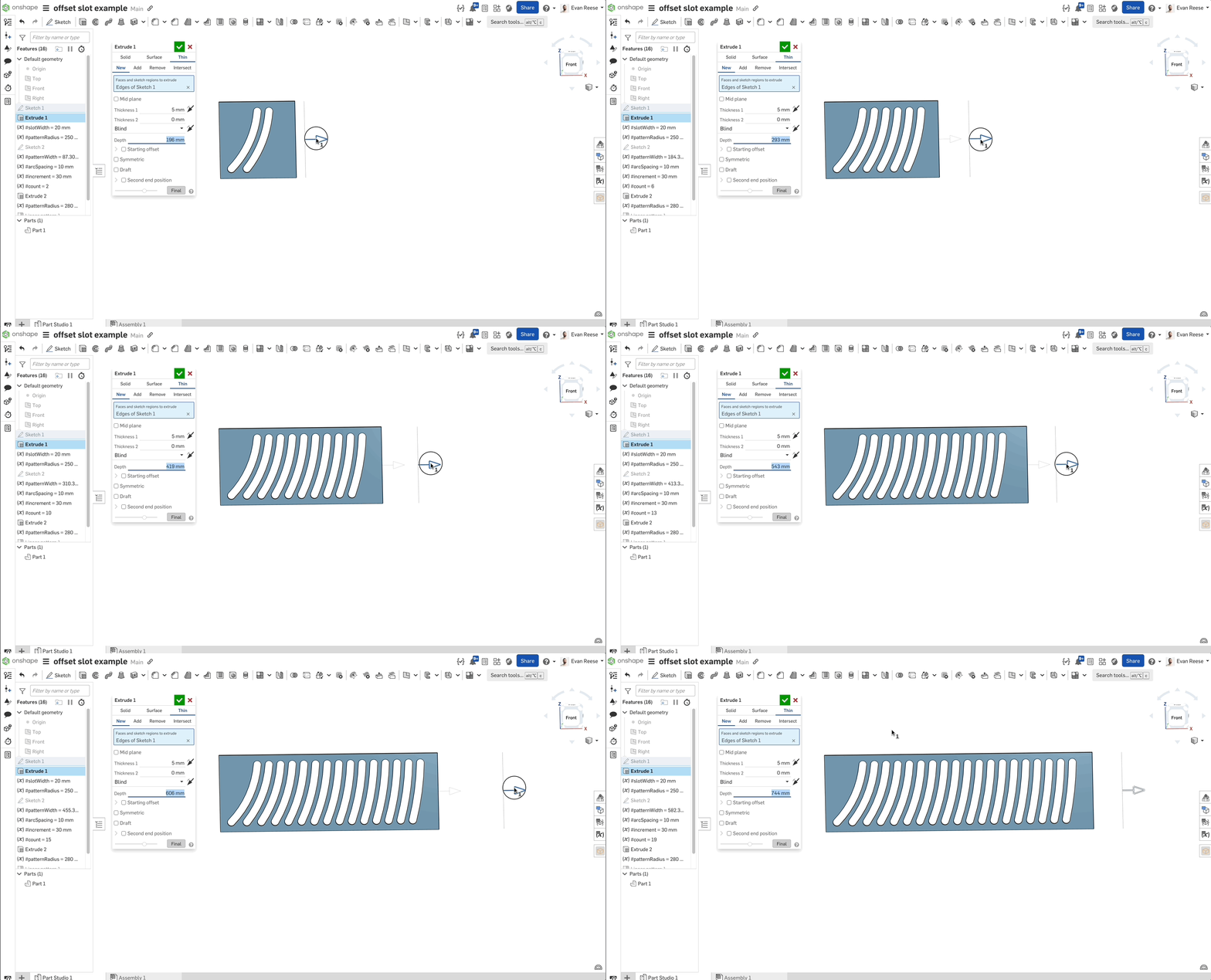
@russell_dunlop I favor the approach @David_YL_Nguyen is proposing. You don't need to do the patterning in the sketch itself. Instead you can (with some clever setup) pattern the sketch feature and the extrude cut feature in a way that it updates flexibly. Here's an example of what that can look like.
Re: Improvements to Onshape - August 7th, 2025
A lot of cool stuff, I really like the new edit within pattern and hide/show while creating In context Part Studio… yet I have two questions:
Is there a set time limit when "Document recovery" will popup?
Is it possible to implement a "threshold display" for Curve deviation? Something similar in Dihedral analysis. It would be great to see "deviations from 0,2 to 0,5 mm" in one color and anything above and below in different ones. I've already created #388295 for it.

Re: Can I add notes to a sketch within a part studio
I came here looking for some annotation for parts drawing @EvanReese said that it is not obvious that a sketch is annotated unless that annotations bar is open.
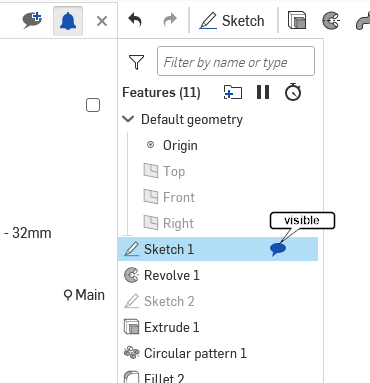
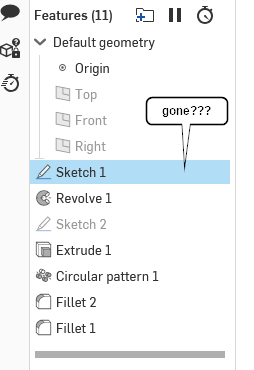
However when the annotations bar is open an icon appears next to the sketch. but it disappears as soon as the annotations bar is closed
Why not just leave that icon visible whenever an annotation is present?