Welcome to the Onshape forum! Ask questions and join in the discussions about everything Onshape.
First time visiting? Here are some places to start:- Looking for a certain topic? Check out the categories filter or use Search (upper right).
- Need support? Ask a question to our Community Support category.
- Please submit support tickets for bugs but you can request improvements in the Product Feedback category.
- Be respectful, on topic and if you see a problem, Flag it.
If you would like to contact our Community Manager personally, feel free to send a private message or an email.
Best Of
Re: Custom Feature: Loft Fillet
I have an update. Here's the list of changes:
- support for g2 and g3 for loft profiles, guide curves, and bridging curves
- on bridging curves, Edit Control Points is set to false and the control points are set to 1 for the sake of simplicity
- replaced "fillet radius" with "blend diameter"
- fixed a bug where merge surfaces wouldn't return a solid
- rearranged some of the ui for clarity
- if both bridging curve options are selected, guide curve tangency is disabled
- Make Loft and Merge surfaces are turned on by default. I figured I can at least try it out for now! @EvanReese
- added an icon. Thanks again! @jelte_steur_info
- added tangent propagation
I'm sure some other stuff I did escapes me, but these are the major changes. I encountered a few bugs that I'm unsure how to fix yet.
Known bugs for now:
doesn't work for edges arranged in a u patternbridging curves fail if one of the edges is common between both sets I think it's fixed now.Looks like these were both caused by the same issue.- I encountered one edge case where trim faces didn't work after I created one other Loft Fillet on the same body. It was for just one specific edge, though.
 ry_gb
ry_gb
Re: Custom Feature: Loft Fillet
Nicely done! This is impressive work. 😎👍
It seems to handle most cases better that the Sweep blend. Adding this to my toolbar for sure.
Doesn't look like you need it, but just in case, here are the two best places to learn FS:
FeatureScript Fundamentals by Onshape
FeatureScript Video Tutorials by CADSharp
With @EvanReese's tutorial spree, I wouldn't be surprised if he has a FeatureScript series cooking somewhere on the back burner? 😃
.

Re: Custom Feature: Loft Fillet
One bug/feature request: right now this feature will switch a solid part to a surface, even if it's fully enclosed. I haven't done enough testing to see if this is universal, but I see that it happened in most of the test cases in the sample part studio, and in my own tests. It would be much better if solid parts stayed that way and kept the same name/internal ID.
 S1mon
S1mon
Re: Custom Feature: Loft Fillet
Special shoutout to @jelte_steur_info I was struggling to come up with an icon. What you sent over is perfect!
ry_gb
Re: Custom Feature: Loft Fillet
That's super odd, because in previous versions, it definitely was NOT doing that. I have "makeSolid" set to true in both opBooleans. I'll take a look when I have the time. (Edit: looks like one of those was set to "false", which was the culprit!)
Thanks everyone for the feedback. I'll make sure to implement of bunch of your suggestions. I agree with the point about fillet radius vs diameter. I think I'll just change it to "Blend Width" for now.
ry_gb
Re: Custom Feature: Query Variable+
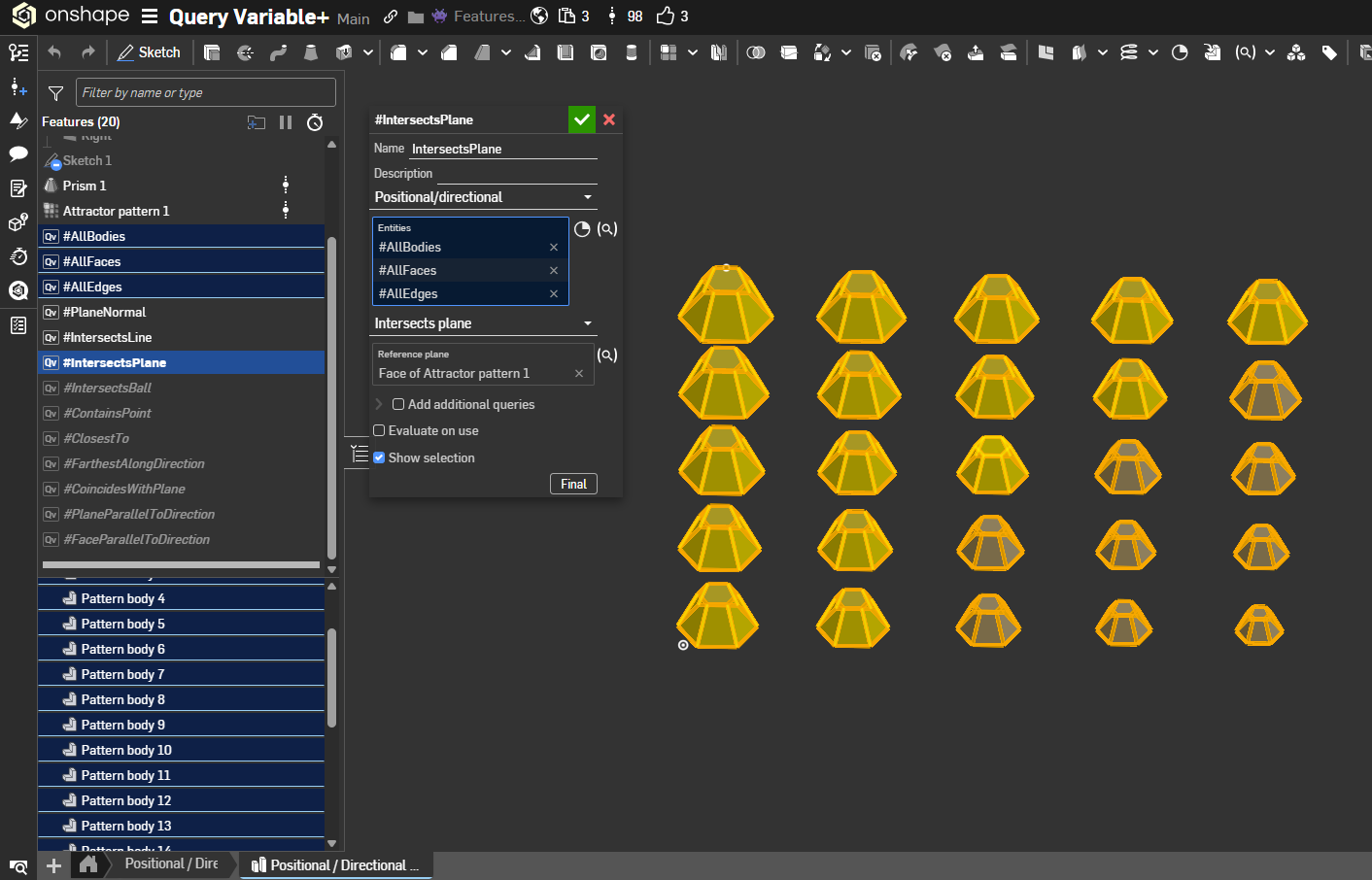
Yeah yeah okay fine, that update was mid and I could do better. Here's 10 more query options for you all under the Positional / Directional query umbrella:
- Plane Normal: Takes a reference plane face (
positionalPlane) and filters the input entities (positionalEntities) to those with normals parallel to that plane viaqParallelPlanes; returns a Query of the matching entities. - Intersects Line: Uses a selected linear edge (
positionalLine) to keep entities intersecting that line throughqIntersectsLine; outputs a Query of the intersecting entities. - Intersects Plane: Requires a planar face reference and applies
qIntersectsPlaneto find entities crossing that plane; returns a Query of intersecting entities. - Intersects Ball: Uses a reference vertex plus a radius to select entities within that sphere via
qWithinRadius; emits a Query of entities inside or touching the ball. - Contains Point: With a reference vertex, applies
qContainsPointto find entities that include the point; outputs a Query of containing entities. - Closest To: Given a reference vertex, uses
qClosestToto pick the nearest entities to that point; returns a Query of the closest hits. - Farthest Along Direction: Accepts a direction reference (edge or direction-capable selection) and uses
qFarthestAlongto keep entities farthest in that direction; results in a Query of those entities. - Coincides With Plane: Selects a reference plane and returns entities that lie on it via
qCoincidesWithPlane; output is a Query of coincident entities. - Plane Parallel To Direction: Uses a direction reference and
qPlanesParallelToDirectionto keep planar entities whose normals align with that direction; produces a Query. - Face Parallel To Direction: Also direction-based; applies
qFacesParallelToDirectionto retain faces parallel to the given direction, returning a Query of those faces

Re: Custom Feature: Loft Fillet
Serendipitous timing putting this feature out there around the same time that those bike guys were on the forums asking for more surfacy fillets for their omega bike studios. Seems like a great tool for product design.