Welcome to the Onshape forum! Ask questions and join in the discussions about everything Onshape.
First time visiting? Here are some places to start:- Looking for a certain topic? Check out the categories filter or use Search (upper right).
- Need support? Ask a question to our Community Support category.
- Please submit support tickets for bugs but you can request improvements in the Product Feedback category.
- Be respectful, on topic and if you see a problem, Flag it.
If you would like to contact our Community Manager personally, feel free to send a private message or an email.
Best Of
Re: trying to make a ledge to drop lenses into on curved glasses
The glasses look great for a new user!
Here is another approach using surfaces. A 3d shape like this is often simpler with surface offsets.
https://cad.onshape.com/documents/ab88d06e11a1a034078630d4/v/86bff94333908aa02c645ab8/e/4d3226456457ac206bd7a636?showReturnToWorkspaceLink=true
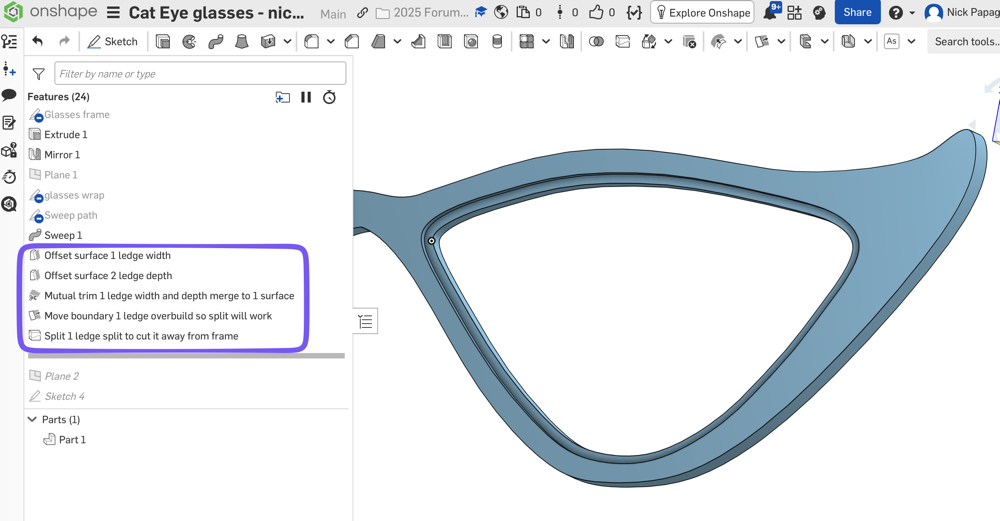
If you model half the glasses and then mirror at the end, it will save you a lot of work. You have the mirror at the beginning now, and are doing double work for each feature, such as the lens ledge, the hinges, etc.
You can keep the mirror so you have a sense of what the full glasses look like, then keep rolling back before the mirror to add new features.
The surfacing technique would also be helpful when you get around to making the lens. I'd probably make the lens much earlier, and use it to make the lip too. When you swept the shape of the frame, if that sweep was a single surface instead of a double sketch cut, it could be the lens surface too. Then you can offset/thicken that root surface separately; Once for the frame (thicker), then again for the lens (thinner)..
One more since you're new to OS, you can model everything together in the same part studio. The frame, the lens, the temple, etc. (and mirror all at the end).
Re: Is there any way to use mesh or a 3d scan as reference?
I haven't tried this, but the first thing that comes to mind is to use an assembly. Then you could do in context if/when you needed it.
I will say this is a place where Plasticity is much more capable. It has more granularity over how you interact with geometry in a document. It can be hidden/visible, enabled/disabled, and locked/unlocked. Hidden/visible is the same as Onshape. Disabled/enabled controls if you can snap to something or not. Locked/unlocked controls the ability to move/modify the geometry.
People often set reference geometry that they don't want to snap to as visible, disabled, and locked. I would love to see that functionality in Onshape.
 S1mon
S1mon
Re: How do you add in a Feature Script into OnShape, ie; Surface Text?
@klaus_krämer if your looking for that page now, it has been moved to here:
.

Re: How is Surfacing in Onshape vs. SolidWorks in 2026?
Personally, I much prefer Onshape to Solidworks these days. There's a bit more control of most things, although a true 3D sketcher is missing. You can do just about everything you'd need with the other curve tools (routing curve, bridging curve, edit curve, etc), but there's no 3D solver. The 3D solver in Solidworks was always pretty brittle/buggy and stuff would blow up in weird ways.
Surface quality is as good or better. The surface analysis tools are more capable. Both are Parasolid based, as you probably know. In theory anything that can be represented in NX, Solidworks, Shaper3D, Plasticity, etc can be modeled in Onshape since it's all the same kernel.
There are a lot of a little quality of life things that could be improved here and there, but overall I'd rather work in Onshape.
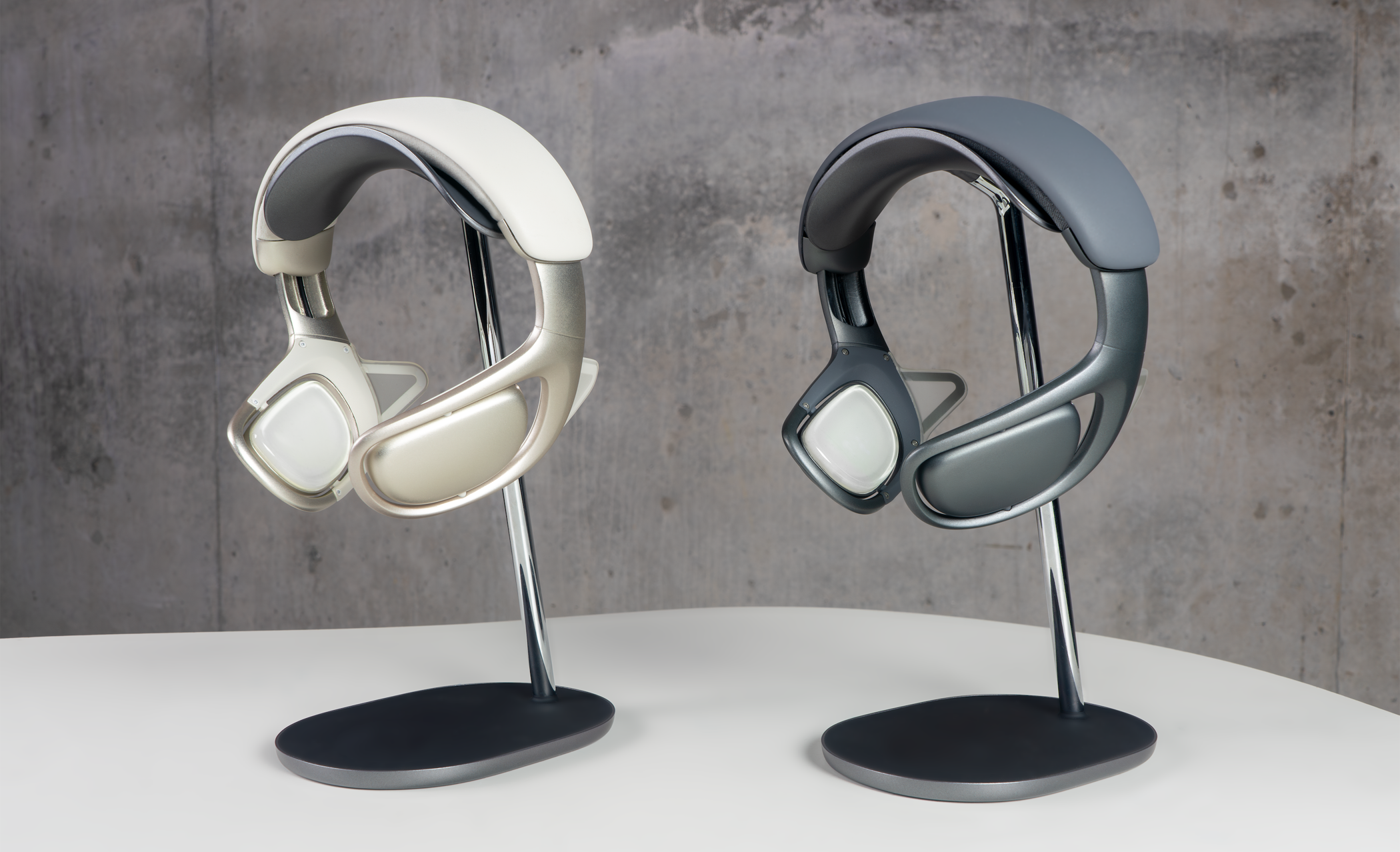
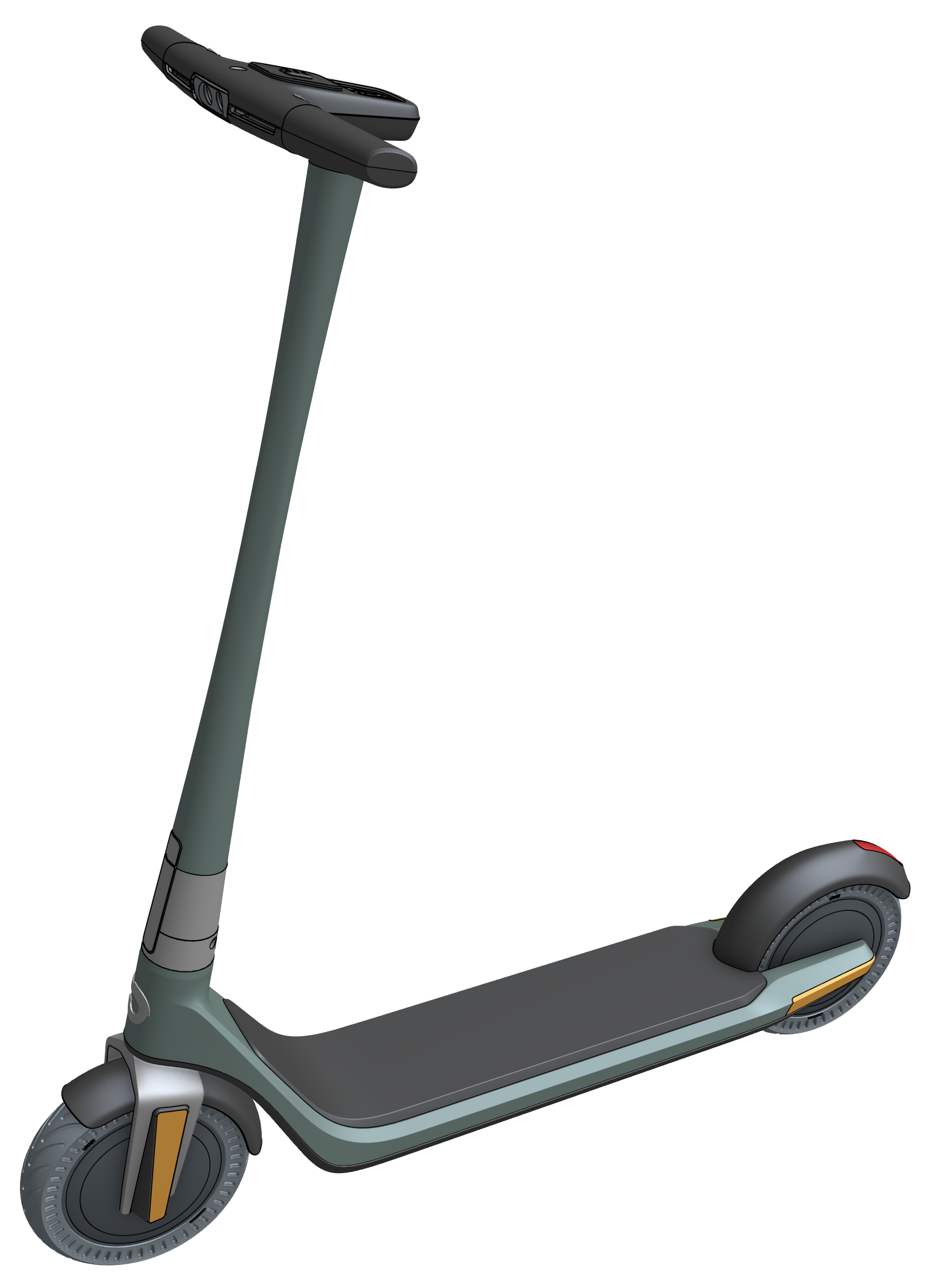
The CAD for these below was all done in Onshape:
 S1mon
S1mon
How to fix the viewport rotation so the world Z axis would always be upwards while rotating the view
 musa_n
Re: How to fix the viewport rotation so the world Z axis would always be upwards while rotating the view

Re: Two Lofts conjoining, how to remove parts so it creates a "Y" tube.
Create the first one as a solid, then mirror with "add" so you get as single part and use the a "shell" feature.



Re: trying to make a ledge to drop lenses into on curved glasses
I made a 1mm offset of your sketch, then used that to do an extruded cut up to the face of the frame plus 1mm (offset distance) - https://cad.onshape.com/documents/71ef81a86b19f394a6c561d2/w/7a47520f0ffc03db1e02f22f/e/eaa1963e63d0cdf71fcd7434?renderMode=0&uiState=696e315b465b25b4aa492002
 CADNurd
Re: Custom Feature: Amalgam Tag and Amalgamate
I genuinely think that this script can serve as a viable replacement for a large portion of custom features I've seen people make which ultimately amount to "draw this geometry in these places and do this flavor of Boolean to the bodies they're touching"
Lot easier to draw a configured studio that behaves the way you want than to try to code all of the operations that build the tool geometry.
