Welcome to the Onshape forum! Ask questions and join in the discussions about everything Onshape.
First time visiting? Here are some places to start:- Looking for a certain topic? Check out the categories filter or use Search (upper right).
- Need support? Ask a question to our Community Support category.
- Please submit support tickets for bugs but you can request improvements in the Product Feedback category.
- Be respectful, on topic and if you see a problem, Flag it.
If you would like to contact our Community Manager personally, feel free to send a private message or an email.
Best Of
Re: How to 'bend' an extrusion around a curve
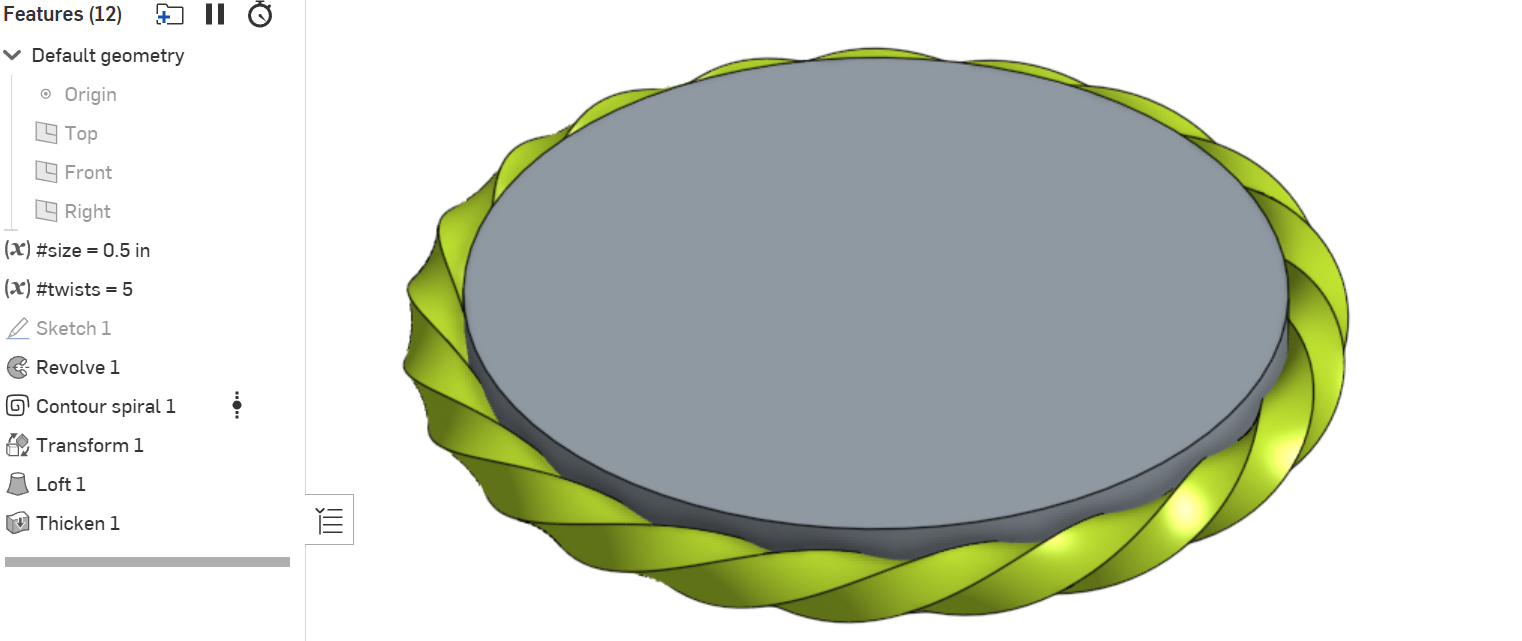
You could use Konstantine's
 Contour spiral feature to do it:

Re: Improvements to Onshape - June 27th, 2025
Was trying to drag and drop documents into folders today… I have to say, the new menu system is completely unintuitive. I would like the option to keep a standard folder view like in Windows or Mac.
Re: Renaissance - Big update and a new tool
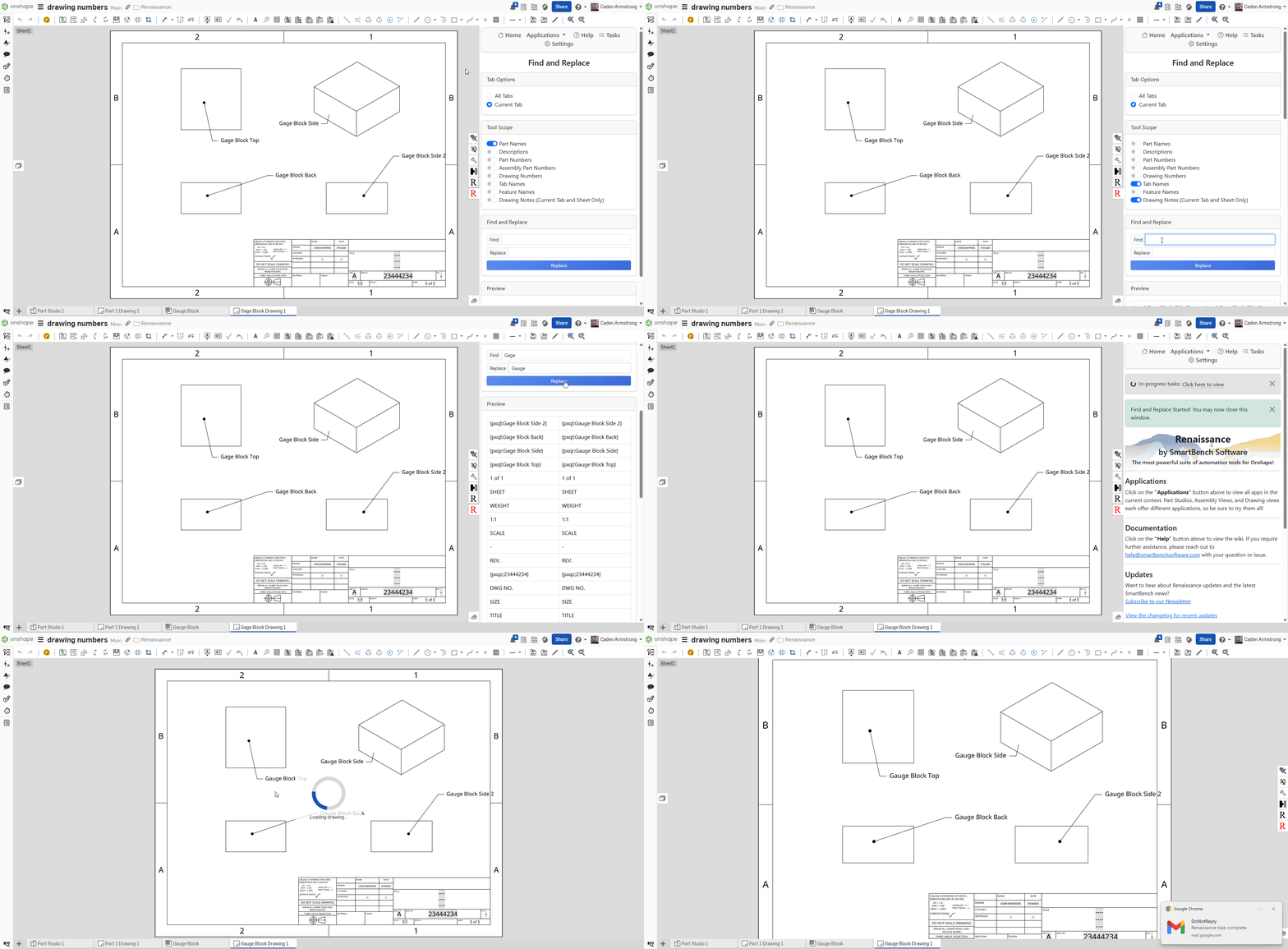
Renaissance has had some new updates.
We've made big improvements to loading times, updated the UI, and added some new functionality:
- Find and Replace now supports notes in drawings
- The Magic Drawings app supports copying the part number to the current drawing from the referenced part

2025 Onshape Learning Projects Refresh – New Videos, Workflows, and Design Intent Lessons
I'm excited to announce that I've updated all Onshape Learning Projects in preparation for the upcoming school year. Here’s what you can expect from the new content for each project:
- Mastering the reading of engineering drawings
- Understanding and implementing design intent
- Modeling parts and assemblies using Onshape
- Ensuring accuracy through mass properties analysis
- Making revisions and verifying design intent
Each project adheres to a consistent workflow and includes both bottom-up and top-down modeling approaches. These enhancements are crafted to help students confidently and swiftly get up to speed with Onshape. A brand-new website makes accessing everything a breeze, making it ideal for both teachers and independent learners.
👉 Discover the updated resources at cadvideotutor.com and prepare to enhance your Onshape teaching experience in 2025!

Re: part detection
A couple of planar mates will close the jig, but I think what you're asking about is collision detection and no, Onshape doesn't do that.

Re: How do I create this?! (framing)
I highly prefer to do as much as possible without planes. They tend to clutter up the view and I spend way too much time turning them on and off or accidentally selecting them. I try to only use them when I repeatedly need a plane to sketch on and/or I can't get the reference I need with a mate connector (e.g. you can't define a MC with three points). I would recommend using variables to capture things like "frame height" instead of a plane with an offset value.
 S1mon
S1mon
