Welcome to the Onshape forum! Ask questions and join in the discussions about everything Onshape.
First time visiting? Here are some places to start:- Looking for a certain topic? Check out the categories filter or use Search (upper right).
- Need support? Ask a question to our Community Support category.
- Please submit support tickets for bugs but you can request improvements in the Product Feedback category.
- Be respectful, on topic and if you see a problem, Flag it.
If you would like to contact our Community Manager personally, feel free to send a private message or an email.
Best Of
Re: Compatible software file
Looks like that is a hobby-level CNC router that runs some form of GRBL for the router control. You can probably find some public files in Onshape that might be appropriate for that router. What sort of CAM system will you be using to generate toolpaths for the router and does it have a post-processor for the router? If none of that makes sense, ask more questions and someone here moght be able to help.

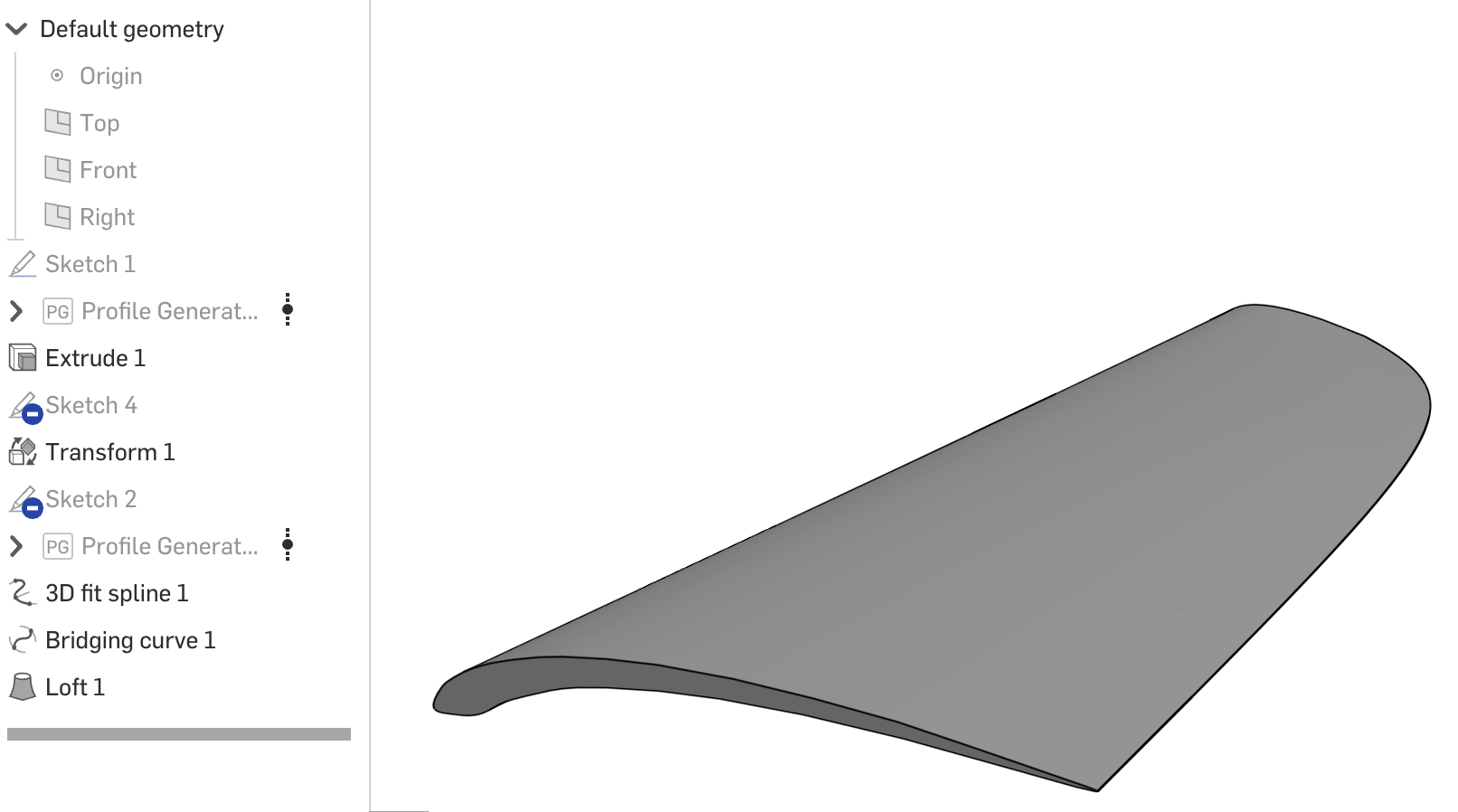
Re: How could I join these two points to then use it as a guide for loft?
I used 2 guides, a bridging curve and a 3D fit spline.

Re: Improvements to Onshape - August 7th, 2025
@Jason_S "We have the "always show" option in the works. There was value in getting this out rather than holding for that."
Very much appreciated - Thanks! 😊

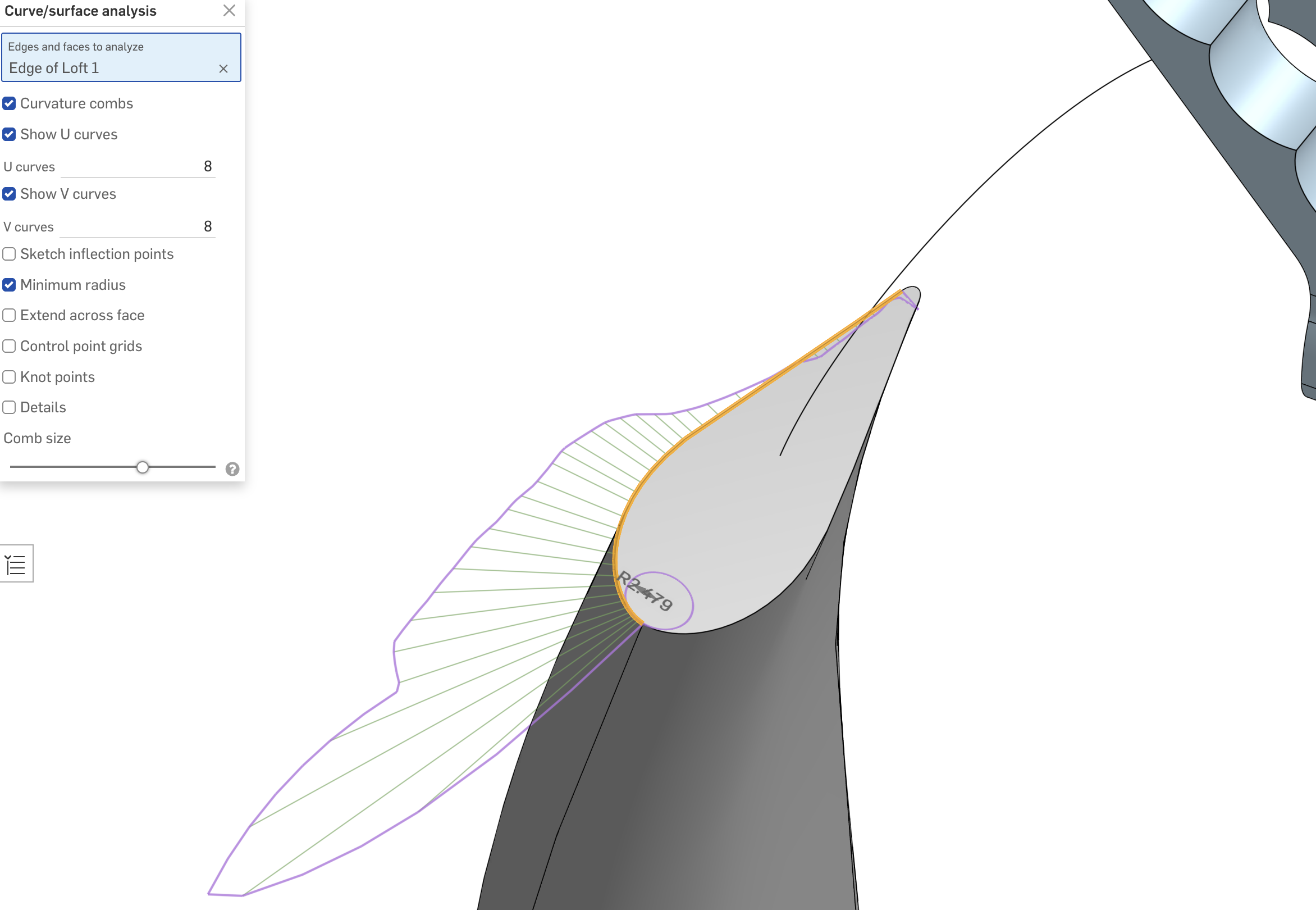
Re: How to iron out wrinkles and fill in concavities in lofts?
It will take some work to fix it, but big picture: your loft is only as good as the underlying curves.
Re: Custom Feature: Heat Set Insert (Threaded inserts for 3D Printed Parts)
Great script, I would suggest you change your merge scope filter to mirror the one used for the hole feature:
annotation { "Name" : "Merge Scope", "Filter" : (EntityType.BODY && BodyType.SOLID && ModifiableEntityOnly.YES && AllowMeshGeometry.YES) }
definition.mergeScope is Query;
That way we can merge with meshes, great for putting heat set inserts on laser scanned parts for mounting.