Welcome to the Onshape forum! Ask questions and join in the discussions about everything Onshape.
First time visiting? Here are some places to start:- Looking for a certain topic? Check out the categories filter or use Search (upper right).
- Need support? Ask a question to our Community Support category.
- Please submit support tickets for bugs but you can request improvements in the Product Feedback category.
- Be respectful, on topic and if you see a problem, Flag it.
If you would like to contact our Community Manager personally, feel free to send a private message or an email.
Best Of
Re: Strange behavior of sketches when changing the inclination of the plane.
A really good way to deal with this is to use a mate connector instead of a plane. That way you have full control over the sketch axes

Re: How Do I Break Dependencies From a Derived Part So I Can Get Rid Of It?
@fisch_fischer Simon is right here. You don't have to break it, and can either hide or delete the derived part. However, you're also right that in the future, you should avoid deriving reference parts to model on top of, and if you do, be sure you don't directly reference them. Your link isn't working for me so I can't give much more detail to your situation. Maybe it needs to be made public?

Re: How Do I Break Dependencies From a Derived Part So I Can Get Rid Of It?
You don't need to break the dependencies. You can leave the derive in place. You can just hide the derive without removing your new part. You can also use the delete part feature late in your model to make it so that you can't accidentally unhide the part, but if you roll before the delete part feature, the derived part is still available to reference as needed.
 S1mon
S1mon
Re: Renaissance - Big update and a new tool
The "magic drawings" app is a collection of smaller drawing automation functions. It started as a beta tool, I should really rename it to "Misc Drawing Tools"
Importing CSV's as drawing tables
Inserting inspection tables into drawings
Setting the drawing part number (from the referenced part's number)

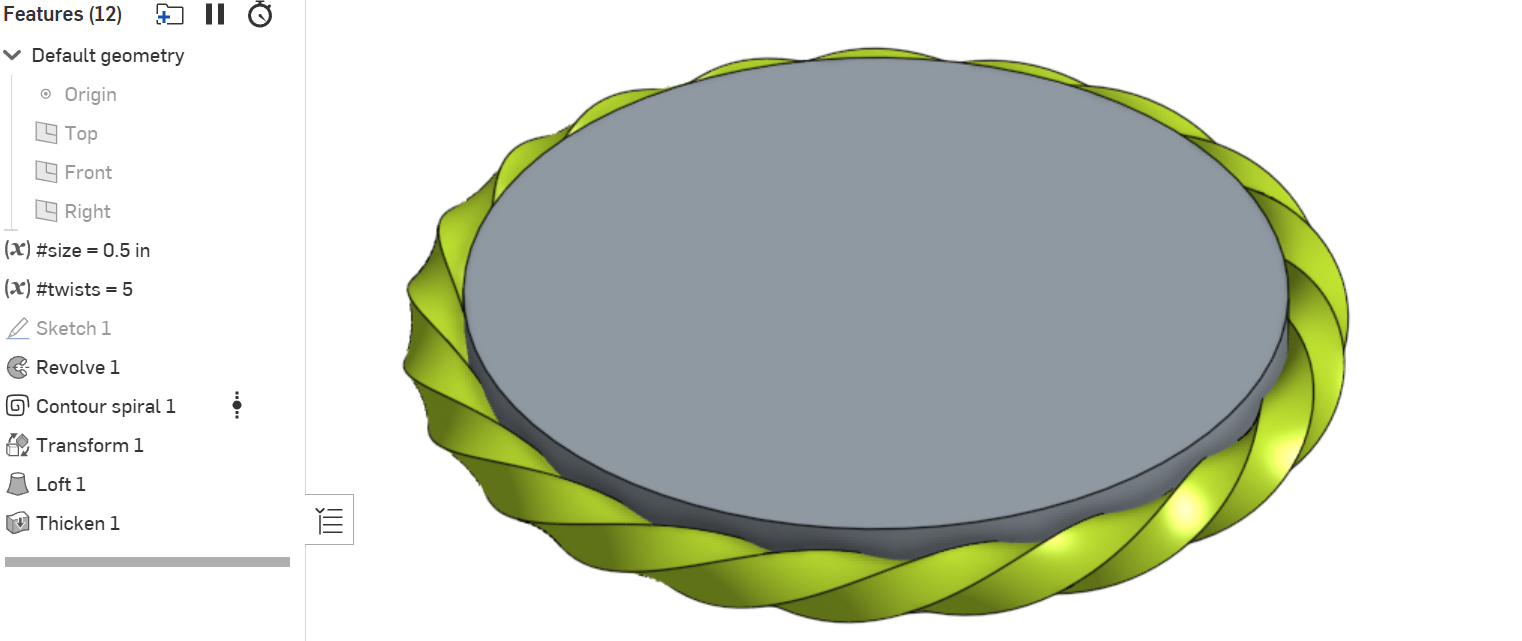
Re: How to 'bend' an extrusion around a curve
You could use Konstantine's
 Contour spiral feature to do it:

Re: Improvements to Onshape - June 27th, 2025
Was trying to drag and drop documents into folders today… I have to say, the new menu system is completely unintuitive. I would like the option to keep a standard folder view like in Windows or Mac.
Re: Renaissance - Big update and a new tool
Renaissance has had some new updates.
We've made big improvements to loading times, updated the UI, and added some new functionality:
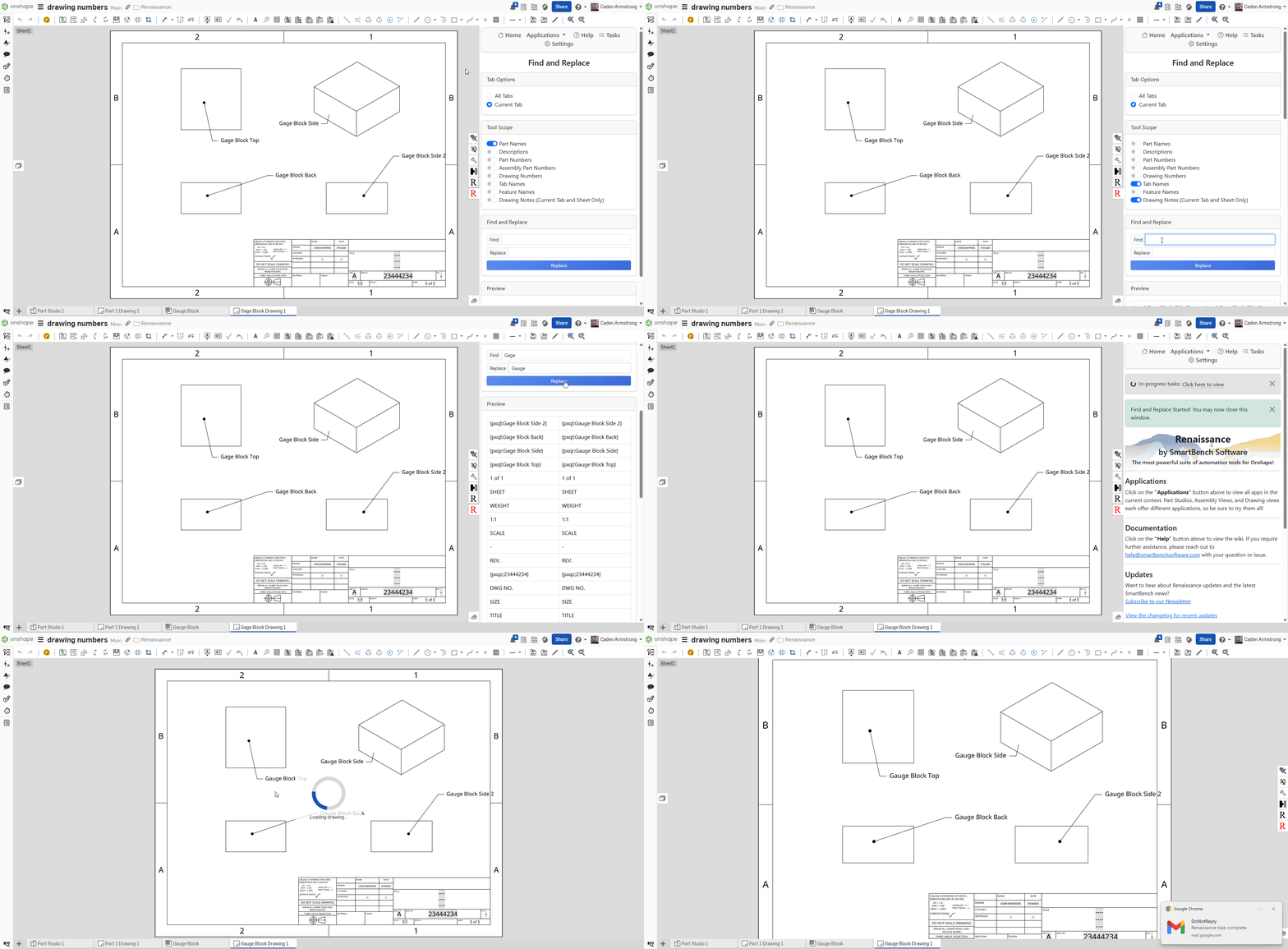
- Find and Replace now supports notes in drawings
- The Magic Drawings app supports copying the part number to the current drawing from the referenced part