Welcome to the Onshape forum! Ask questions and join in the discussions about everything Onshape.
First time visiting? Here are some places to start:- Looking for a certain topic? Check out the categories filter or use Search (upper right).
- Need support? Ask a question to our Community Support category.
- Please submit support tickets for bugs but you can request improvements in the Product Feedback category.
- Be respectful, on topic and if you see a problem, Flag it.
If you would like to contact our Community Manager personally, feel free to send a private message or an email.
Best Of
Re: How to create a pyramid net
A couple questions: Can you make single pyramids? Or must all the pyramids start as one giant sheet of material? As far as I can tell, both are possible, but single pyramids will be a lot easier.
I think it would be very, very hard to get the sheet metal tools in Onshape able to do this 'for you', the way you want. But because the pyramidal shapes are quite easy, you might not need to.
I tried doing this just based on sketches. I made the following constraints/observations:
1. Once the pyramids are folded, their base edges must touch and match the next pyramids edge - because they are the same edge. The base edge segments for a single pyramid are circled in blue. See how they touch the base of the pyramid next door?
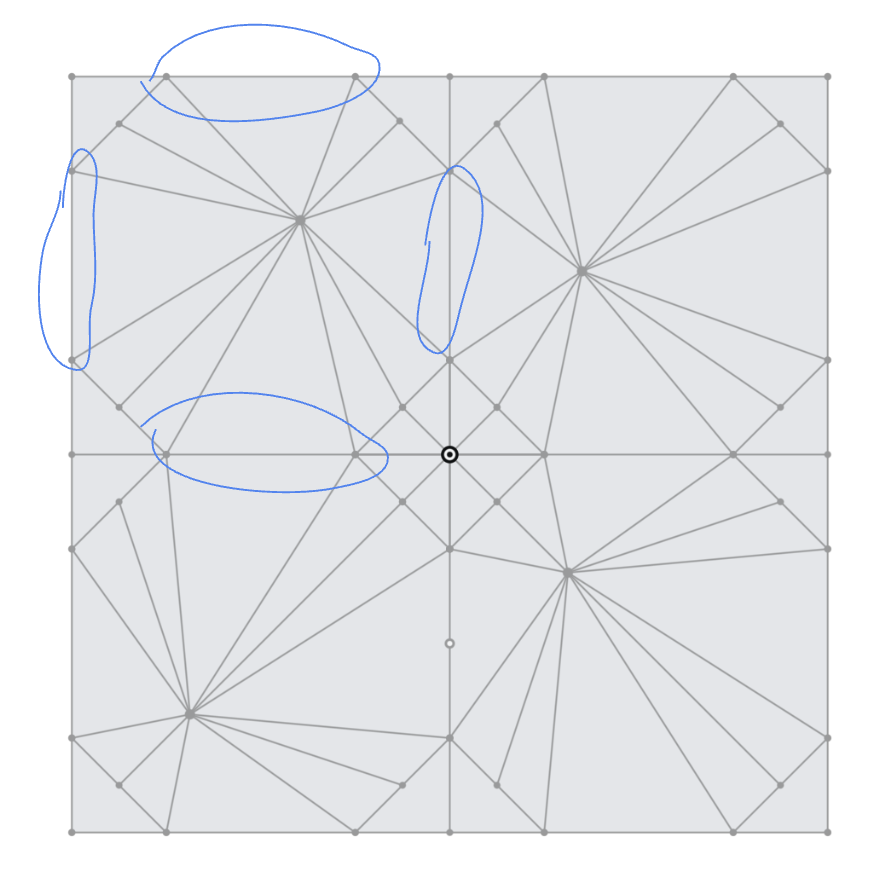
2. The height of the pyramid (in your picture, coming out of the screen) can't be fixed. The material available for each pyramid, however is fixed (as a square larger than the pyramid base). Here, you see the 4 triangles that make up the vertical walls of each pyramid. So that means pyramid height will vary as you move the tip of the pyramids around.
3. On the right, you see a blue square? That's where I can change the "pyramid tip position" to get different patterns. By moving the point around inside this shape and building my triangles I can get different shapes
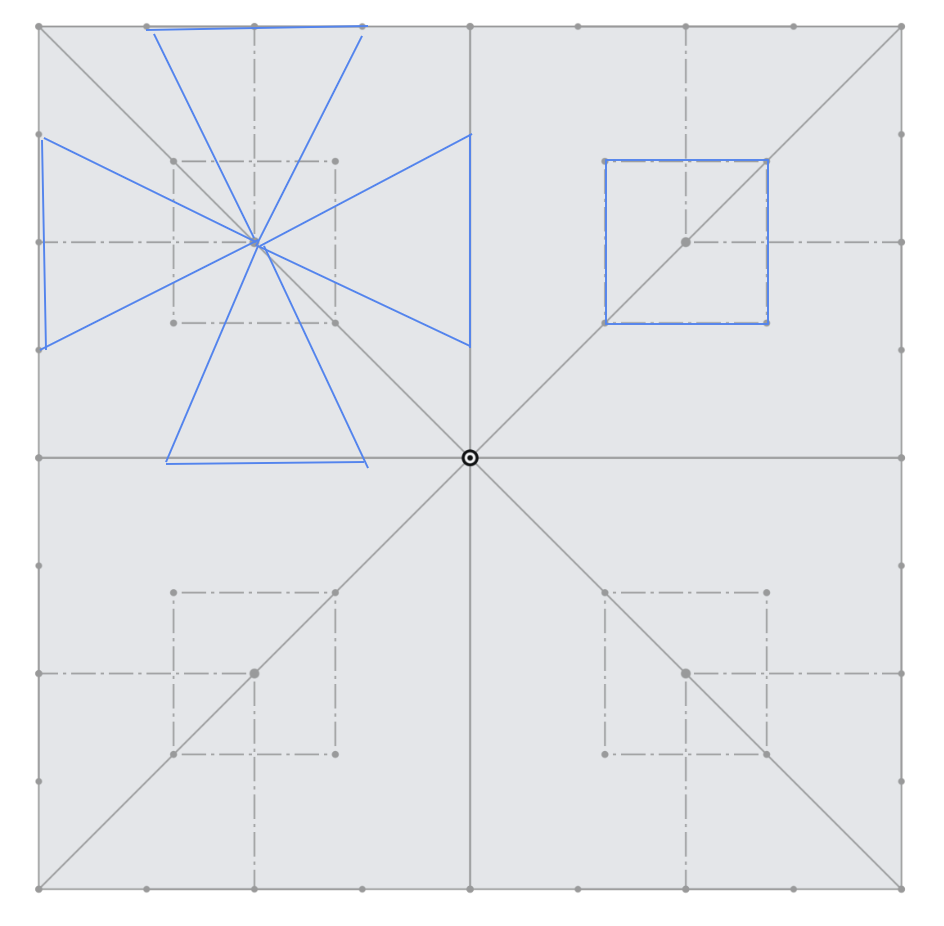
See the tip positions? Still inside the smaller square in the preceding images (i just turned off that sketch because it was hard to read):
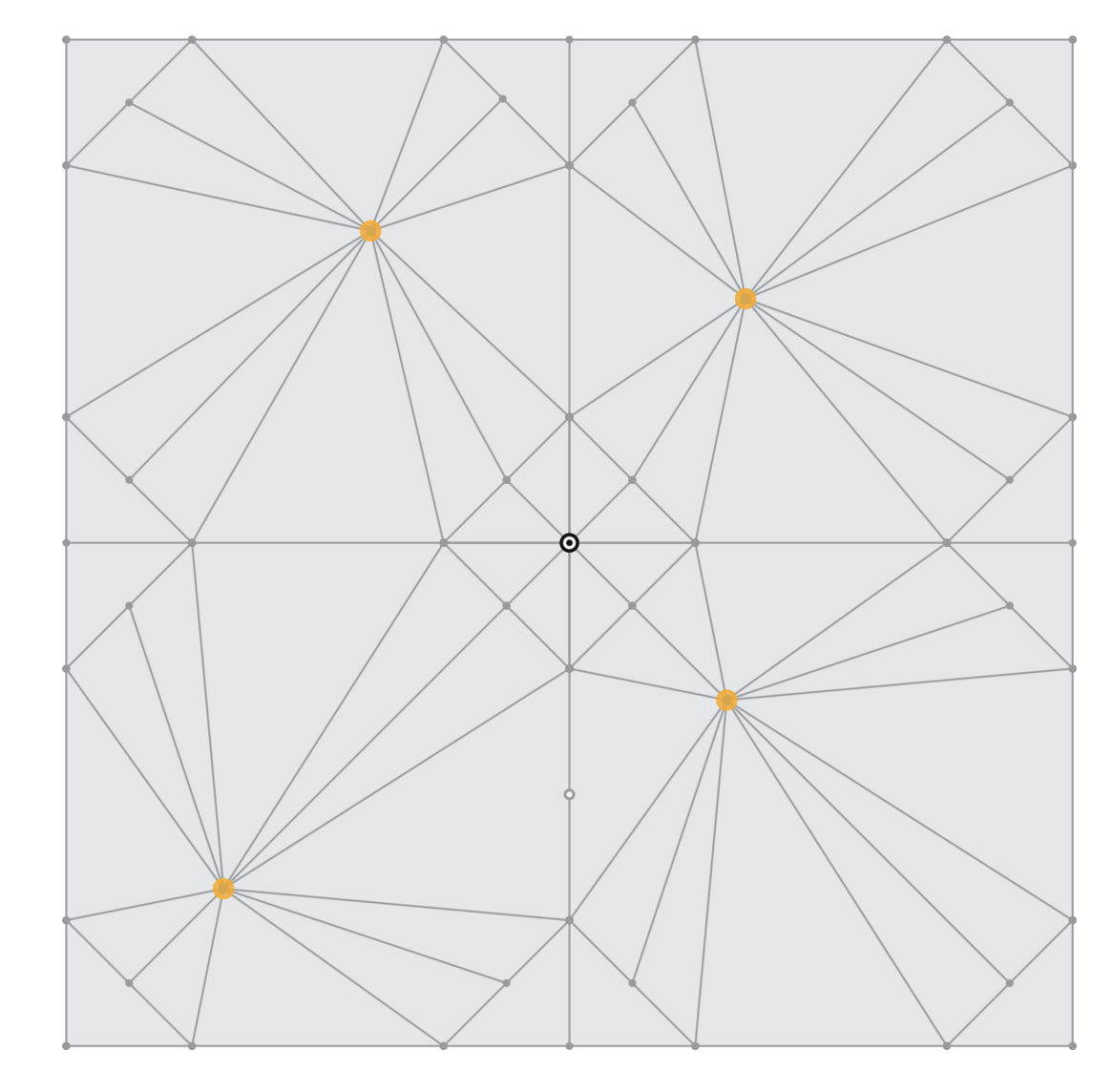
4. The material you dont want to be in the pyramid has to be folded out of view. That appears to work out fine, actually. The black lines down the center of the triangles that arent making pyramid walls are the guidelines for the fold that tucks that inner material away. It's where you fold the paper and the adjoining pyramid side walls come together properly. Here is the shared edge between two different panels that are going to be touching in the final result, so they must come together.
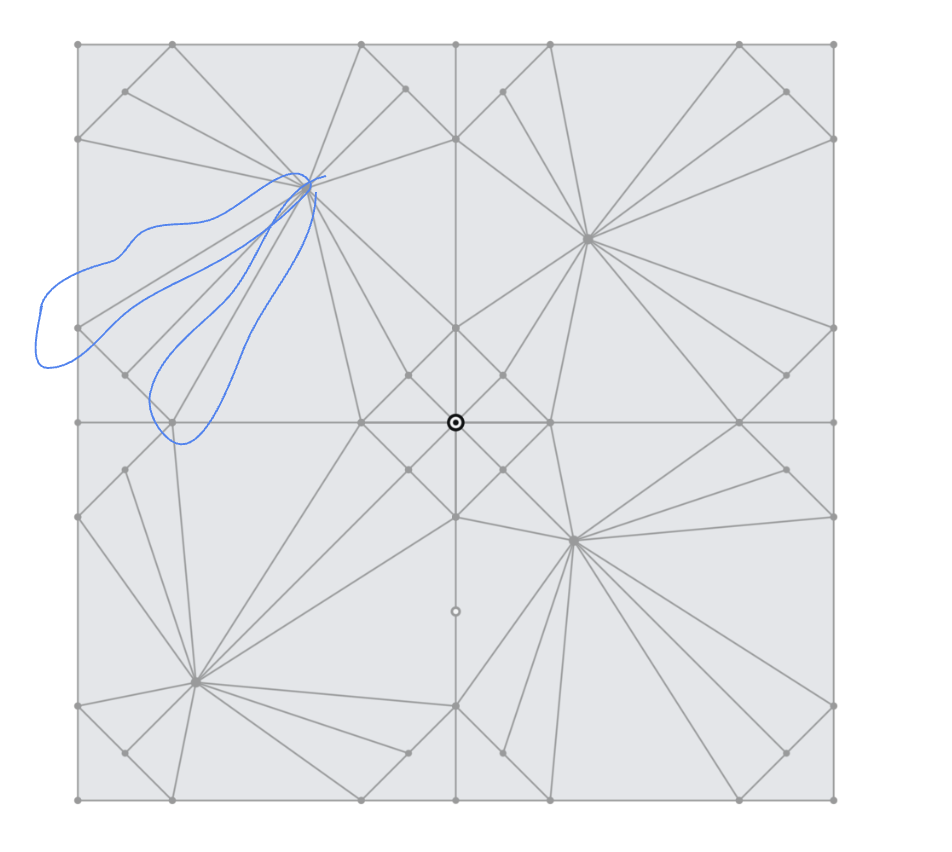
Anyhow, it seems possible to do this with a simple (albeit busy) sketch, a drawing (you can insert your sketch in to a drawing element and then scale it there if you need to. For example the folded version drawing is 2:1.
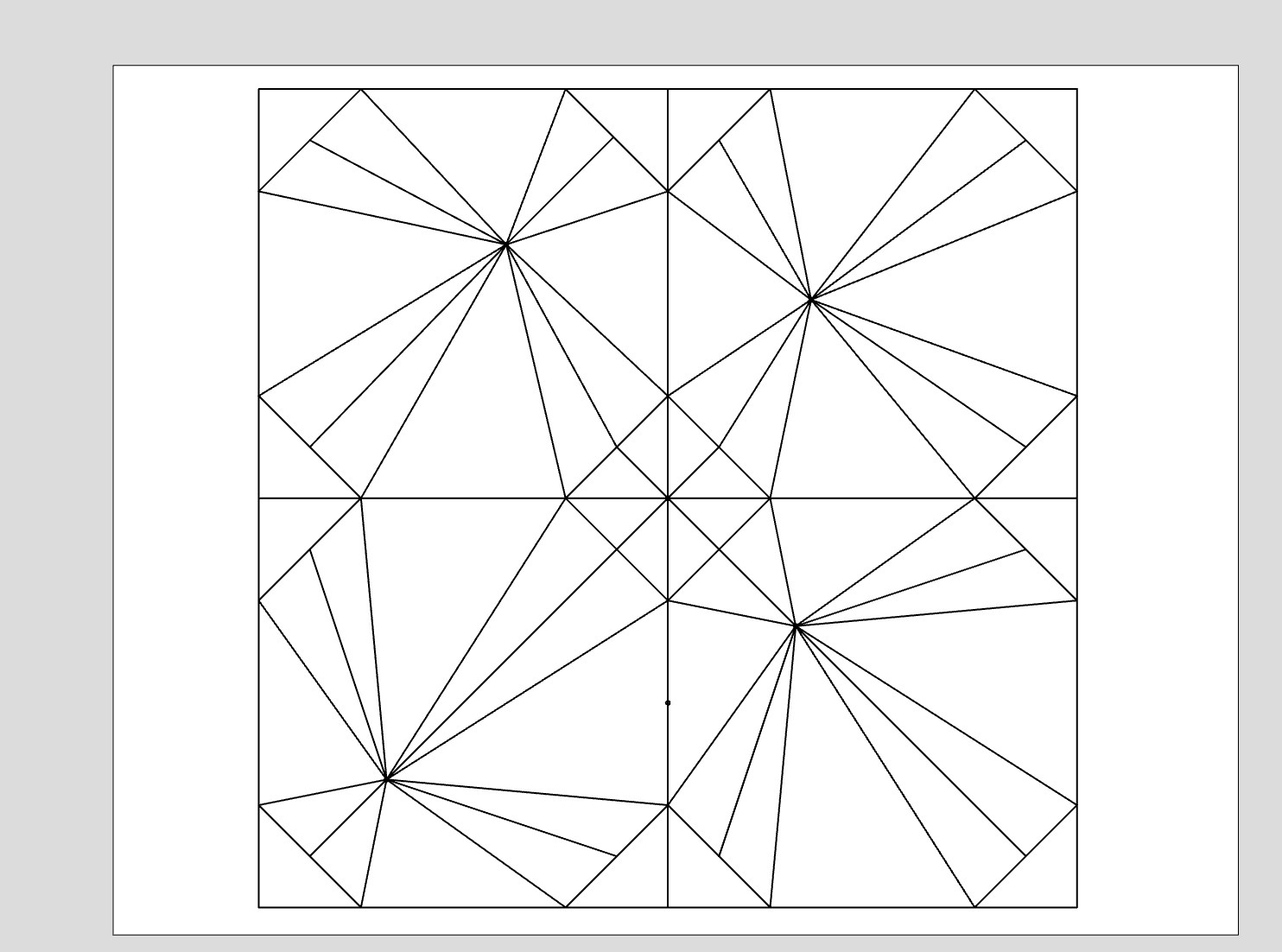
After a lot of folding:
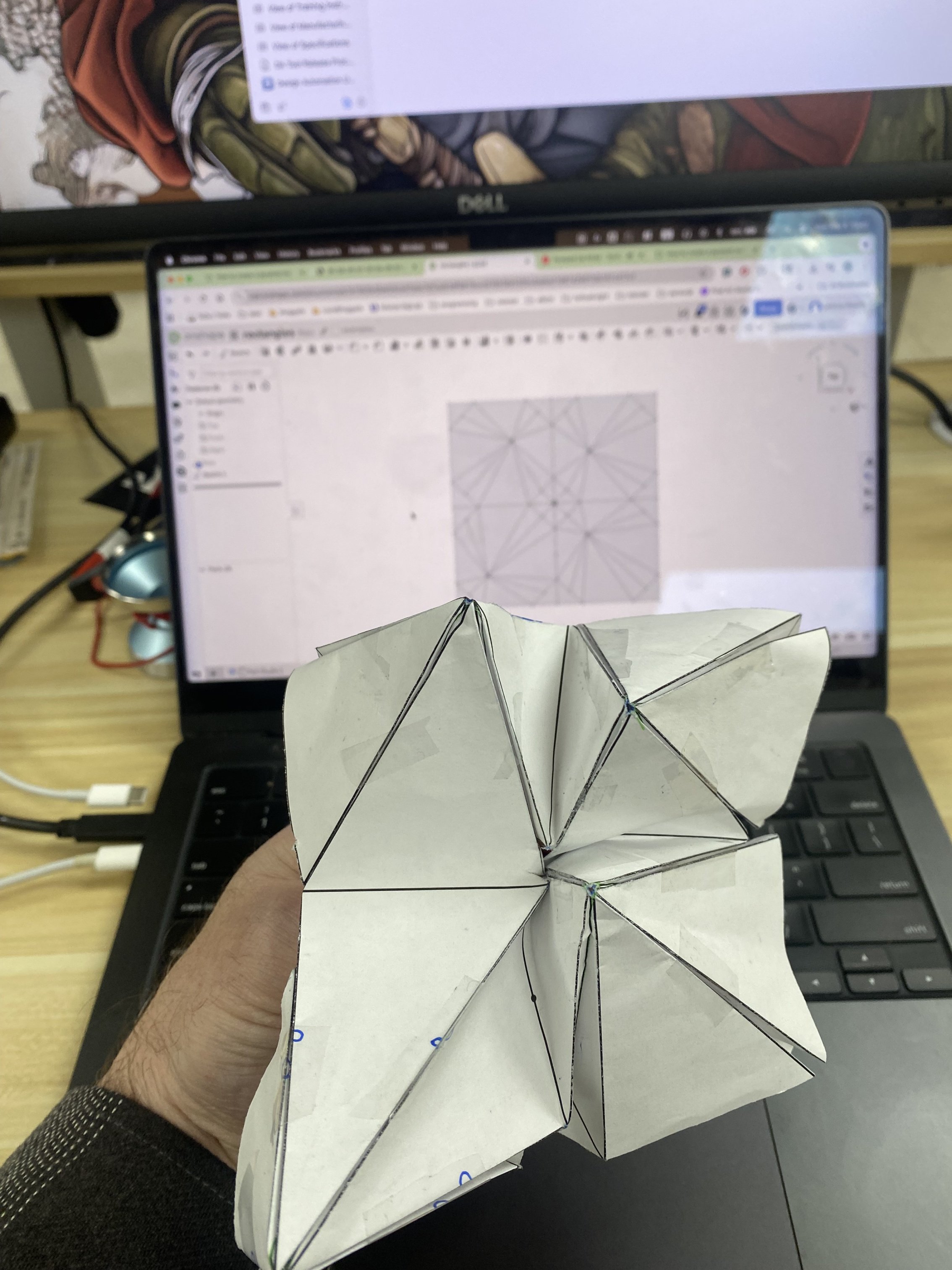
And yes I know my folding is an abomination, apologies. But the tip locations make sense w.r.t to the flat pattern on screen (upper right → an upper right pointing pyramid, like my top-left pyramid in the quad).
A couple observations:
1. I discovered that small changes in the tip position lead to big changes in the resulting pyramid, and I think that's because my "starting material" square is not much bigger than my pyramid base, so there's a relationship there to watch out for.
2. I could get the "Flatten surfaces" utility to work but it wasn't very helpful tbh. No one can find it though so fyi it's under the protractor menu in lower right corner here. This isn't the sheet metal tool, just an approximation, but it's pretty rad. For regeneration you aren't allowed to "commit the feature" so if you use this tool, export it as a solid and reimport to a different tab.

I really don't know if this will be of help to you but wanted to show you a way I kind of got something to work. Maybe it will help!
https://cad.onshape.com/documents/b747563b4feb54ce37edc7d7/w/b28f6675ccd215516d1305c4/e/ba17d67d290110b157c417c1
 jnewth
Re: How to create a pyramid net
This is very cool to see. Very much the type of things that Grasshopper users do all the time.
The next big steps would be generating the grid automatically (not with a sketch), how to easily add sliders (configuration variables?) to drive the grid density and the power of the attractor to modify the pyramid.
@c_byford
You might want to look at @EvanReese 's Attractor Pattern FS which can do a lot of cool things without any coding, but as far as I can tell, can't quite do what you want the way Konstantin Shiriazdanov's script is starting to do. Perhaps you can learn a bit from both approaches.
@EvanReese
I hope you get a chance to redo the video for Attractor Pattern.
 S1mon
S1mon
Re: How to create a pyramid net
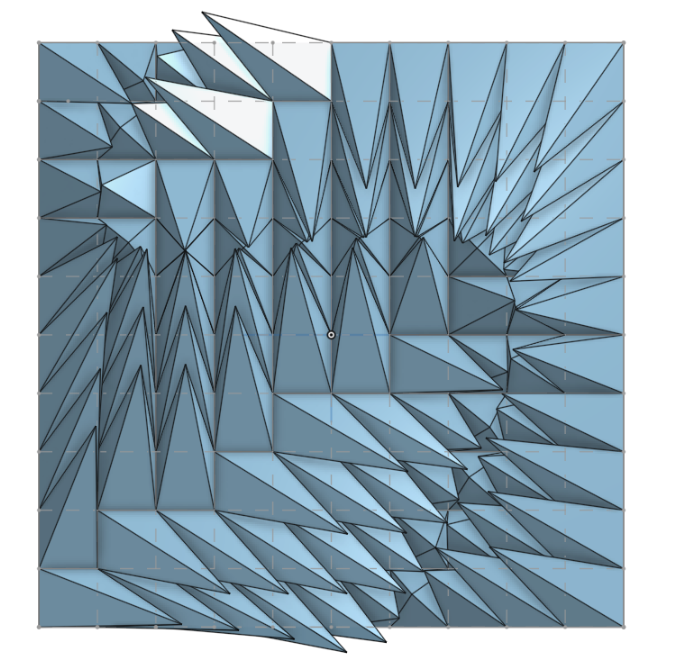
Here I've tried to apply FS Node studio to generate this kind of pattern, there were few sharp moments but overall it did the work pretty good
https://cad.onshape.com/documents/149e0e4a805aa42734238e8c/w/b6b636962ff56f51fe0640cb/e/c77930bd90a3a36b573147d5
 Konst_Sh
Re: Improvements to Onshape - October 31st, 2025
Our team is messing around with teams and alias's for task management.
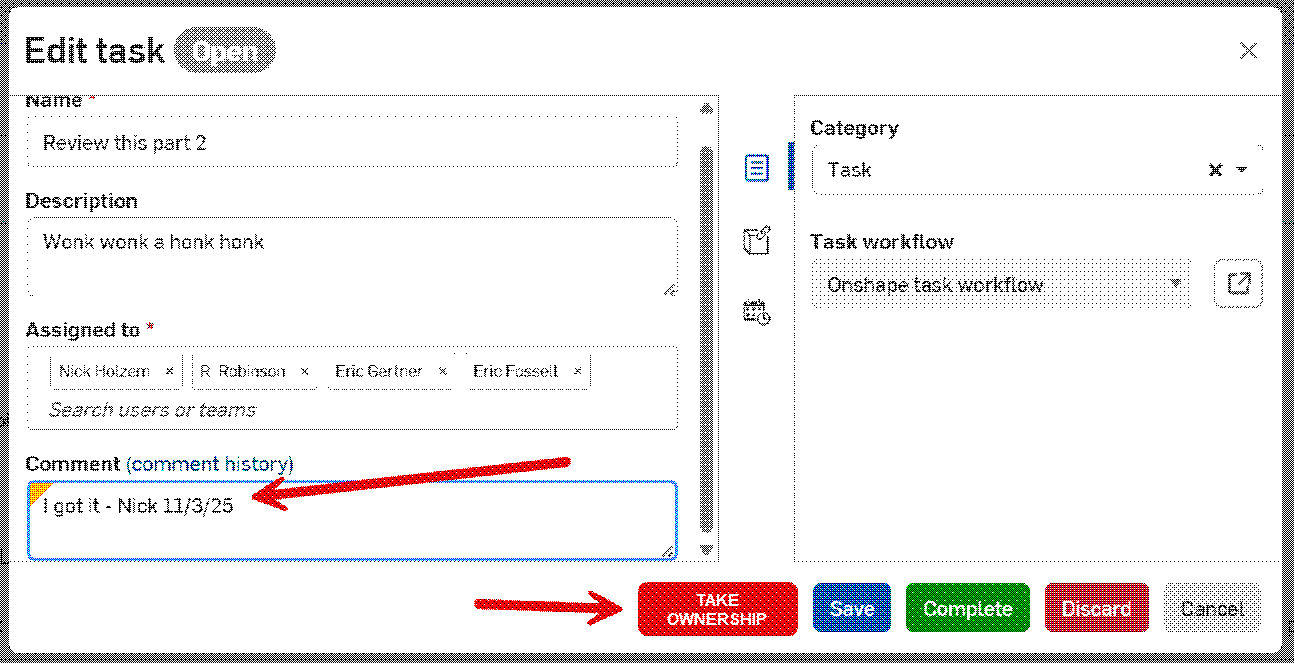
IR - when a task is assigned to an Alias containing a group of people can function be added to allow one of the assignee's to take ownership? This way we wouldn't end up with multiple people working on the same task. It would also provide the task creator a point of contact to check progress. Currently we can add comments, but those comments are not visible from the initial view task dialog. We would have to always be checking the comments to see if someone has picked it up. We would want the task ownership information to be visible on the initial view task dialog window.