Welcome to the Onshape forum! Ask questions and join in the discussions about everything Onshape.
First time visiting? Here are some places to start:- Looking for a certain topic? Check out the categories filter or use Search (upper right).
- Need support? Ask a question to our Community Support category.
- Please submit support tickets for bugs but you can request improvements in the Product Feedback category.
- Be respectful, on topic and if you see a problem, Flag it.
If you would like to contact our Community Manager personally, feel free to send a private message or an email.
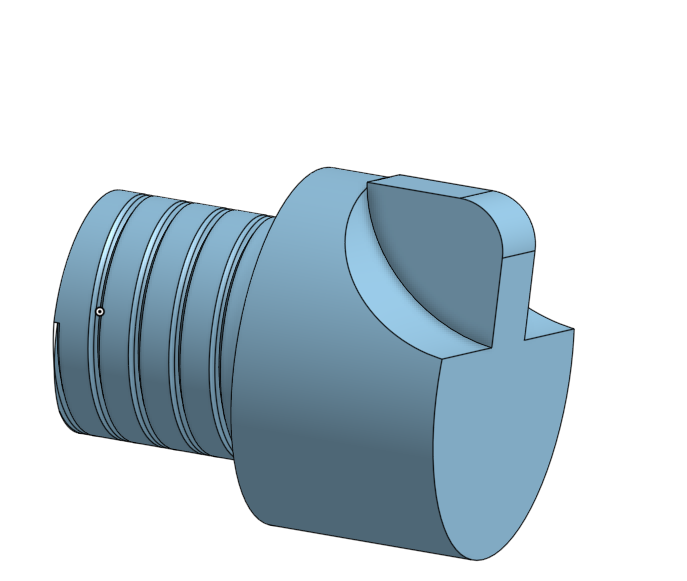
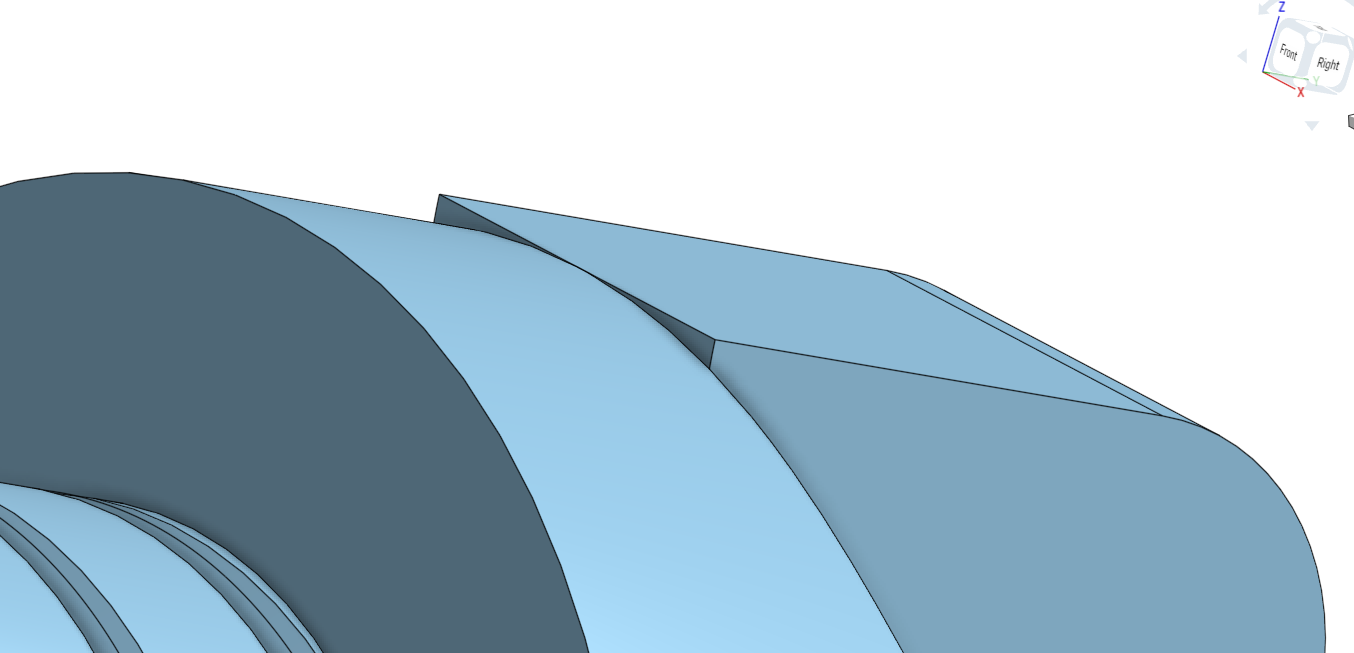
How can I make this extrude match the curvature of the part?

Logan_Neltnor
Member Posts: 3 ✭

0
Answers
-
@Logan_Neltnor, it's hard to tell exactly what to do without a link to your model. Try revolving the shape instead of extruding it. This way it matches the diameter of your part.
Or, if you only want the outside face to match the outer diameter. You can extrude another direction, removing the outer face to match the diameter.
RENDERCAD
rendercad.ai - Photorealistic product rendering.
▚▞▚▞▚▞▚▞▚
________________________________________________________________________0 -
You could probably also do a "replace face"1
-
Oh, yes. I forget that exists.
RENDERCAD
rendercad.ai - Photorealistic product rendering.
▚▞▚▞▚▞▚▞▚
________________________________________________________________________0

