Welcome to the Onshape forum! Ask questions and join in the discussions about everything Onshape.
First time visiting? Here are some places to start:- Looking for a certain topic? Check out the categories filter or use Search (upper right).
- Need support? Ask a question to our Community Support category.
- Please submit support tickets for bugs but you can request improvements in the Product Feedback category.
- Be respectful, on topic and if you see a problem, Flag it.
If you would like to contact our Community Manager personally, feel free to send a private message or an email.
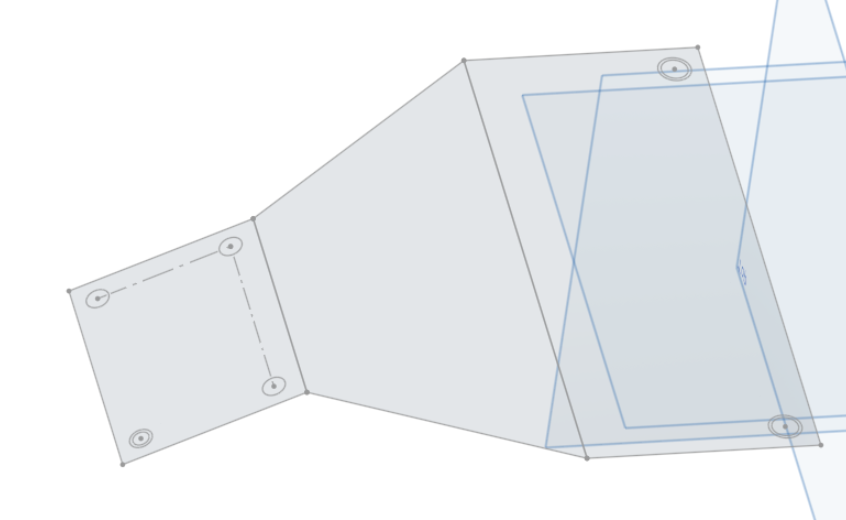
How do I convert these simple 3 sketches into a sheet metal part?

Nick_Faber
Member Posts: 11 PRO
I have these 3 sketches that are joined together at the edges but non-planar. I just want to create a sheet metal part that is exactly these planes but I cannot seem to do it, both the extrude, thicken and convert features do not recognize that these 3 sketches are connected and it makes 3 seperate parts out of them. Please help me how to do this, thanks!
Tagged:
0
