Welcome to the Onshape forum! Ask questions and join in the discussions about everything Onshape.
First time visiting? Here are some places to start:- Looking for a certain topic? Check out the categories filter or use Search (upper right).
- Need support? Ask a question to our Community Support category.
- Please submit support tickets for bugs but you can request improvements in the Product Feedback category.
- Be respectful, on topic and if you see a problem, Flag it.
If you would like to contact our Community Manager personally, feel free to send a private message or an email.
How to copy a sketch by 90 degrees

I have a square base structure with walls so they have the same width. Some elements on 2 orthogonal sides are on the same place.
I am looking for a way not to create 1 sketch only for these elements and then turning it by the tangent corner line.
The simplest example would be to sketch a triangle on the Front plane, then a line that is coincident with the right plane and then find a way how to display the triangle from the front plane exactly onto the right plane.
Does anybody knows how to do that?
Best Answers
-
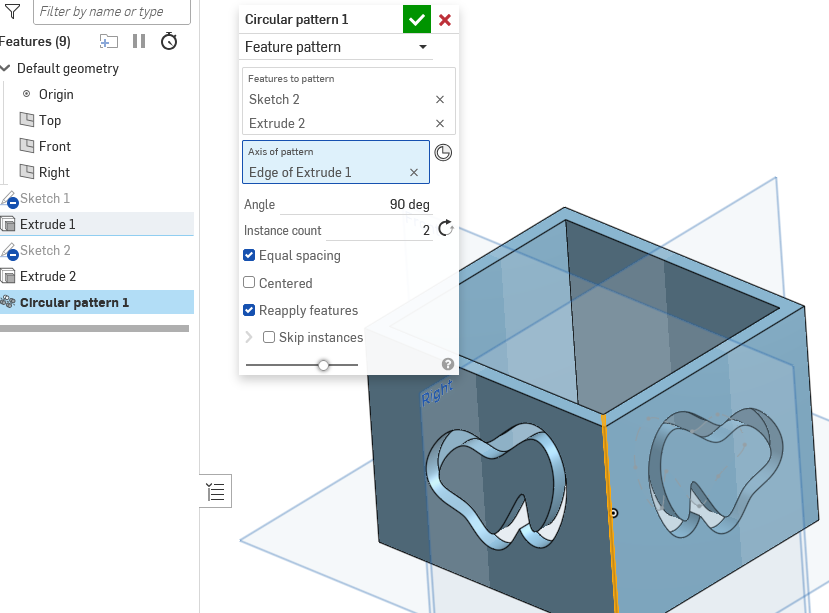
Sounds like you might need circular pattern feature possibly? Hard to say really without seeing what you are trying to accomplish.
0 -
yw. Curious if you don't mind me asking. What is the use case for the sketch only?
0 -
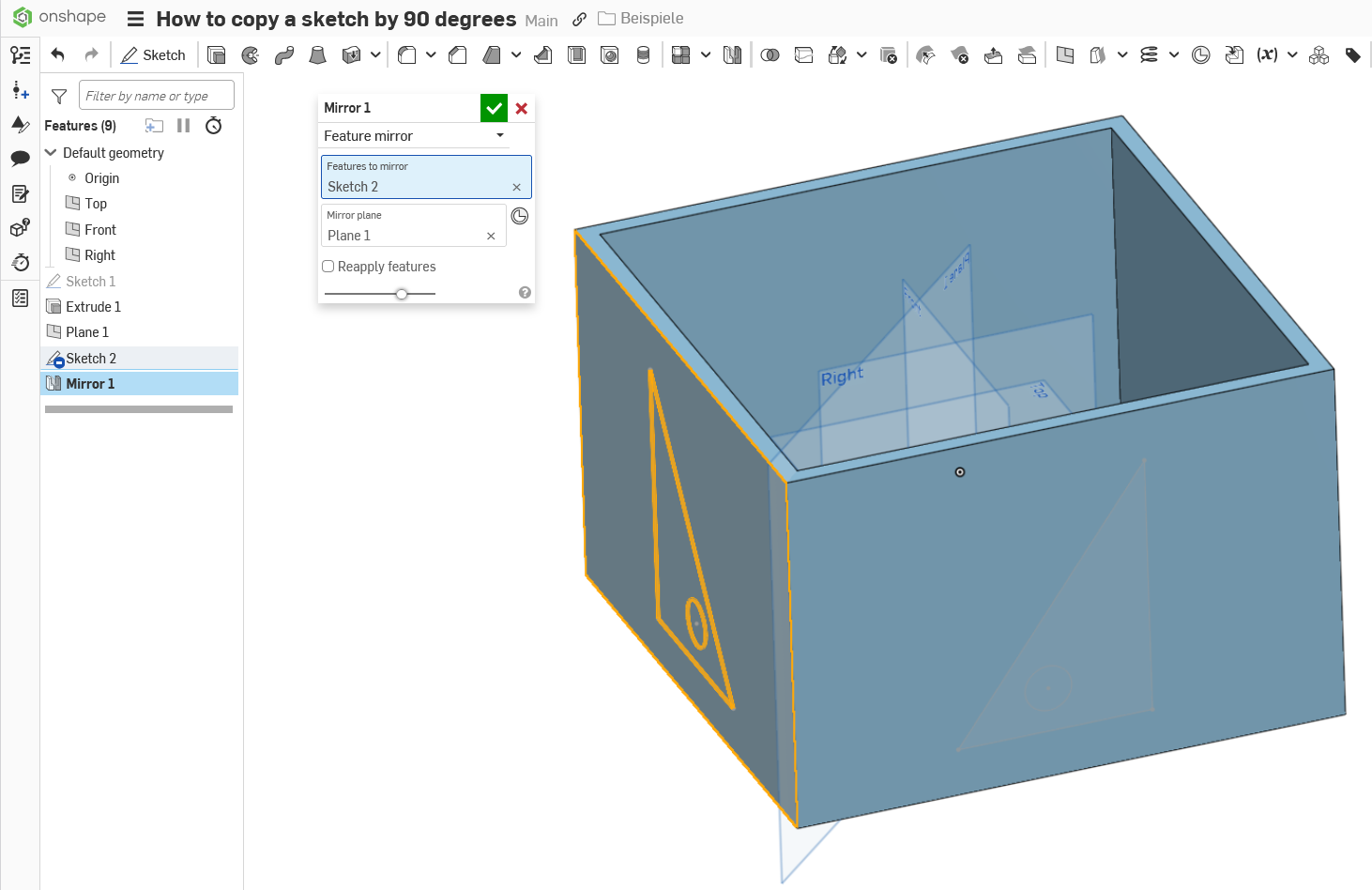
Method 1
Method 2
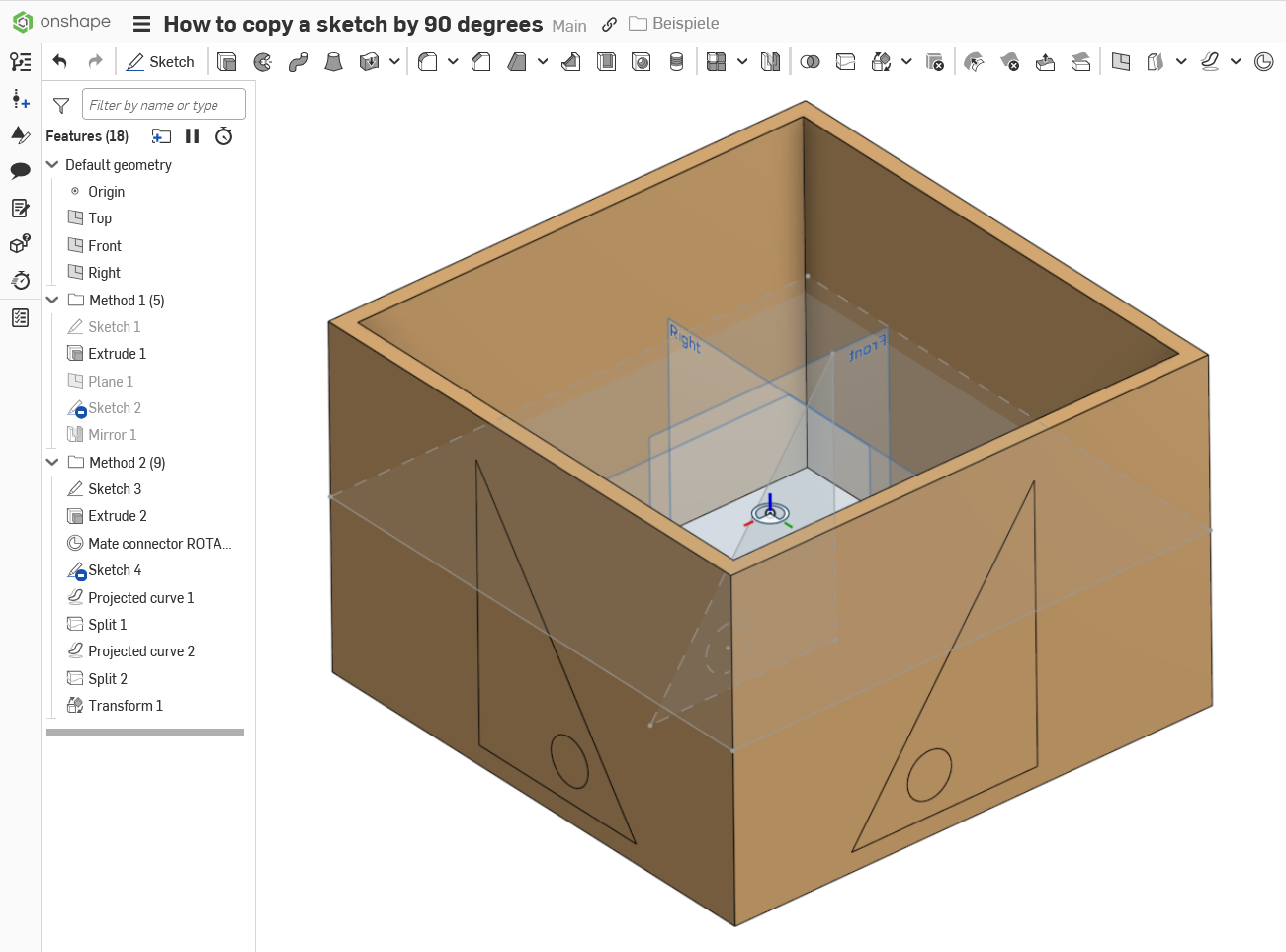
Well, that is a bit more screwball. ;0)
There are certainly more than three ways to go. It always depends on what the goal is exactly …
0


Answers
-
It seems like a circular pattern of the sketch feature should do the trick?
0 -
Sounds like you might need circular pattern feature possibly? Hard to say really without seeing what you are trying to accomplish.
0 -
Yes, or mirror the side over two diagonal planes, if you need the figure on the side inverted.
0 -
Thank you, that was helpful! I wanted to copy the sketch only and I was trying the circular pattern, but I had overseen the drop down at the top to select feature pattern that I saw in your screen shot.
Now it works: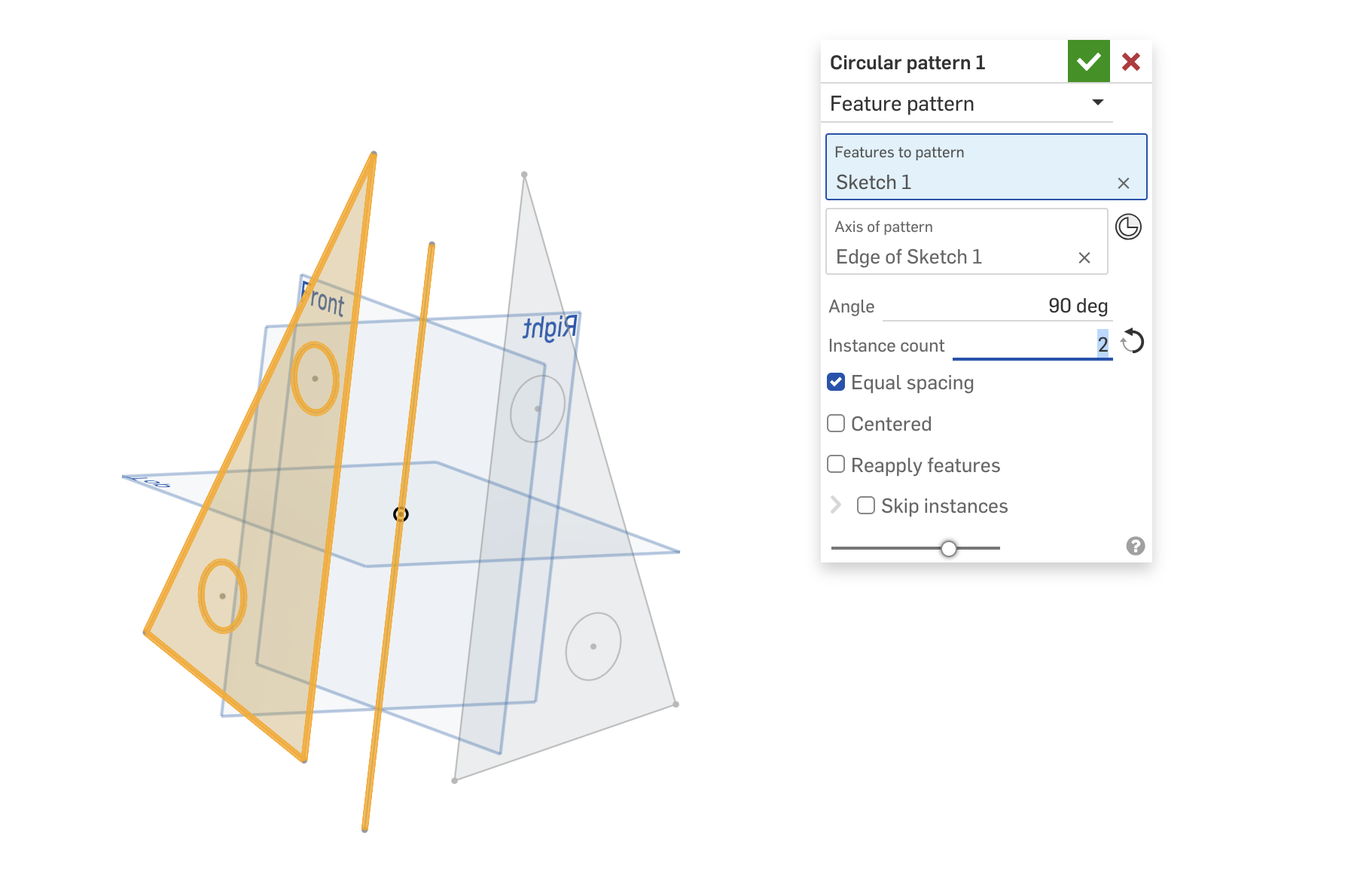 1
1 -
Martin Kopplow, your suggestion sounds interesting. Could you provide a drawing for your idea please?
0 -
yw. Curious if you don't mind me asking. What is the use case for the sketch only?
0 -
Method 1
Method 2
Well, that is a bit more screwball. ;0)
There are certainly more than three ways to go. It always depends on what the goal is exactly …
0 -
Regarding your question of the use case: There is a part has holes that have the same position referring to a corner. I want the position to be exactly the same to have the making easy and cheap…
Thank you for your valuable answers! In Method 2 I was learning more than I expected…0 -
Just one remaining question: Instead of mirroring the sketch I was looking for a way to mirror the extrude itself (that is the hole) using the mirror tool, but I could not select neither the extrude nor the hole itself. Would there be a possibility to mirror or transform an extrude with removal?
0 -
this is why I was asking about the use case. Just select features in the mirror tool and you can mirror whatever holes extrudes cuts you want.
0
