Welcome to the Onshape forum! Ask questions and join in the discussions about everything Onshape.
First time visiting? Here are some places to start:- Looking for a certain topic? Check out the categories filter or use Search (upper right).
- Need support? Ask a question to our Community Support category.
- Please submit support tickets for bugs but you can request improvements in the Product Feedback category.
- Be respectful, on topic and if you see a problem, Flag it.
If you would like to contact our Community Manager personally, feel free to send a private message or an email.
revolve to max height

steen_pedersen968
Member Posts: 19 ✭
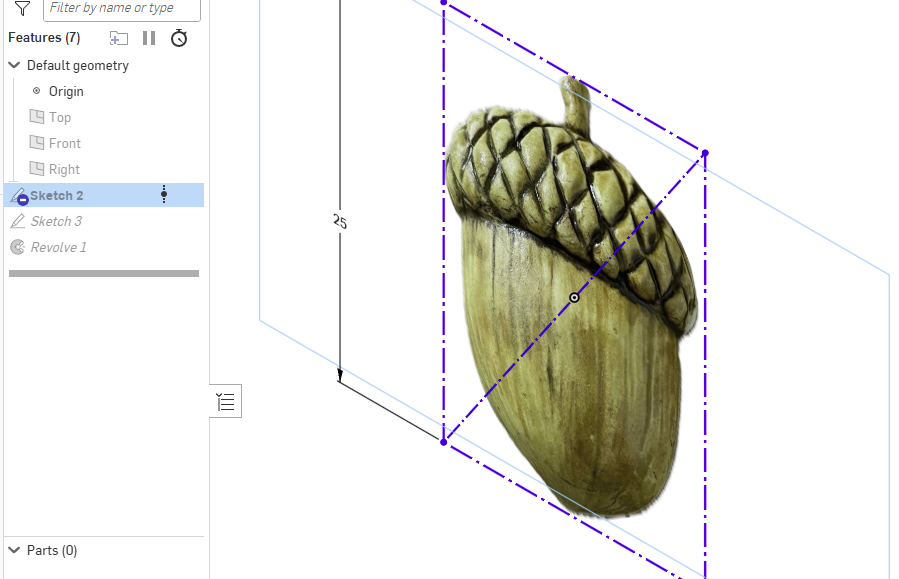
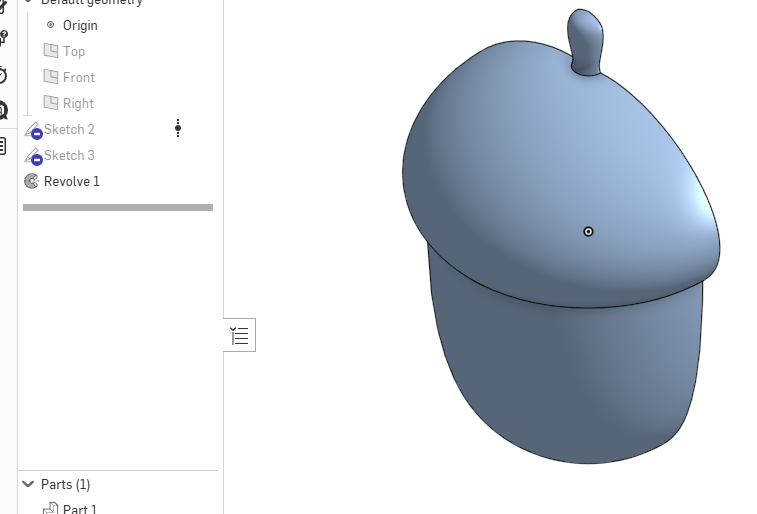
im trying to make this and it should only have a height of 25mm when i revolve it
i tryed a few things but did find the command yet :(
i linkede it here
https://cad.onshape.com/documents/6b93afb15ad222ae88817cba/w/7eea2dcf5ef9d824155665e6/e/e7bb3ee736e3e8afbbae5b84
any help is appreciated
0