Welcome to the Onshape forum! Ask questions and join in the discussions about everything Onshape.
First time visiting? Here are some places to start:- Looking for a certain topic? Check out the categories filter or use Search (upper right).
- Need support? Ask a question to our Community Support category.
- Please submit support tickets for bugs but you can request improvements in the Product Feedback category.
- Be respectful, on topic and if you see a problem, Flag it.
If you would like to contact our Community Manager personally, feel free to send a private message or an email.
Trouble with sketch constraints on Text fields

For my first project with Onshape, I am trying to modify an object by adding text to it in a repeating circular manner. I understand that the text entity cannot be part of a circular pattern so this is not my issue. I want each text object to be different anyway (days of the week).
To have the text correctly positioned around the object, I created fully constrained guidelines on the sketch by setting up a dimensionally constrained line, then patterning it around the center point to serve as the base for each text field. These guide lines are to my understanding fully constrained, shown in black.
I added the first textbox constrained to the end of the first guideline and constrained it dimensionally to serve as the baseline.
I then created each individual text field, entered the required text, and removed the horizontal constraint on all of them. Then I (attempted to) perform the following operations on each of them individually:
- coincident constraint on the midpoint of the bottom boundary line of the textbox AND the end of the created guideline where I want to position the text
- parallel constraint on the middle guideline of the textbox AND the guideline
- equal constraint between the bottom boundary line of the textbox AND the bottom boundary line of the first textbox created (the one with a dimensional constraint)
This worked on around 3 of the 8 textboxes, then the constraints started failing and the sketch became unsolved. I repeatedly tried it over and over again paying attention to ensure no extra unwanted constraints were present. Depending on what order I applied and removed the constraints, sometimes some textboxes would work, sometimes not.
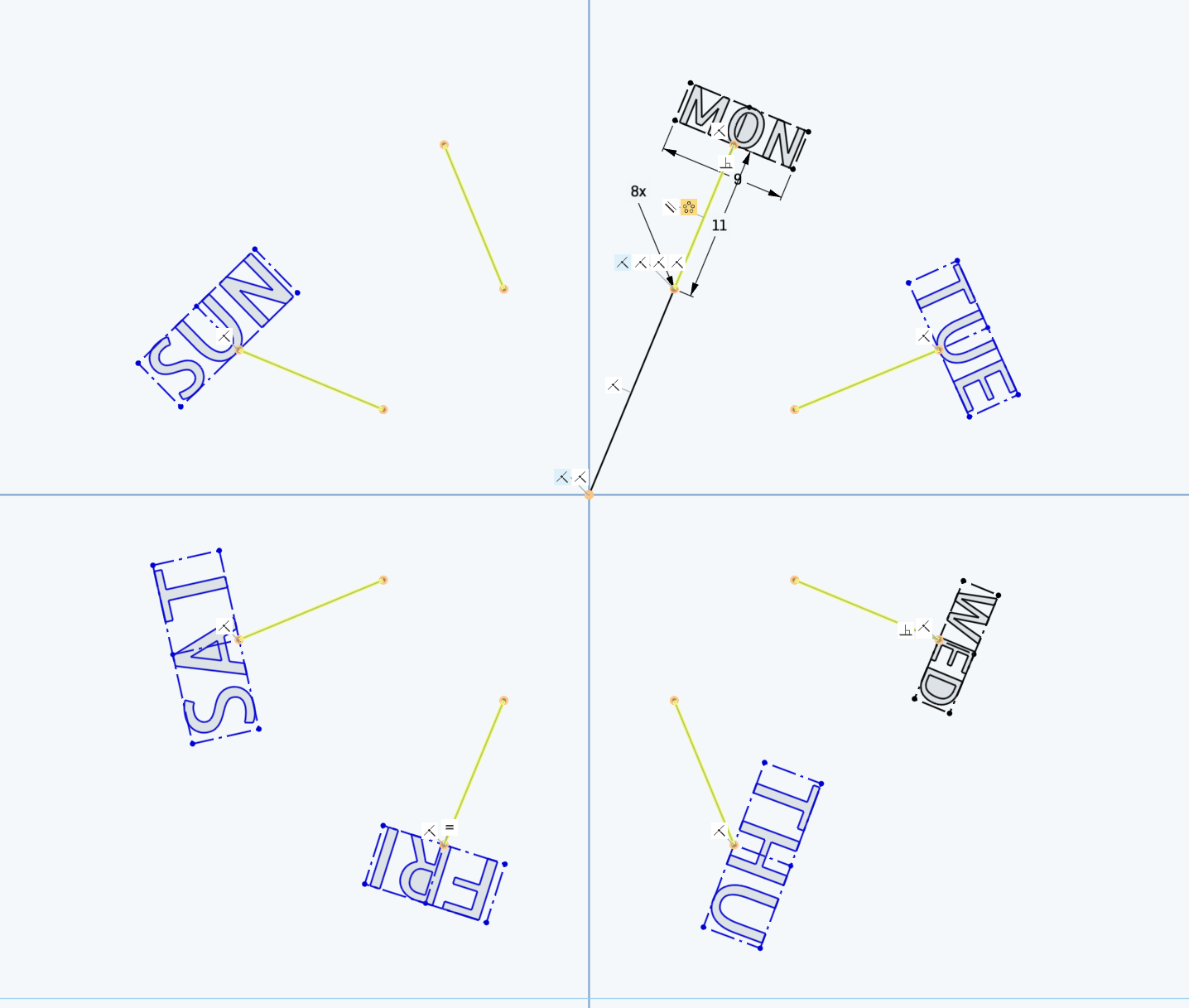
As you can see in the image, the constraints applied correctly to "WED" (in this specific instance, sometimes it was others that succeeded) but if applied to others, the sketch would not solve.
I have worked with Fusion before, so I am familiar with similar sketching tools, but I am completely lost as to what I'm doing wrong. It seems very much like a bug, but I would be shocked if something so trivial would not be possible to do in Onshape and I suspect I'm missing something important.
https://cad.onshape.com/documents/792234f5c8dccfb8d89531d7/w/20ffd4d9f1dfc7efaeff4d9c/e/b11bbe9985bb32c617867578
Best Answer
-
Two things:
I would recommend creating the reference pattern in a separate sketch so that the sketch solver doesn't need to deal with that and the text at the same time.
I would recommend making the text equal heights, not widths (unless you use a fixed width font).
https://cad.onshape.com/documents/c6f956d9376892df38db4965/w/7b7b49913d9817f9315b4999/e/f64f1c1f475a6fb1acae042d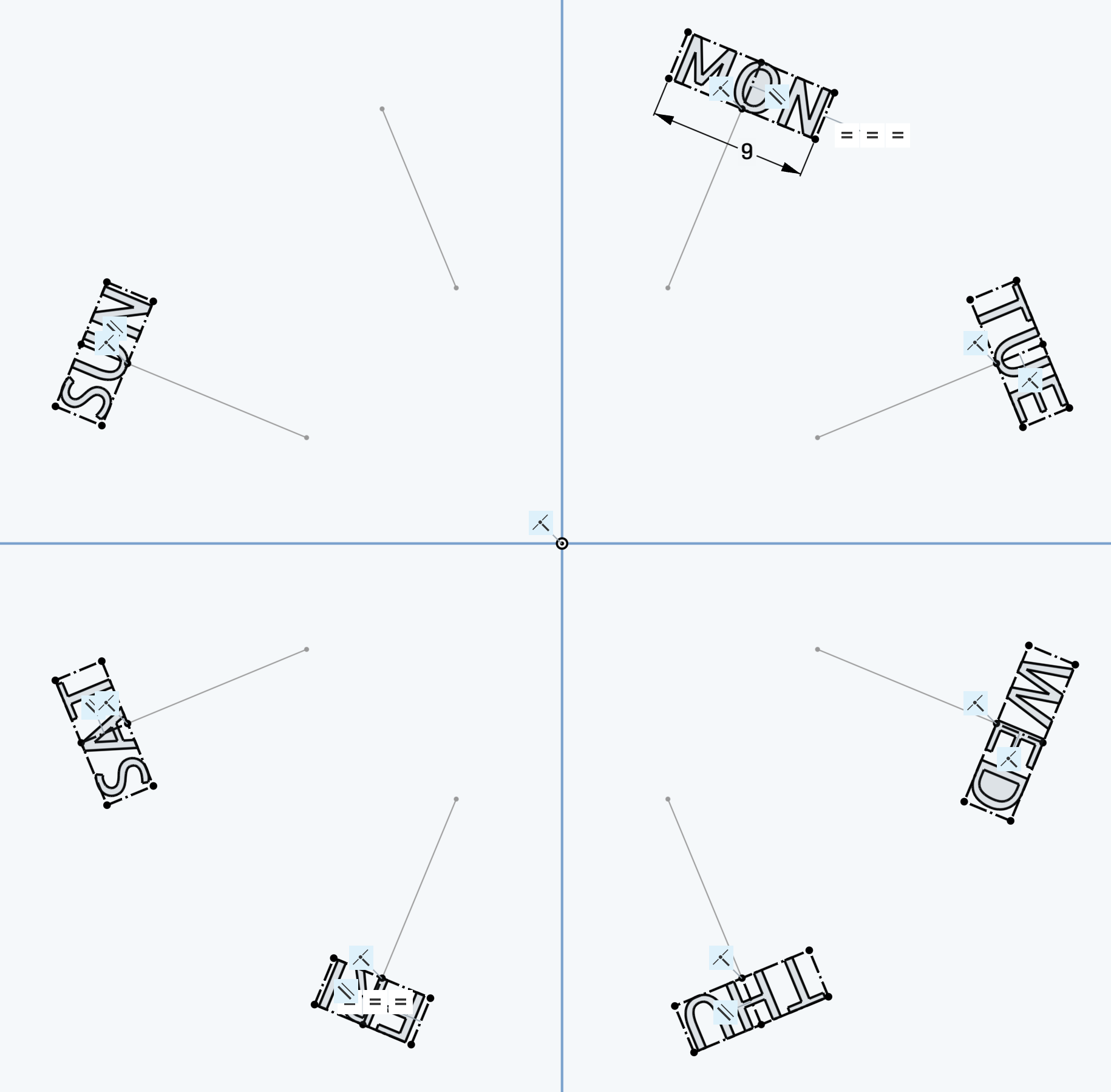
Simon Gatrall | Product Development, Engineering, Design, Onshape | Ex- IDEO, PCH, Unagi, Carbon | LinkedIn
0

Answers
-
Two things:
I would recommend creating the reference pattern in a separate sketch so that the sketch solver doesn't need to deal with that and the text at the same time.
I would recommend making the text equal heights, not widths (unless you use a fixed width font).
https://cad.onshape.com/documents/c6f956d9376892df38db4965/w/7b7b49913d9817f9315b4999/e/f64f1c1f475a6fb1acae042d
Simon Gatrall | Product Development, Engineering, Design, Onshape | Ex- IDEO, PCH, Unagi, Carbon | LinkedIn
0