Welcome to the Onshape forum! Ask questions and join in the discussions about everything Onshape.
First time visiting? Here are some places to start:- Looking for a certain topic? Check out the categories filter or use Search (upper right).
- Need support? Ask a question to our Community Support category.
- Please submit support tickets for bugs but you can request improvements in the Product Feedback category.
- Be respectful, on topic and if you see a problem, Flag it.
If you would like to contact our Community Manager personally, feel free to send a private message or an email.
Movement simulation in sketches (grouping sketches)

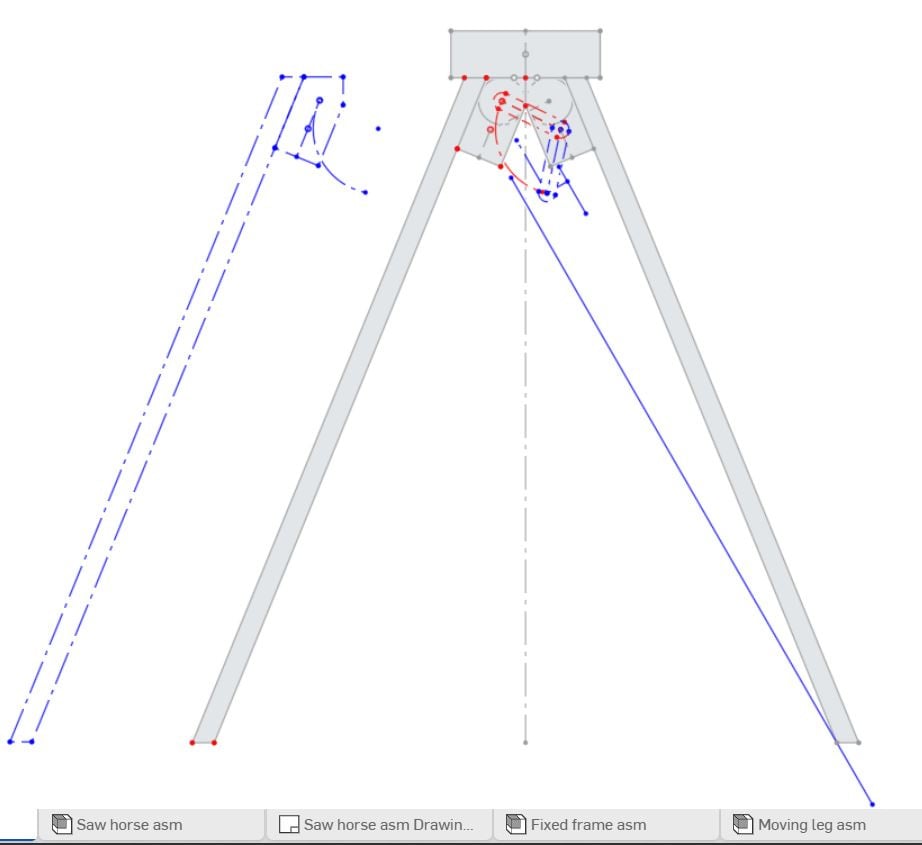
To design the geometry of parts of a folding leg and other parts, I need to be able to group sketch entities. Like the frame, the unfolded leg and a folded leg (sketch copy/paste into new sketch)
The folded leg sketch now contains the leg in blue, but parts move all around, they are not like a fixed block. When I lock the entities these cannot be dragged.
So how can I simulate a complex rotation to create new parts?
Answers
-
The movement of a folding leg is done from the assembly usually where open/closed position can be set up. Then set up a context to the part studio for each position to make any ancillary parts. Unfortunately last I looked the sample used for a step ladder wasn't around any more. Maybe someone has a sample the can offer.
0
