Welcome to the Onshape forum! Ask questions and join in the discussions about everything Onshape.
First time visiting? Here are some places to start:- Looking for a certain topic? Check out the categories filter or use Search (upper right).
- Need support? Ask a question to our Community Support category.
- Please submit support tickets for bugs but you can request improvements in the Product Feedback category.
- Be respectful, on topic and if you see a problem, Flag it.
If you would like to contact our Community Manager personally, feel free to send a private message or an email.
Beginner: How to use lines along with 3D-models?

Hey community!
I'm quite new to onshape and 3D-printing.
So far I touched the surface of this awesome application and created some 3D-models based on YT-tutorials and own ideas.
Now I got stucked a bit in using lines with extruded elements. I assume I have to convert a line into an area (e.g. rectangle) to use it properly as a "form" or is there other possibility?
In my case (see attachment) I tried to use lines on an extruded area in order to apply a kind of texture on it.
What is the best way to get such a result?
I appreciate all kind of replies. 🙏
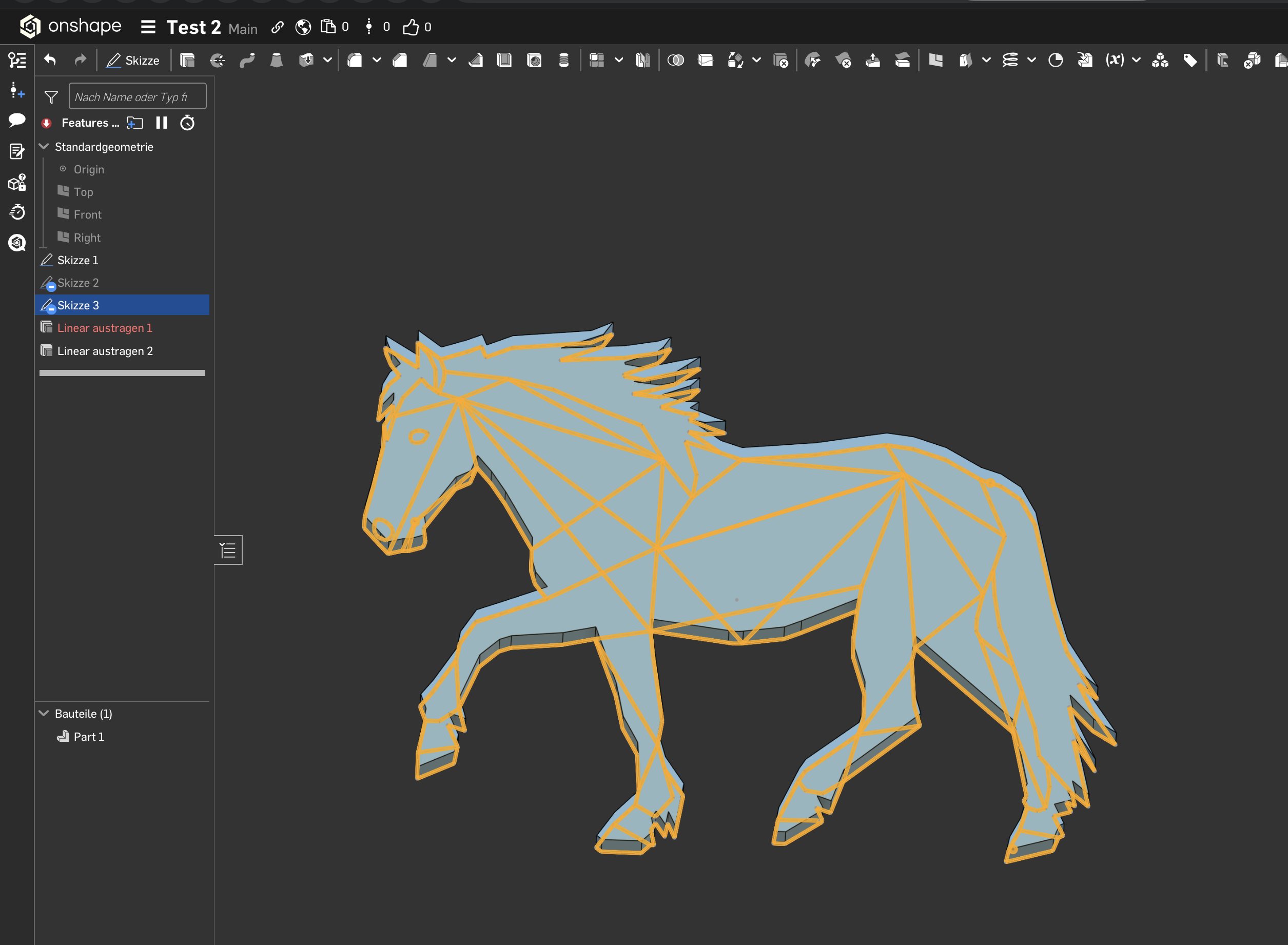
Thanks in advance! ✌️👑
Answers
-
One step further but not till the end…
I managed it to find the (right?) tool within LINEAR EXTRUDE + THIN (see screenshot).
However, it appears that my approach ist only working with 3 lines. If I add more lines I receive an error (red). WHY?
What can I do to get it in a right way?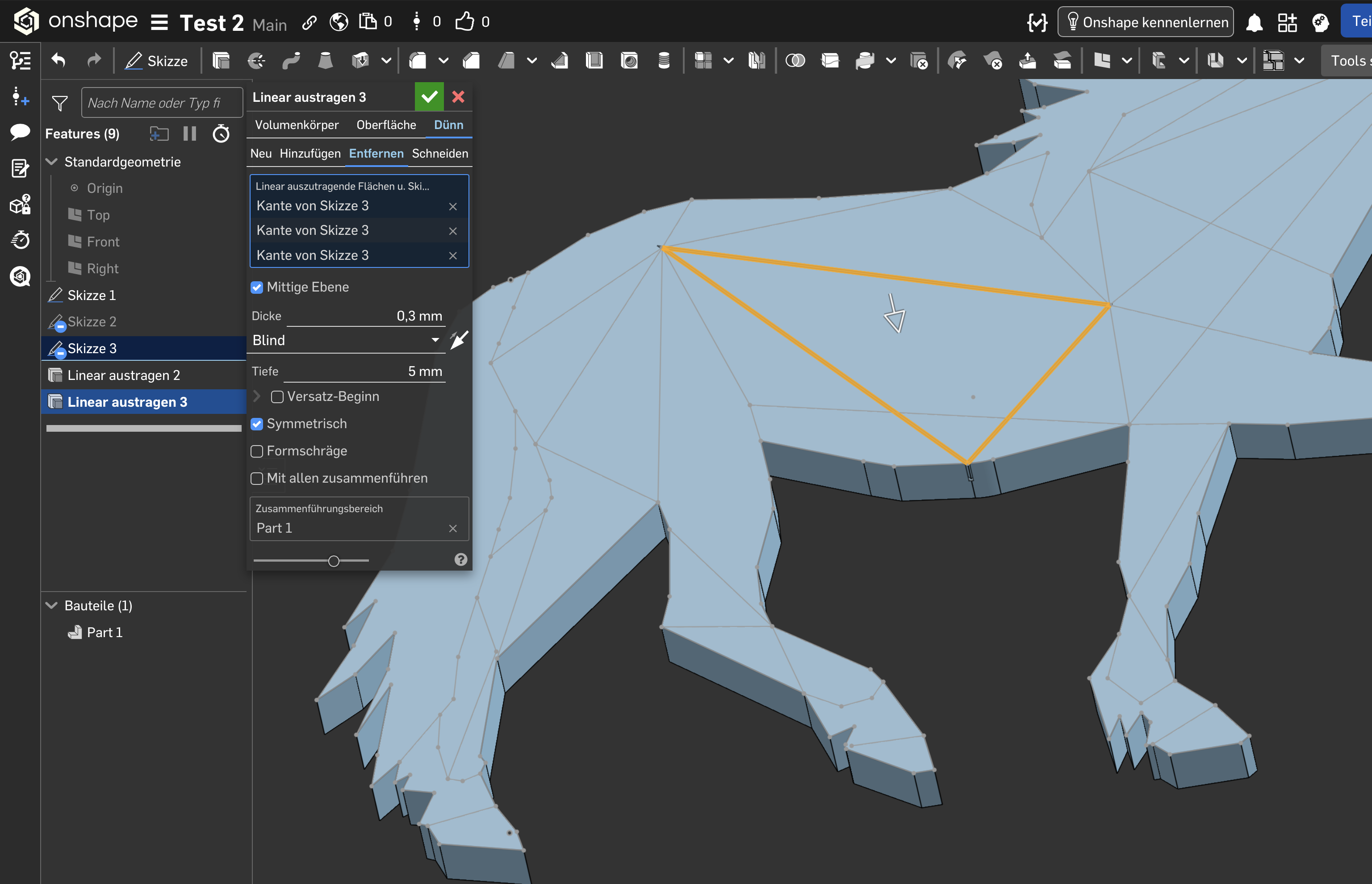 0
0 -
depends on what type of texture you'r trying to achieve.
Do you want to just create thick lines? or raise the whole surface?
I suspect the algorithm that offsets the lines before extruding may be throwing an error depending on what combination of lines you're selecting.0 -
I've found a solution (Custom Feature RIB NETWORK). See also my undesired double post:
https://forum.onshape.com/discussion/29630/beginner-question-how-to-use-lines-along-with-3d-models#latest0 -
Thanks for helping me out.
I just want to use the drawn lines to extrude these like on the picture above.
This worked like I want to have it - but only for the three selected lines.
What can I do?0
