Welcome to the Onshape forum! Ask questions and join in the discussions about everything Onshape.
First time visiting? Here are some places to start:- Looking for a certain topic? Check out the categories filter or use Search (upper right).
- Need support? Ask a question to our Community Support category.
- Please submit support tickets for bugs but you can request improvements in the Product Feedback category.
- Be respectful, on topic and if you see a problem, Flag it.
If you would like to contact our Community Manager personally, feel free to send a private message or an email.
Default primary planes Top/ Front/ Right measure 150mm - Can FScript be used to edit that number?

So, default planes of a new Part Studio are square with a side measuring 150mm. If you want to model something bigger, and need them to be larger, then you need to do that manually for some reason. I'm guessing that the reason for this is that there are some things/numbers that a custom FeatureScript cannot access. Is this the case? Has anyone ever tried to make a custom FS that lets you enter a single figure and then all three primary planes jump to that size?
Unemployed Onshaper - Operating on European time - More of me here ➤➤ https://linktr.ee/Liam.G
Comments
-
The default planes are not editable. (You could make a feature that makes new ones that are bigger).
But why do you need them to be bigger? When a sketch plane is selected, the plane is treated as infinitely large.www.smartbenchsoftware.com --- Renaissance --- Kestrel -- SmartLink
Experts in Onshape Automation - Custom Features and Integrated Applications0 -
Looks like the default visual size of the planes might just be hardcoded into the UI. Do you need a specific size for the planes?
I ran into that issue where planes were limited to a specific size (larger than 150mm, but still finite). I ended up having to use a
planefunction to create a real infinite plane.Ramon Yip | glassboard.com
0 -
They actually are editable though, but only by 'manual' dragging. I've even created an empty document, with an empty Part Studio, expanded the planes to @1000mm and then saved/closed the document with the word 'Template' in the title. You just need to remember to never use the default 'Create Document' button and only make copies of your Template Workspace. Maybe that could be the solution - the ability to set your own default Workspace/Document Template? That wouldn't need any FeatureScript. Maybe there exist such options in the 'paid' version of Onshape?
Unemployed Onshaper- Operating on European time - More of me here ➤➤ https://linktr.ee/Liam.G0 -
A link to my blank template with ready-made 1000mm primary planes - for anyone who might find that useful - https://cad.onshape.com/documents/66d84102218a53bea2e9346e/w/2357d0081e0d4d6d1389072d/e/bb674370ef213ed9c754d913?renderMode=0&uiState=69651a3515dc2396bed148b3
They're not 'exactly' 1000mm, since they were just eye-balled/dragged-out to encompass a sketched square of that size.
Unemployed Onshaper- Operating on European time - More of me here ➤➤ https://linktr.ee/Liam.G0 -
You can only manually adjust the default planes. You can, however, create planes at whatever size you want via FeatureScript.
In FeatureScript you can also delete the primary plane bodies (almost certainly a terrible idea). The "Top, Right, Front" entries stay in the feature tree but clicking on them doesn't do anything.
Put it together and you get this:
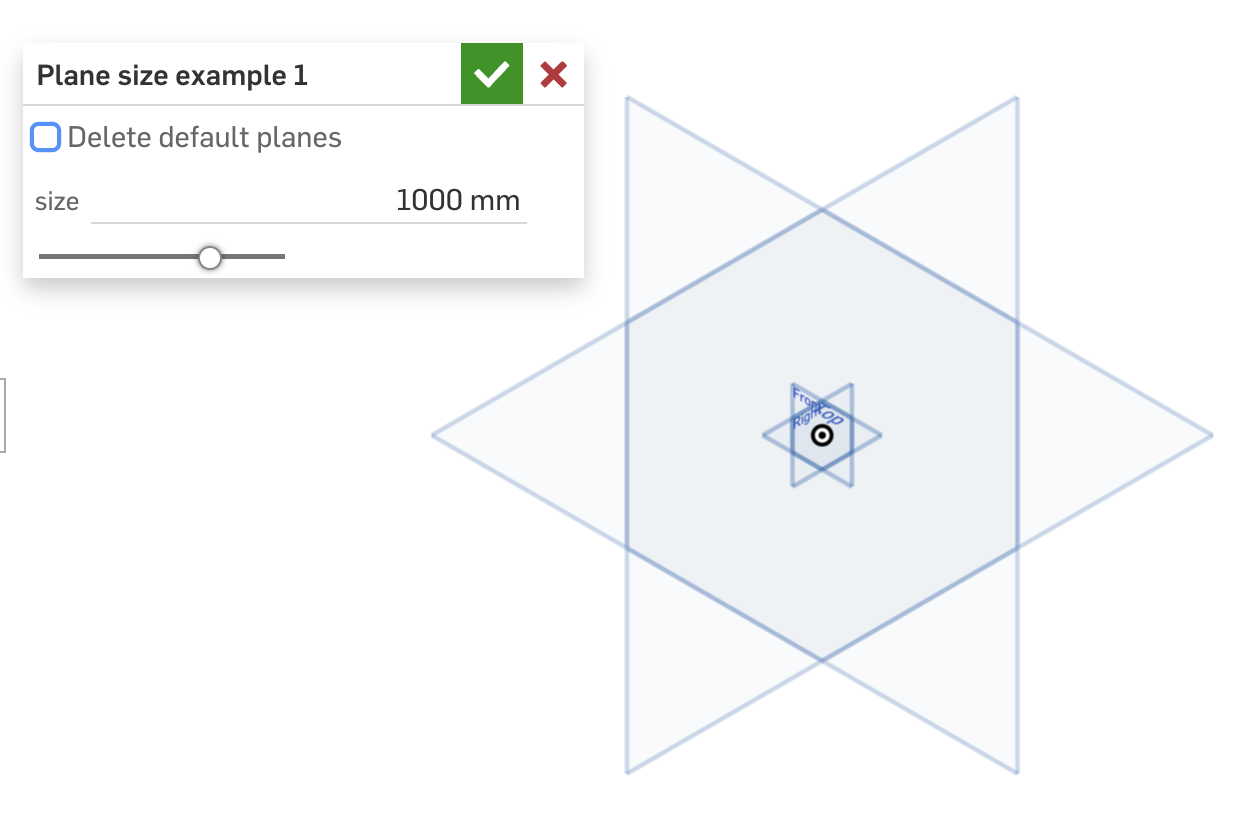
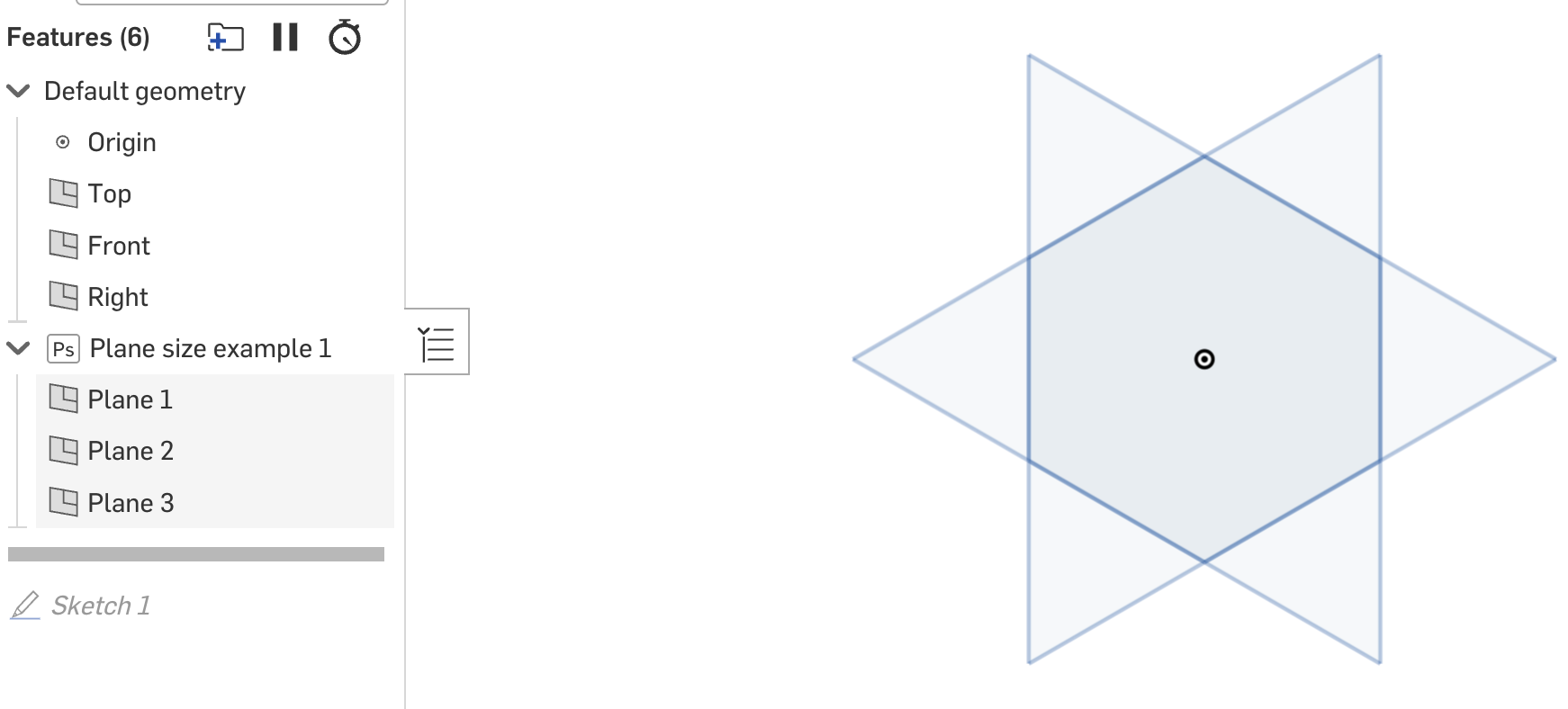
https://cad.onshape.com/documents/97202190e6c4ac264a407adb/w/5a5ef0b66a6c0e87b41ce035/e/c0951767de310d50afc2d7bb
I agree @CADNurd this default size should be parameterized and not hardcoded. Currently it is set based on the default units in the workspace (inches produces a size in whole number of inches, meters in meters, etc).Based on your forum join date I think you may be new to Onshape so I wanted to respond to your last concern: "Maybe there exist such options in the paid version…?"
Very, very few things in Onshape are gated that way. Some of the big ticket items (Render, CAM) are at pro-level and above, but other than that free accounts have nearly the same functionality as standard. It's an astonishing amount of power for free: CAD, drawings, assemblies, version control, FeatureScript, basic PDM, etc. They have made some tough choices that are hard for free users (no private docs) — but for good reason: In 2015, me, and everyone like me, abused the hell out of free private docs. They've since tried to help out people that are in the situation I was in back then through their startup program.
If you are just getting in to CAD in general or Onshape in particular, you are in good hands. It's pretty great. Welcome!
Thanks, also, to all the people who help out on the forums! You all turn a product into a community.
Ooh disclaimer and aggressive self-promotion: I have been a customer for 10+ years and was an employee for 5 of those (though now at Reframe). If you want to see some mind-boggling stuff you can do in Onshape, check out reframesystems.com or come to the Boston User Group meetup on January 22: https://luma.com/0rpisez9
2


