Welcome to the Onshape forum! Ask questions and join in the discussions about everything Onshape.
First time visiting? Here are some places to start:- Looking for a certain topic? Check out the categories filter or use Search (upper right).
- Need support? Ask a question to our Community Support category.
- Please submit support tickets for bugs but you can request improvements in the Product Feedback category.
- Be respectful, on topic and if you see a problem, Flag it.
If you would like to contact our Community Manager personally, feel free to send a private message or an email.
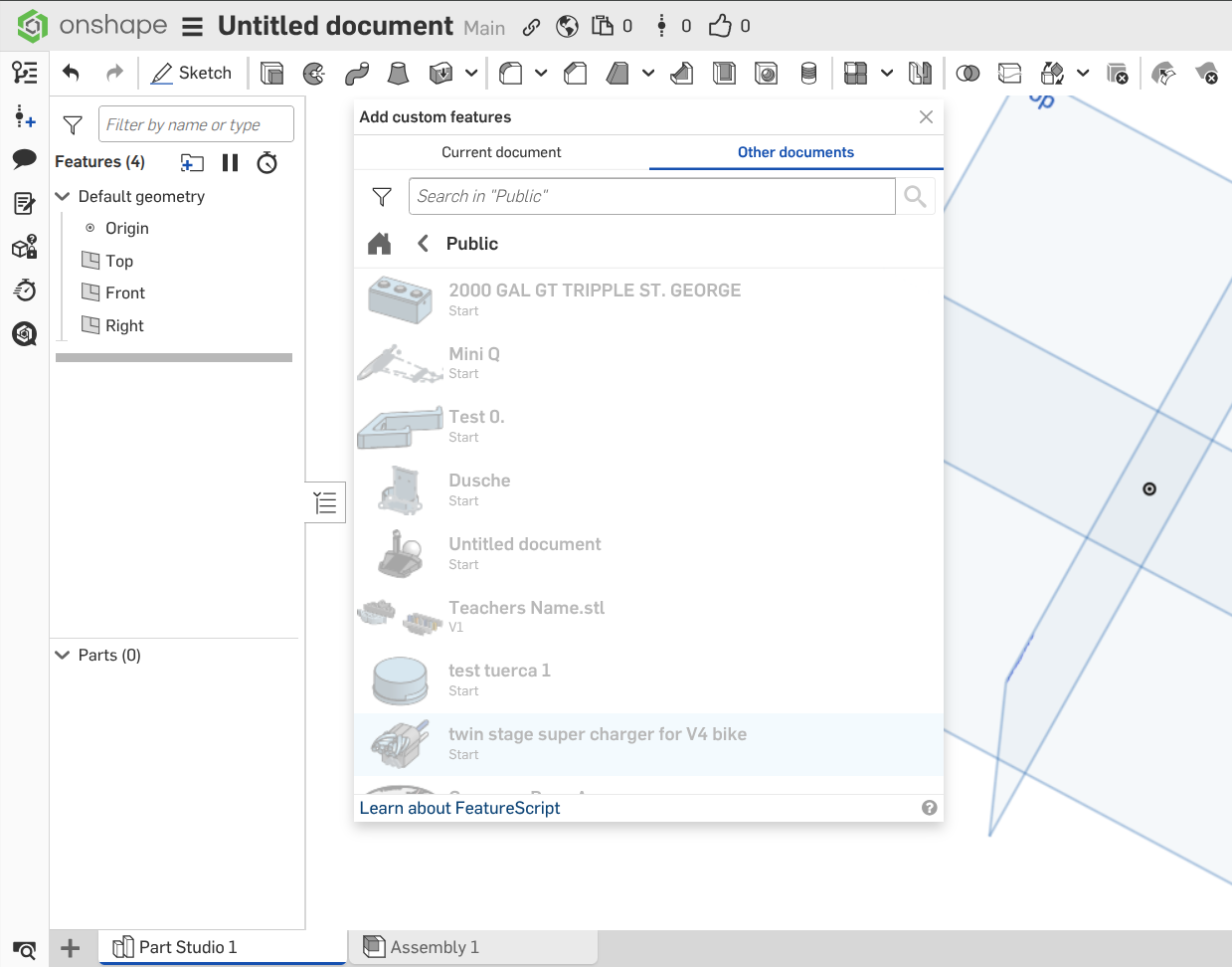
Why are most entries greyed-out in the 'Public' section of the Custom FS library?
 CADNurd
Member Posts: 166 ✭✭
CADNurd
Member Posts: 166 ✭✭
Just curious. Is it just me, or does everyone else see the same thing? [see below]
Unemployed Onshaper - Operating on European time - More of me here ➤➤ https://linktr.ee/Liam.G
0
Best Answer
-
 NeilCooke
Moderator, Onshape Employees Posts: 6,078
NeilCooke
Moderator, Onshape Employees Posts: 6,078 
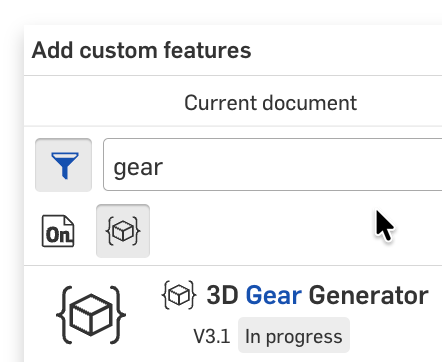
They don't contain Feature Studios. So why are they there? No idea. You need a search term and a filter:
 Senior Director, Technical Services, EMEA0
Answers
They don't contain Feature Studios. So why are they there? No idea. You need a search term and a filter:
@NeilCooke - I suppose that filter should really be on by default.
So, to get a list of ALL public Custom Features, do as below . . .
Unemployed Onshaper- Operating on European time - More of me here ➤➤ https://linktr.ee/Liam.GFor "official" custom features (not copies) there is a mechanism to "publish" them. These published features can then be found by adding the "Published FeatureScript" criteria in the advanced search:
@NeilCooke - Thanks. Found that eventually - though I had to hunt for a while - in the search options on the main dashboard outside of any document.
And I see that's a fairly recent update - but definitely a step in the right direction . . .
Unemployed Onshaper- Operating on European time - More of me here ➤➤ https://linktr.ee/Liam.G