Welcome to the Onshape forum! Ask questions and join in the discussions about everything Onshape.
First time visiting? Here are some places to start:
- Looking for a certain topic? Check out the categories filter or use Search (upper right).
- Need support? Ask a question to our Community Support category.
- Please submit support tickets for bugs but you can request improvements in the Product Feedback category.
- Be respectful, on topic and if you see a problem, Flag it.
If you would like to contact our Community Manager personally, feel free to send a private message or an email.
How do I make and designate a Mirror Element

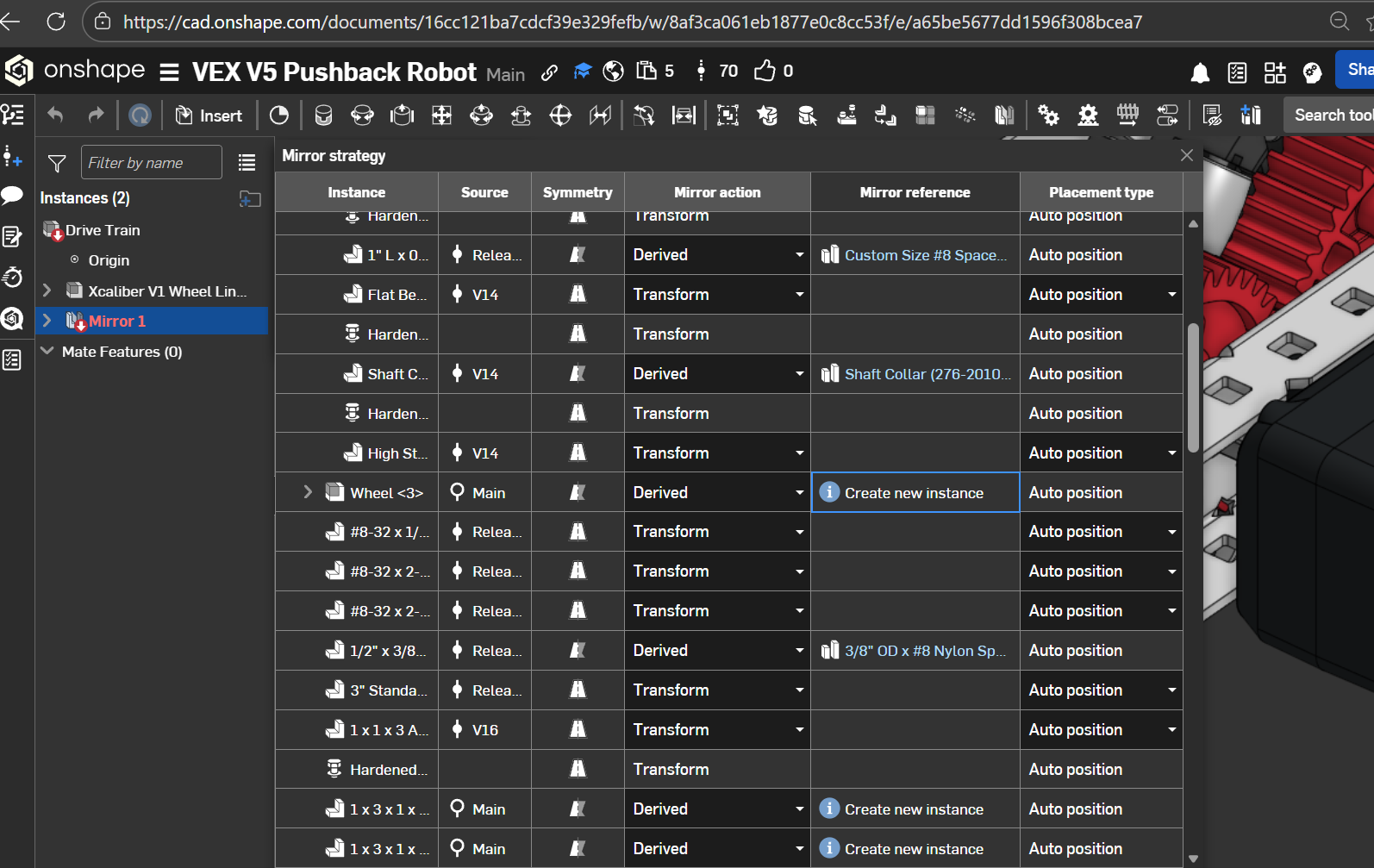
I'm trying to mirror an assembly in another assembly, but it seems on shape doesn't know how to mirror the custom parts in my assembly because when I try to mirror it, it says "Missing mirror element, mirror strategy table needs updating". I'm pretty sure there's a way to fix this because parts I downloaded don't have this problem, but, for the life of me, I couldn't find how to designate a mirror element for custom parts online. Does anyone know how to do this?
Best Answer
-
fixed it, the answer was that i literally just had to press the update button which was hidden bc i had all the assemblies expanded
0
Answers
-
fixed it, the answer was that i literally just had to press the update button which was hidden bc i had all the assemblies expanded
0