Welcome to the Onshape forum! Ask questions and join in the discussions about everything Onshape.
First time visiting? Here are some places to start:- Looking for a certain topic? Check out the categories filter or use Search (upper right).
- Need support? Ask a question to our Community Support category.
- Please submit support tickets for bugs but you can request improvements in the Product Feedback category.
- Be respectful, on topic and if you see a problem, Flag it.
If you would like to contact our Community Manager personally, feel free to send a private message or an email.
Is it possible that my drawing got corrupted in the cloud?

Having created a scale model in Onshape last year and made a successful physical print of it, I was surprised to find on opening it again after about 8 months that it was full of errors. At first I thought I'd made a bad shell feature, which would propagate errors down the line, but after some nice tips in response to my question about shells, I found that other parts unrelated to the shell were full of errors too. There are sketches that have lost the plane they were drawn on, or lost all their external references, extrudes that have lost which faces to extrude, which faces or vertices to terminate at, what the merge scope is, and so on. Search for healthy moments finds none.
This is the state the history shows just before I created the STL.
To check I hadn't completely lost the plot, I re-imported the a couple of the STLs. The first one has errors but the shape is right. The other is as it should be, but the drawing as it is now would fail to produce it at all.
What can have happened here? Have I dropped some enormous clanger or could there have been a corruption? I fear it looks a bit like what Freecad used to do before I stopped using it.
Answers
-
Have you gone back in your history to the date of the last stable model. You can do that and hit restore to main.
0 -
Thanks Bryan but going back all the way to the start and stepping through, according to the history it's always been like this. Almost seems as if I had a bump on the head and drew a lot of nonsense without noticing e.g. getting to the point where the important shell feature fails, and then carried on drawing as if it had worked. I'd worry about my head if I hadn't got the STLs to prove that it really had worked originally.
0 -
It once happened to one of part studios in the company I've been working few years back - the feature get broken after update. Normally onshape rolls back the update for part studios that indicate any errors after version update, but seem that its not always the case
1 -
I had looked at your model a few days ago in the other shell thread and looked at its history at a few points then. It was FULL of failures for a LONG time.
Is it possible you are just noticing them now?
OS also in the last year or two made it so the failures were more easily visible with the eye in the tree. They changed some of the colors and/or added some icons when selections were missing. They also added an indication that sketches are not constrained.
0 -
The model was full of issues from the beginning. The modeler would be wise to do more built-in training courses;)
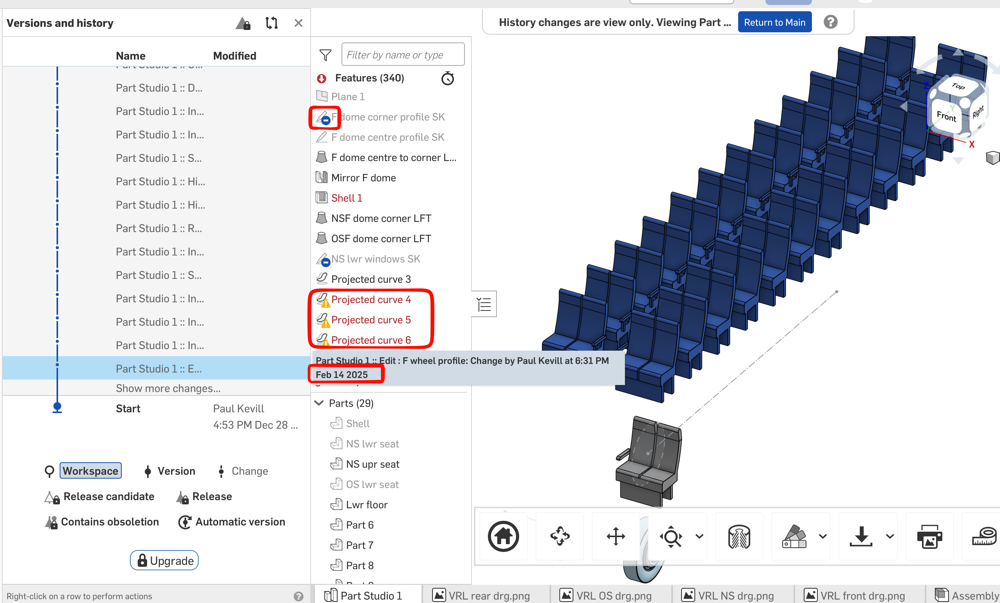 1
1 -
Thanks for looking at it Nick. Yes, the errors go back nearly all the way to the start, so as per my response to Bryan above, I had to ask myself whether I'd somehow ploughed on with a broken model and not noticed. Thankfully I have the STLs and a physical print to show that as of June 2025, it was fine. So I think this suggestion is a possibility:
0
