Welcome to the Onshape forum! Ask questions and join in the discussions about everything Onshape.
First time visiting? Here are some places to start:
- Looking for a certain topic? Check out the categories filter or use Search (upper right).
- Need support? Ask a question to our Community Support category.
- Please submit support tickets for bugs but you can request improvements in the Product Feedback category.
- Be respectful, on topic and if you see a problem, Flag it.
If you would like to contact our Community Manager personally, feel free to send a private message or an email.
Wie kann ich ein Bauteil auf der Arbeitsfläche verschieben?

Hallo,
wahrscheinlich die einfachste Frage aber ich finde seit einer Woche keine Antwort.
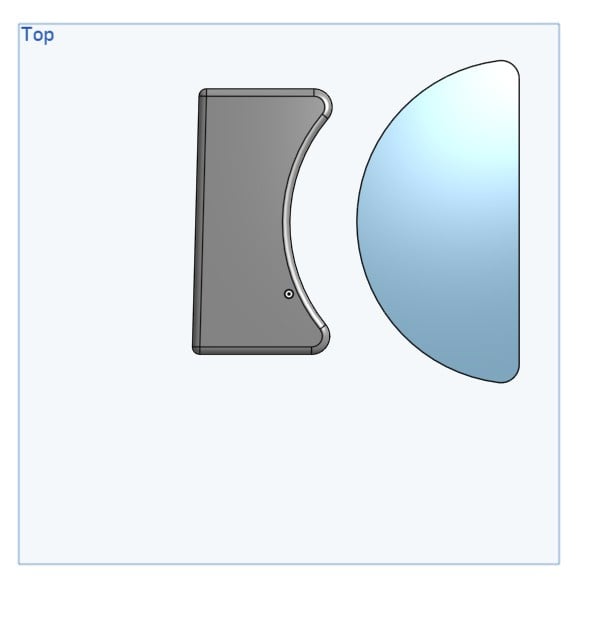
Ich habe 2 Bauteil auf der Oberfläche, wie kann ich eins davon näher an das andere, am besten einfach mit der Maus, verschieben?
LG
Mathias
Best Answer
-
Transform tool - specifically 'Translate by XYZ' - https://cad.onshape.com/help/Content/transform.htm#XYZD
The white arrows that appear can be grabbed and dragged using the mouse.
Unemployed Onshaper- Operating on European time - More of me here ➤➤ https://linktr.ee/Liam.G0

Answers
-
If you want to be able drag them with a mouse, put them in an assembly.
0 -
Transform tool - specifically 'Translate by XYZ' - https://cad.onshape.com/help/Content/transform.htm#XYZD
The white arrows that appear can be grabbed and dragged using the mouse.
Unemployed Onshaper- Operating on European time - More of me here ➤➤ https://linktr.ee/Liam.G0
