Welcome to the Onshape forum! Ask questions and join in the discussions about everything Onshape.
First time visiting? Here are some places to start:
- Looking for a certain topic? Check out the categories filter or use Search (upper right).
- Need support? Ask a question to our Community Support category.
- Please submit support tickets for bugs but you can request improvements in the Product Feedback category.
- Be respectful, on topic and if you see a problem, Flag it.
If you would like to contact our Community Manager personally, feel free to send a private message or an email.
Frame trim

kevin_mason558
Member Posts: 70 PRO
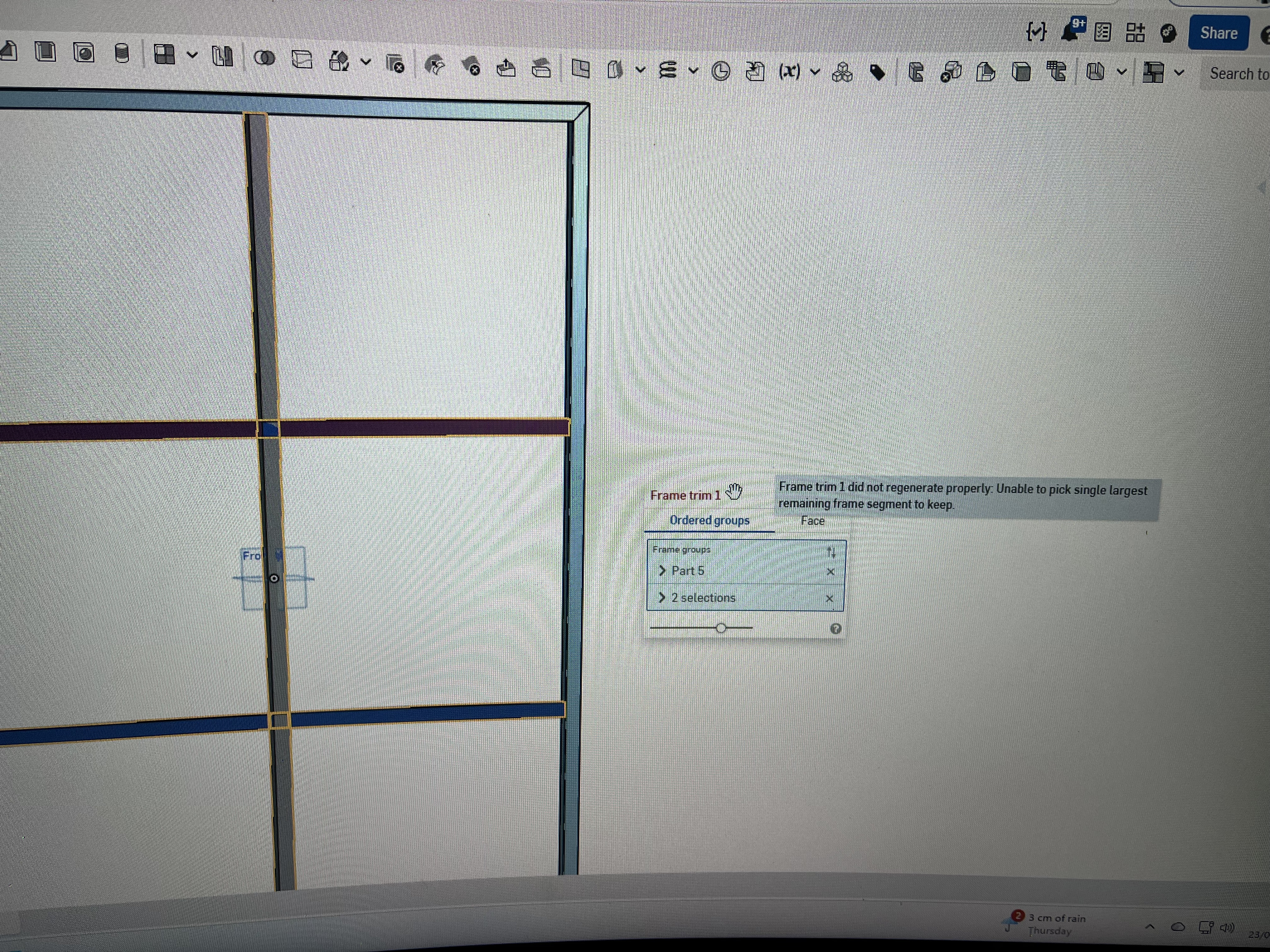
I have a grid of frames
Without having to draw each segment separately I thought I could use the frame trim.
this won’t work as it wont remove the intersections and keep both sides
sketch and extrude then won’t allow the parts to fill into a cut list as it can’t determine the ends.
Is there an easier or quicker way to do this other than separately adding individual frame sections?
0