Welcome to the Onshape forum! Ask questions and join in the discussions about everything Onshape.
First time visiting? Here are some places to start:- Looking for a certain topic? Check out the categories filter or use Search (upper right).
- Need support? Ask a question to our Community Support category.
- Please submit support tickets for bugs but you can request improvements in the Product Feedback category.
- Be respectful, on topic and if you see a problem, Flag it.
If you would like to contact our Community Manager personally, feel free to send a private message or an email.
Drawing views
 peter_nilsson626
Member Posts: 2 ✭
peter_nilsson626
Member Posts: 2 ✭
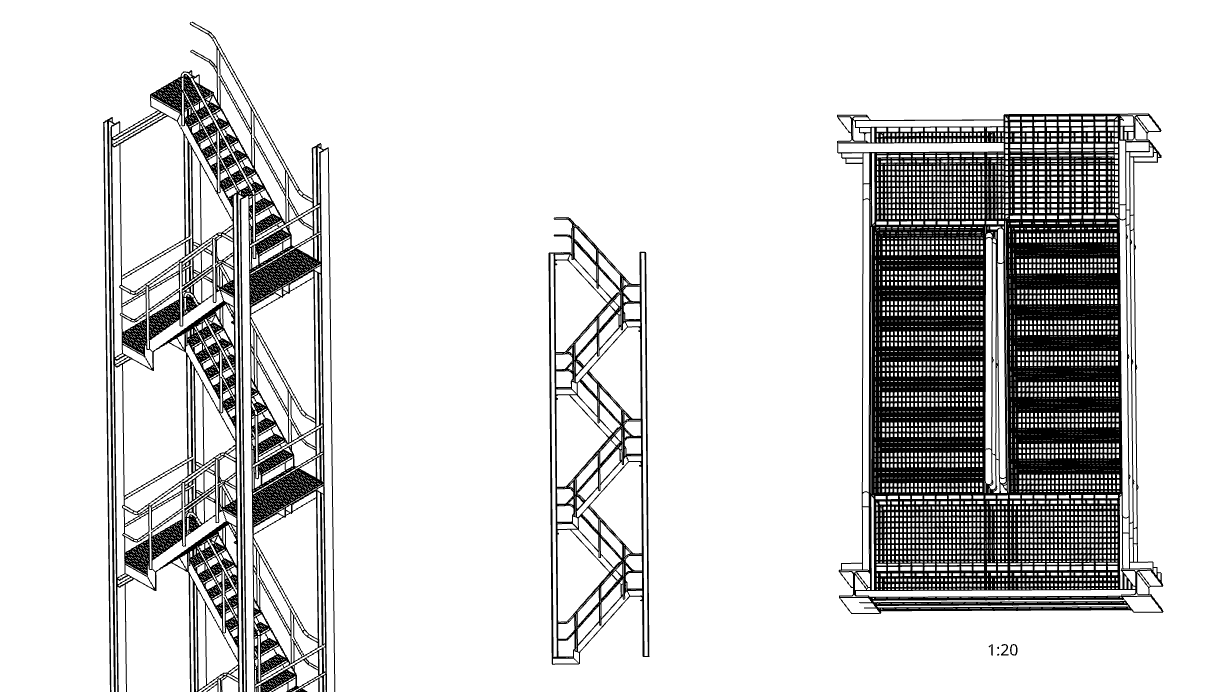
Hi!
I'm new to Onshape. Is there a way to get a true top view of an assembly in a drawing? I don’t want it to appear like it does in the image on the right.
I want it to be a 2D only from top
0
Answers
Create a named view in the assembly.
https://www.onshape.com/en/resource-center/tech-tips/tech-tip-using-named-views
Hmmmm ... could it be that IS already the correct top view, only your assembly does not stand precisely upright in the coordinate system? That can happen if the first/base part inserted isn't immediately fixed, before referencing other parts to it. Zooming in in your other views, I have the suspicion that the verticals there aren't exactly vertical either.
In that case identifying the base part and setting it straight it might help a lot with drawing views and dimensions.