Welcome to the Onshape forum! Ask questions and join in the discussions about everything Onshape.
First time visiting? Here are some places to start:
- Looking for a certain topic? Check out the categories filter or use Search (upper right).
- Need support? Ask a question to our Community Support category.
- Please submit support tickets for bugs but you can request improvements in the Product Feedback category.
- Be respectful, on topic and if you see a problem, Flag it.
If you would like to contact our Community Manager personally, feel free to send a private message or an email.
Suggestions on a better way

New to onshape and struggling with getting some ribs on the surface of this part.
I expect there are much better ways to create the shape and / or to add the surface wrap of complex curved faces.
I am open to hearing all of your advice for making something like this a better simpler model.
Really hope I got the link right 😥
https://cad.onshape.com/documents/ffdb200cc341fde6b4f34921/v/7032d37a92072d29a04ae44b/e/f80f6ac7605c58a9397c135e
Best Answer
-
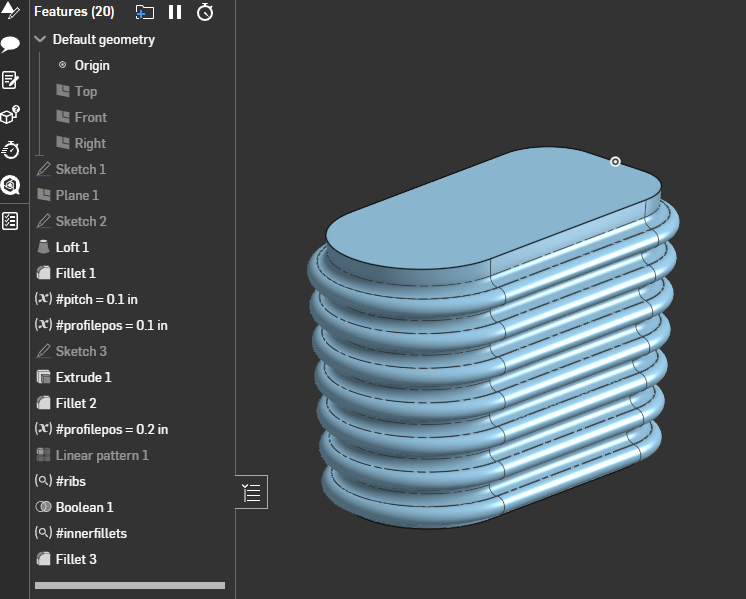
These can be a bit tricky depending on what details your are trying to aim for but maybe something like this?
 0
0

Answers
-
These can be a bit tricky depending on what details your are trying to aim for but maybe something like this?
0 -
Hey Eric. Your link is not public.
0 -
Should be fixed. Thanks for pointing it out!
1 -
Looks good just like I expected.
0 -
I wonder if you maybe made it more complicated as it needs to be. These ribs appear to go all around the main body, so I'd propose to not sketch them out again for each panel but only once in the center plane and then work from there. That might also fix the bad tangency found in some places, and that grey center piece might not be at this odd angle.
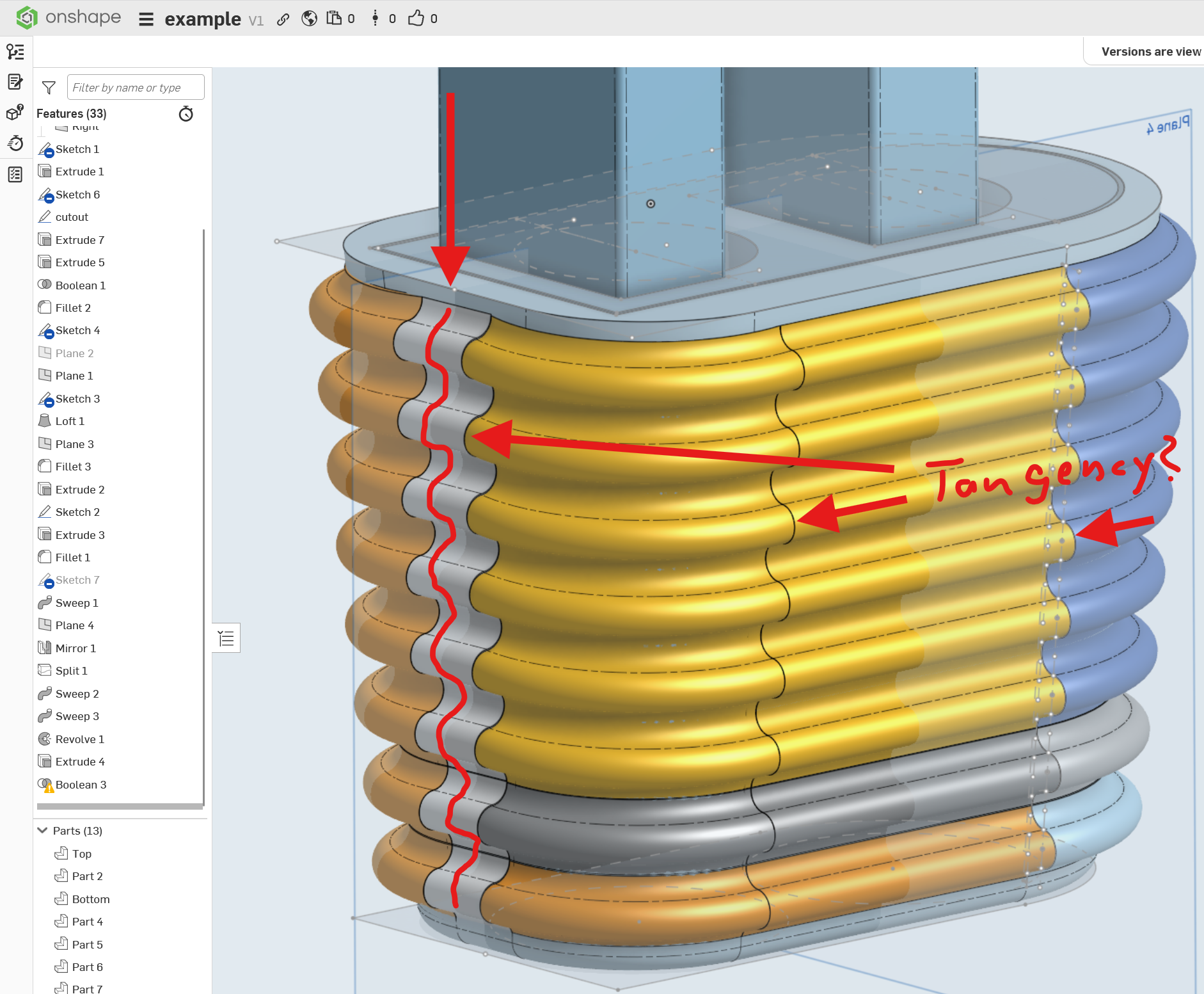
Was this meant to be symmetrical to the "right" (YZ) plane? In that case I'd propose modeling only one side and mirror only once that is finished.
0 -
- Part of this project is a physical piece I need so it's shape is somewhat constrained. Just as important is learning onshape. I have used blender and freecad for a while but am enjoying onshape in a number of ways.
- 1) Model half and mirror - Yes, a better idea.
- 2) The tangency is the problem. At first I expected to be able to sweep this around the whole surface with fixed start and end points on one sketch.
- But the result had major gaps where it didn't track the faces properly.
Then I tried duplicating the sketch and doing smaller parts but it just didn't track the surface as I hoped. I could mangle it into one piece by scaling it a bit and then joining it all together but that feels wrong.
I appreacte the response, thanks.
0 -
Well I am certainly learning now.
Made a copy to check out how this works.
I have not used Pierce or Intersection constraints before there is a bunch of heavy lifting going on right there. Offset I have tried but clearly it's way more powerful than I first thought.
I am missing something on Extrude 1, Face of Sketch 3 appears twice and mesing with that ruins fillet 3 but I didn't appear to be able to figure out exactly what you did on that extrude and why.
This is definately a much better way to go but it's going to take a minute to figure that out
Thanks for you time on this, once I understand it I will be much better at onshape.
0 -
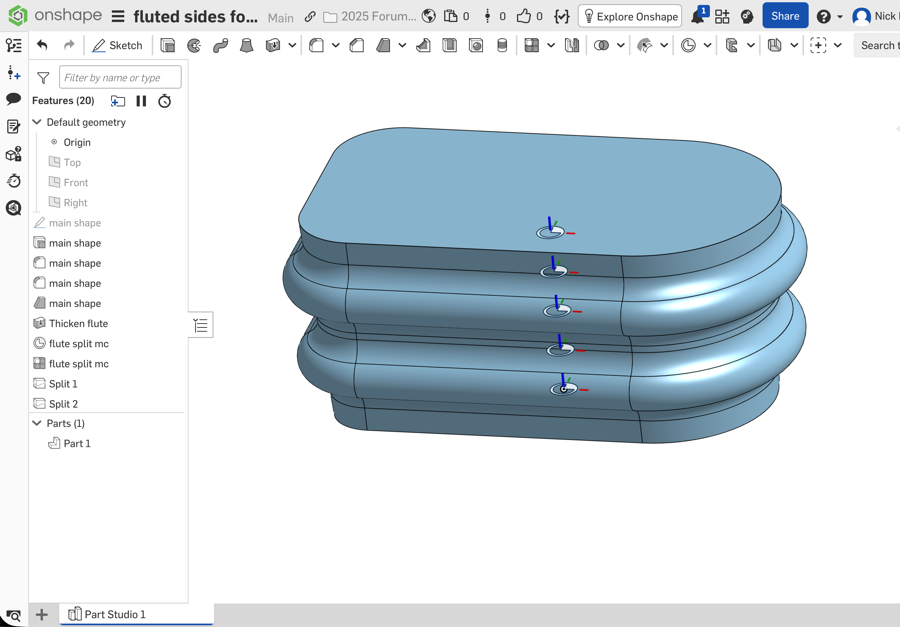
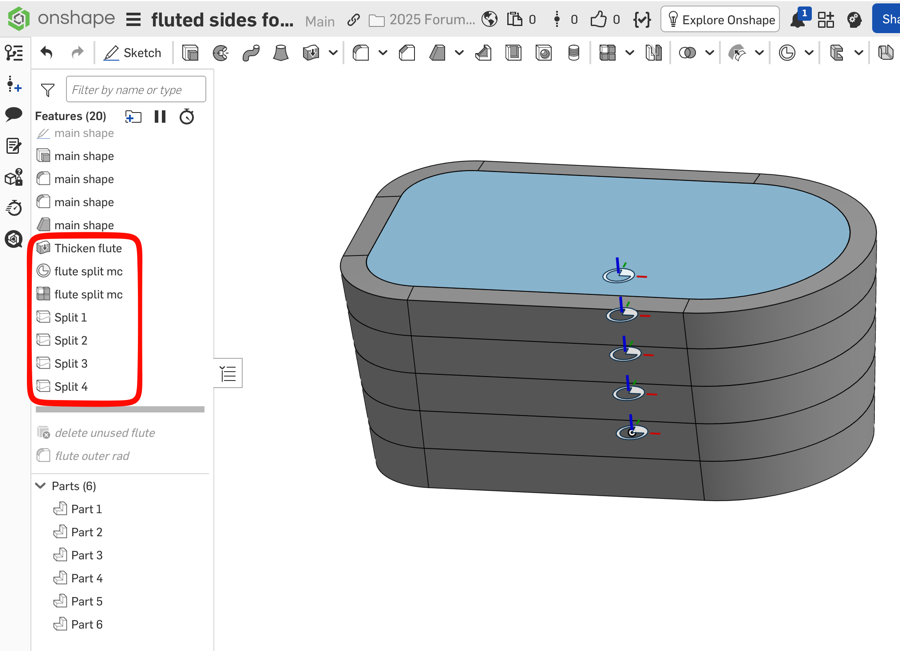
Here is another approach, using thicken>new to offset the original surface to create the flutes. The plus is it guarantees the flutes follow the overall shape, including the draft of the walls. The minus I'm seeing is the inner radius doesn't seem to make a full round.
Link:
https://cad.onshape.com/documents/99fee01a4b7b8a74201ce6c4/v/ea9bd808fea3adb0b5048933/e/7b69f3a0bfe04793409d6740?renderMode=0&uiState=69b71cdd90569b2e7bee5f70
0 -
Thanks for that, more stuff I didn't know how I could do. And again much cleaner
I made a copy so I can check it later and tinker.
Thanks again
1 -
Sketch 3 creates two regions so I selected, if you only select the outer part (outside the intersection line), you get a small gap at the bottom of the extrude. Another way to solve this would be to make the intersection "construction".
The general challenge with this specific shape is that the "draft" angles changes for the different faces, which is why sweeping around the part perimeter doesn't work. This also makes it difficult to setup so that the fillets form full round at the bottom.0 -
Thanks for that. I didn't notice the boundry at teh intersection line and the internal portion.
👍️
0 -
What are you trying to make anyway? I haven't seen a shape like that since the 1945 Brunswick Centennial.
 0
0

