Welcome to the Onshape forum! Ask questions and join in the discussions about everything Onshape.
First time visiting? Here are some places to start:
- Looking for a certain topic? Check out the categories filter or use Search (upper right).
- Need support? Ask a question to our Community Support category.
- Please submit support tickets for bugs but you can request improvements in the Product Feedback category.
- Be respectful, on topic and if you see a problem, Flag it.
If you would like to contact our Community Manager personally, feel free to send a private message or an email.
Custom Feature: One Face Loft

Hi all, I worked up a feature script using AI and grit (lol) to apply lofts to faces using a single face. It allows you to loft to a single point, a radius, a custom face, or even a flattened version of the same face. Not sure how useful it is to most, but I often make 3d print items where I'd like to loft surfaces for 3d visual appeal. Recently I was working on a wavy flag and all of the stars had unique faces and lofting them to individual points was terrible so this feature script allowed me to select all the faces in one shot and loft them to points. Hope it is useful to some!
One Face Loft: https://cad.onshape.com/documents/3aa176406f7c743277b6f55d/w/7ce8ca9d600927585c941970/e/9c109aea214604abc3b394dd
With just four commands I was able to loft all 50 stars to a single point 5mm above each face as well as apply a 50% scaled draft on the bottom side of each of the stars.
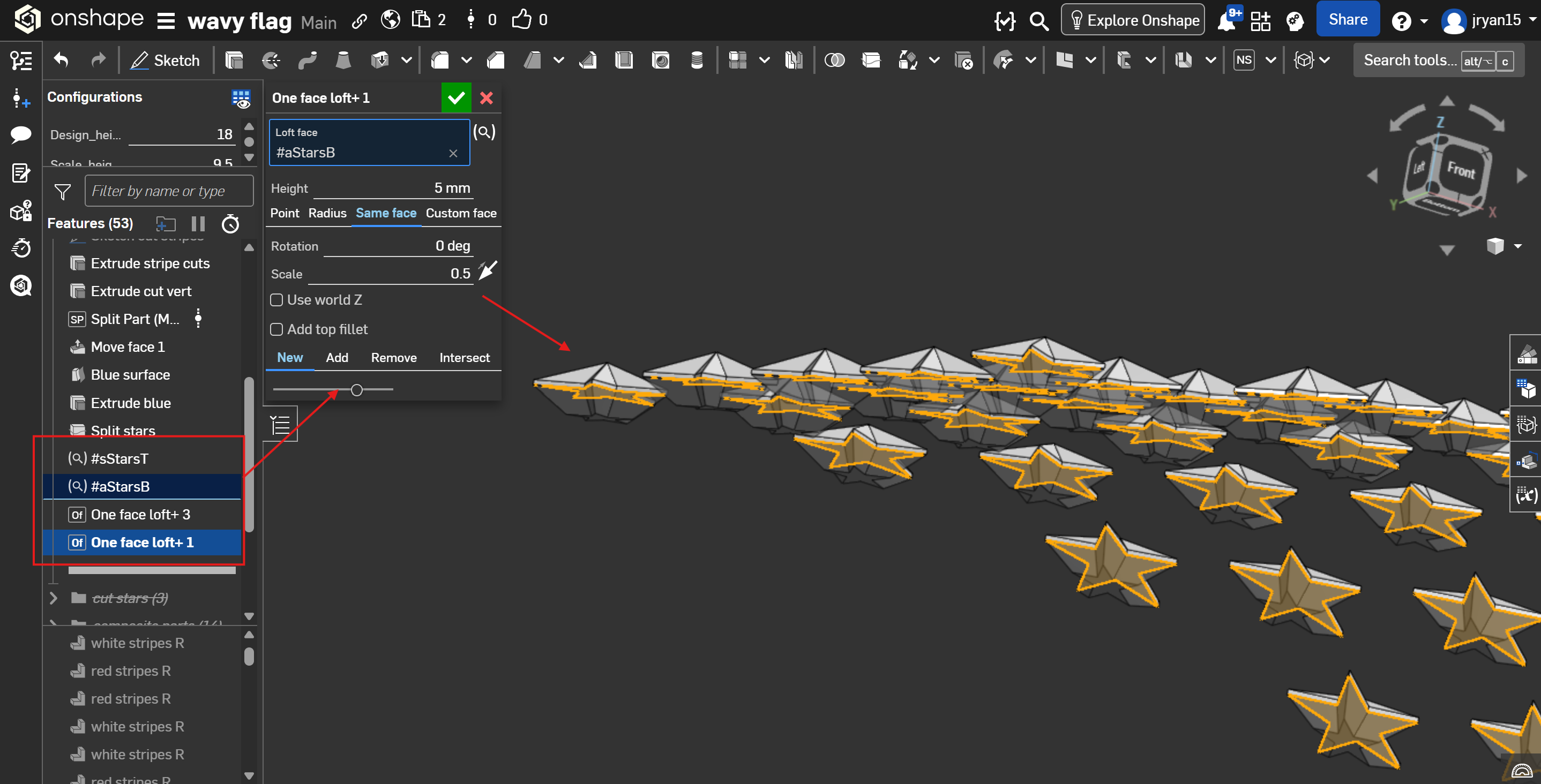
The feature also allows for rotation from 0-360 degrees. I tried a lot to find a way to corkscrew beyond 360 degrees, but I just could make it work. I was really digging the idea too, but still the script seems to work pretty well for the examples I've used it on! Hope it helps.